
Cookie Consent Pro for EmDash
A cookie banner that blocks your analytics and ad tags until visitors agree. Paste one snippet, manage everything from the admin.
@dipakgr.bsky.social/cookie-consentOr open Registry in your EmDash admin and search for this name.
Overview
A cookie banner that blocks your analytics and ad tags until visitors agree.
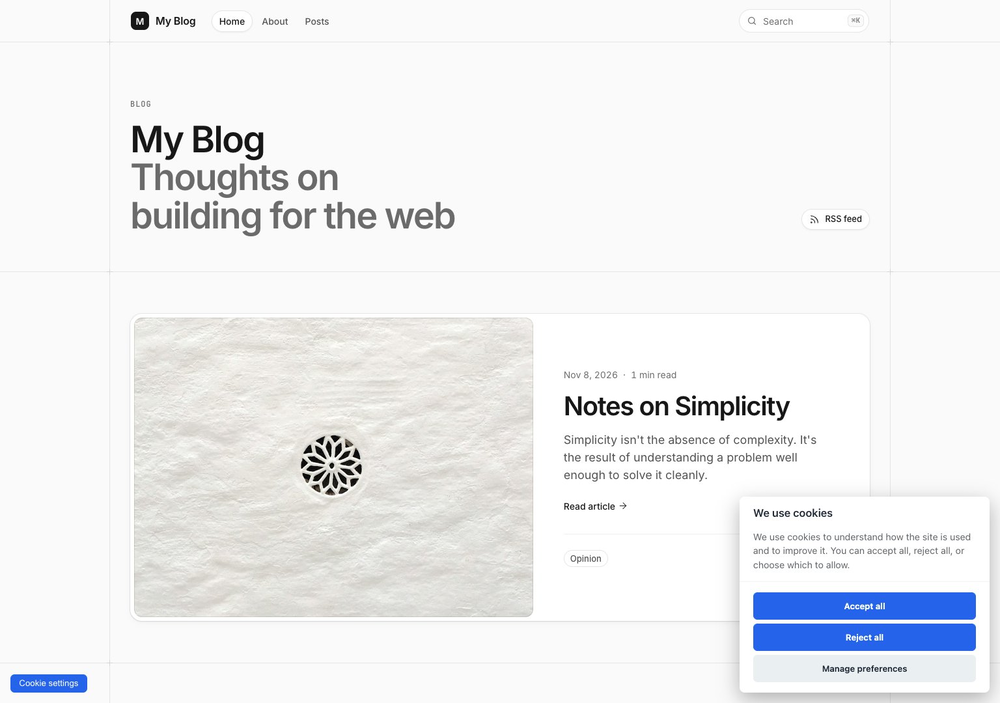
Install Cookie Consent Pro, paste one snippet into your layout, and manage the banner and every tracking tag from the EmDash admin. It is compliant by default, and the admin warns you if you change a setting that weakens that.
- Blocks until consent. Google Analytics 4, Google Tag Manager, Plausible, Meta Pixel, Microsoft Clarity and your own
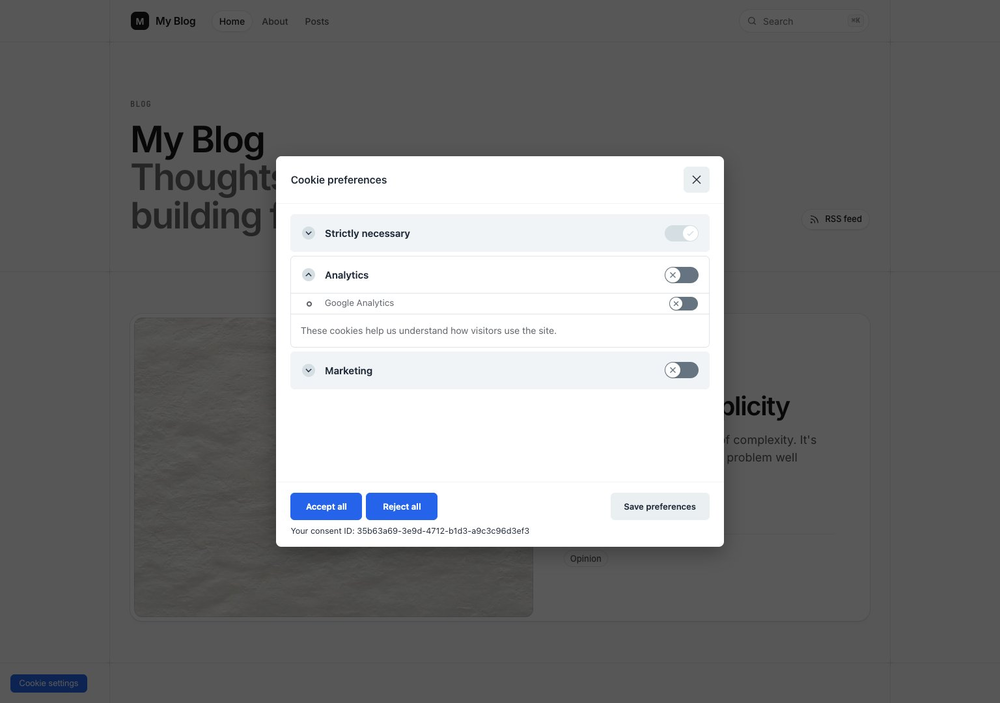
https:scripts load only after the visitor accepts them. - Fair by default. Opt-in, equal-weight "Accept all" and "Reject all", nothing optional pre-ticked. Visitors can switch single services on or off, and reopen their choices from a floating button.
- Google Consent Mode. Signals start as denied and update on consent.
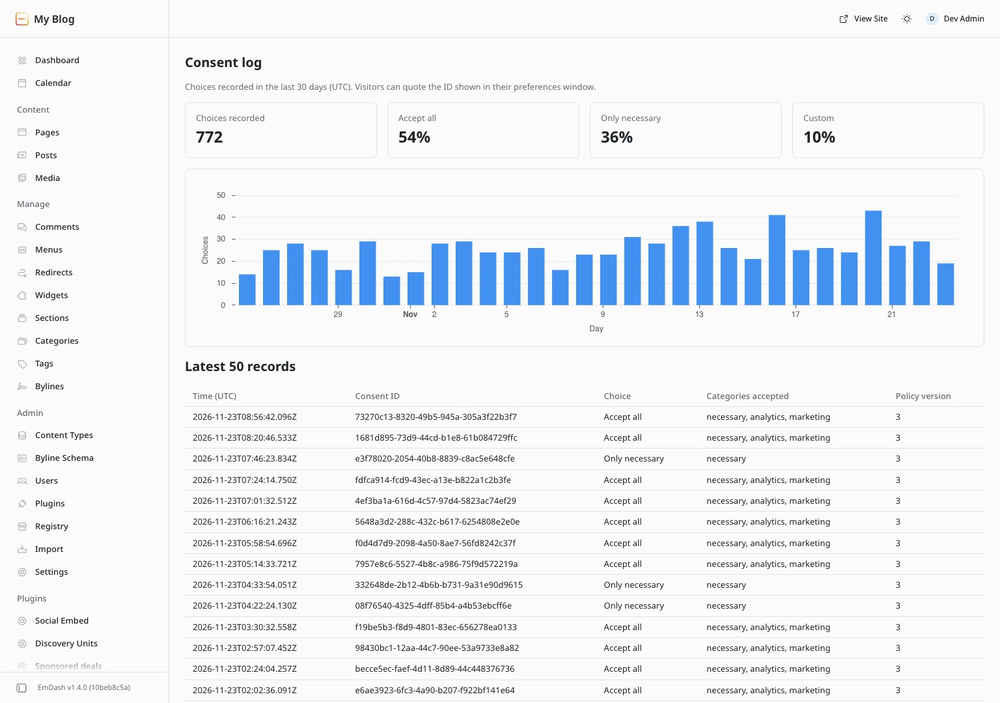
- Proof of consent. Each choice is logged with a random ID, the categories and services chosen, and a timestamp. No IP address, no user agent. Keep records for 6, 13, 24 or 36 months.
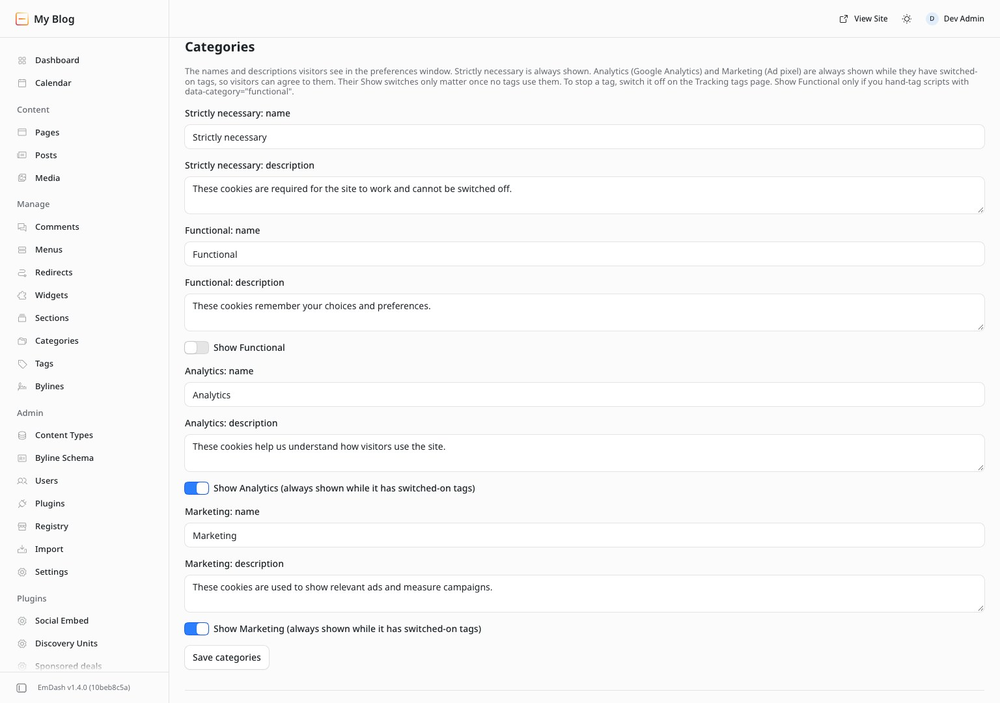
- Yours to style. Layout, position, light, dark or auto theme, colours, editable texts and category names, and a Custom CSS box.
- No permissions. No capabilities, and no network requests from the server.
- Ask again. One button re-shows the banner to everyone after a policy change.
Not a certified CMP and no IAB TCF, so Google AdSense, Ad Manager and AdMob need a certified CMP. One language in this version, with English defaults you can edit.
Banner powered by CookieConsent by Orest Bida (https://github.com/orestbida/cookieconsent), MIT licence. Adapted for EmDash CMS by Dipak Raghuwansi (Decrypt Social).
Screenshots
Permissions
Plugins get only the capabilities they declare and you approve. Your EmDash admin lists these again before anything installs.
FAQ
Do I really have to paste a snippet? Yes, once. A plugin can't add scripts to your pages on its own. After that, everything is managed in the admin.
Does it make my site legally compliant? No tool can promise that. The defaults follow what EU and UK regulators expect, and the admin warns you if you weaken them. You are still responsible for your cookie policy and your choices.
Can I use it with Google AdSense, Ad Manager or AdMob? No. Those need a certified CMP, and this plugin is not one. It has no IAB TCF support.
My own script still runs before consent. Why?
Hand-tagged scripts need both type="text/plain" and data-category="analytics" (or another category). Without both, the browser runs them straight away.
How do visitors change their mind?
Use the floating "Cookie settings" button, or any element with data-cc="show-preferencesModal". If a visitor switches a service off, the page reloads so the running tag stops.
What is stored about a visitor? A random consent ID, the choice, the categories and services, the policy revision, the snippet version and a time. No IP address and no user agent. Records are pruned after 6, 13 (default), 24 or 36 months.
How do I get the consent log out?
The Consent log page shows up to 500 records as CSV for the dates you pick. For more, use the export_consents MCP tool.
Can I turn off the equal-weight buttons or the reject button? Yes, but you get a warning and a banner on the Cookie Consent page with a "Restore default" button.
Does it need jsDelivr?
No. On the Cookie Consent page, choose "Your own site (/vendor/cookieconsent/)" and copy two files into public/vendor/cookieconsent/. jsDelivr sees visitors' IPs before they choose.
Can I use another language? One for now. Every text is editable, so write it in your site's language. Defaults are English.
What happens if I uninstall it? The banner and the tags added through it stop. Remove the snippet from your layout.
Security
Cookie Consent Pro runs in EmDash's plugin sandbox. It requests no capabilities and makes no network requests from the server. It has no access to your content, media or users.
Routes. It has two public routes, which you approve when you install:
GET /_emdash/api/plugins/cookie-consent/configreturns the banner settings as data: IDs,https:URLs, texts and colours. Never code. It is cached for 5 minutes, and a stale copy may be served for up to an hour while it refreshes, so changes reach visitors within about an hour.POST /_emdash/api/plugins/cookie-consent/consentrecords a visitor's choice. It accepts a small JSON body (4 KB at most), checks every field, rejects unknown ones, and stops logging past a daily cap.
The admin pages and the export route are private and need an admin login.
What is logged. A random consent ID, the choice type, accepted and rejected categories, accepted services, policy revision, snippet version and a timestamp. Not logged: IP address, user agent, account or email.
On your pages. Tag IDs are checked against fixed patterns and URLs must be https:. Owner texts are escaped and shown as plain text. Custom CSS has markup and @import removed. The library is pinned to version 3.3.0 with an SRI hash (sha384), or you can host it yourself.
Report security issues to dipak@decryptsocial.com.
Installation
- Install Cookie Consent Pro for EmDash from Admin → Registry. Approve its two public routes.
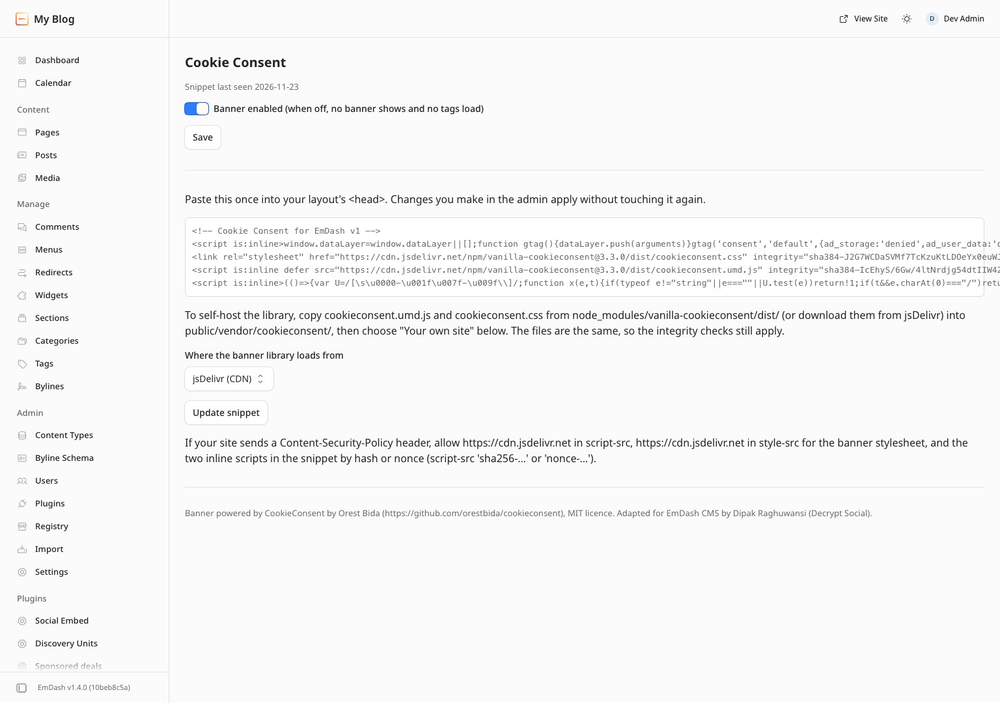
- Open the plugin's Cookie Consent page in the admin.
- Choose where the banner library comes from: jsDelivr (the default) or "Your own site (/vendor/cookieconsent/)". For your own site, copy
cookieconsent.umd.jsandcookieconsent.cssfrom thevanilla-cookieconsent@3.3.0package intopublic/vendor/cookieconsent/. - Copy the snippet into the
<head>of your layout, once. Put it before any other scripts. It is the same on every site and never needs editing when you change the banner or tags. Keep itsis:inlineattributes: they make Astro output the scripts exactly as written. - Check the Cookie Consent page. It shows when the snippet has been seen on your site.
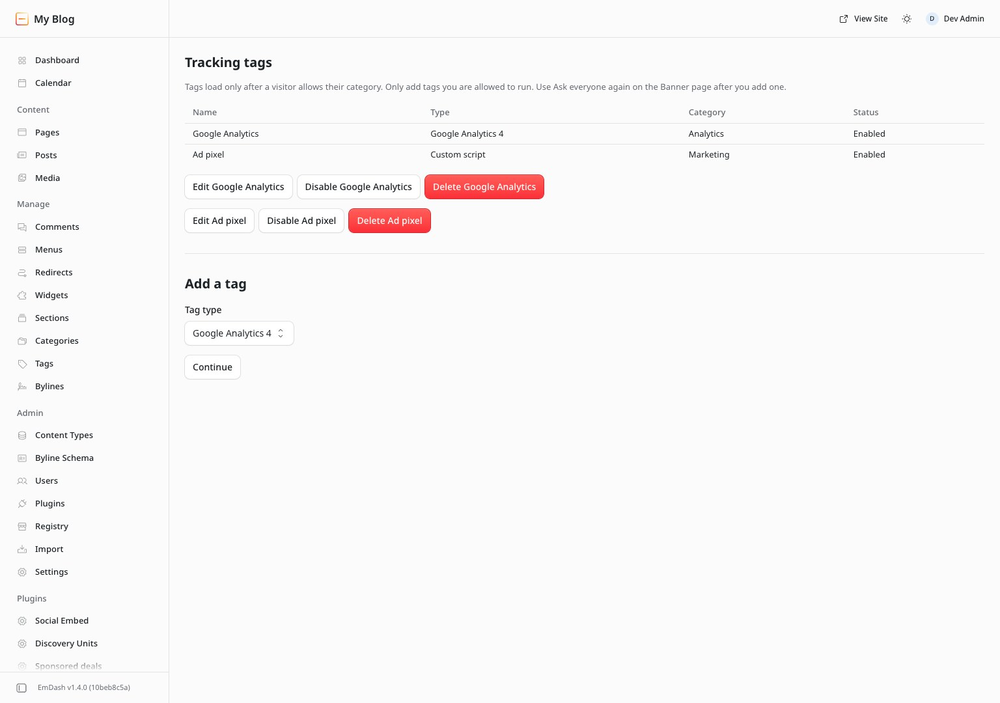
- Open Tracking tags to add Google Analytics 4, Google Tag Manager, Plausible, Meta Pixel, Microsoft Clarity or a custom script. Open Banner to change texts, category names and looks.
If your site sends a Content-Security-Policy header, allow the snippet's two inline scripts (the Consent Mode stub and the loader), https://cdn.jsdelivr.net (if you use it), and your tags' hosts. The README has the details.
To control scripts you added yourself, mark them like this:
<script type="text/plain" data-category="analytics" src="…"></script>
Both attributes are required. To let visitors reopen their choices, use the floating button or give any element data-cc="show-preferencesModal".
Keep exploring
More plugins like Cookie Consent Pro for EmDash
Browse by keyword, or see everything @dipakgr.bsky.social publishes.