
Content Expiry
Take time-sensitive content offline automatically. Set an expiry date for offers, announcements or pages that should return to draft.
@agenticecom.net/content-expiryOr open Registry in your EmDash admin and search for this name.
Overview
Content Expiry
Stop expired offers and old announcements staying live. Choose when a published entry should come offline; Content Expiry returns it to draft and preserves the content for future use.
What you can do
- Set an expiry from the saved-entry editor sidebar.
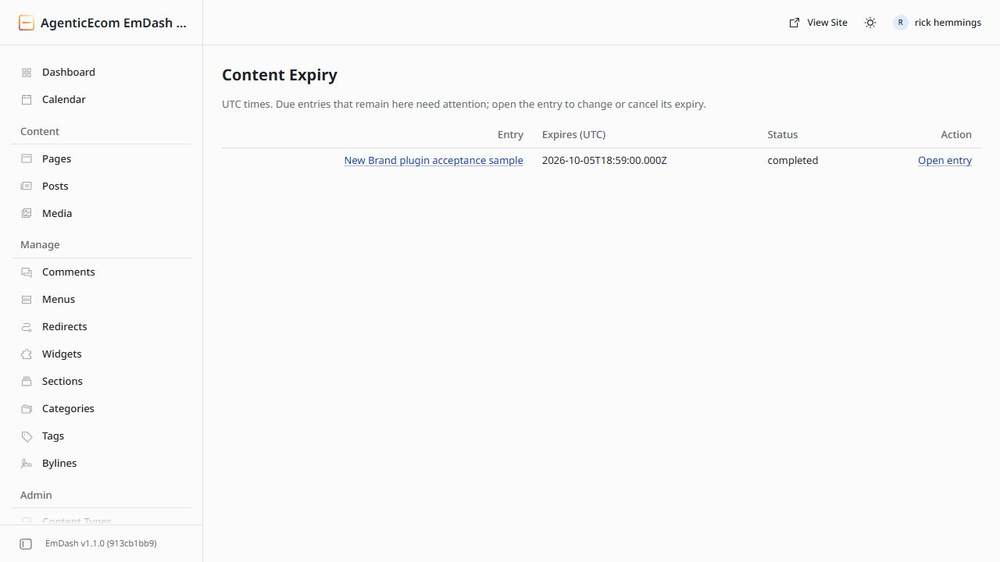
- Review upcoming, completed, cancelled and skipped expiries in one place.
- Keep the content available as a draft after it expires.
Use
Open Content Expiry in the saved-entry editor sidebar. Set a UTC time, save and review the expiry queue.
Limits
Requires a working host scheduler. No local-time conversion or email. Unpublishing clears a future scheduled publication.
Licence: MIT. Publisher: AgenticEcom (agenticecom.net).
Screenshots
Permissions
Plugins get only the capabilities they declare and you approve. Your EmDash admin lists these again before anything installs.
Security
Report security issues through https://agenticecom.net/contact-us. Do not include credentials or private content in public reports.
Changelog
0.2.1: Corrected product-specific icon; runtime and requested permissions unchanged.
0.2.0: Initial AgenticEcom workbench release. Local EmDash 1.1/Workerd verification; see README for scope and limits.
Installation
Install the verified registry release from EmDash Plugins. Review the requested capabilities before activation.
Keep exploring
More plugins like Content Expiry
Browse by keyword, or see everything @agenticecom.net publishes.