
@agenticecom.net/media-alt-text-queue
Media Accessibility Workbench
Review missing asset alt text and audit standard image uses without an AI service.
About Media Accessibility Workbench
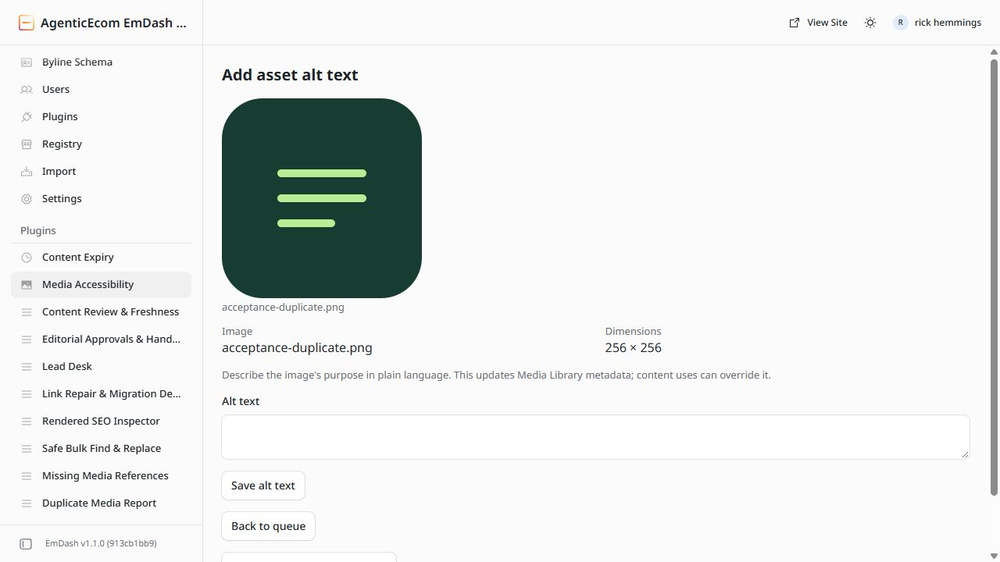
Review twenty media assets per queue request, preview images and save missing asset alt text. Store reviewed decorative decisions separately, inspect their history and undo a decorative review. Audit standard image fields and Portable Text images/galleries in the latest saved draft.
Use
Open Media Accessibility. Review the queue or select a collection for an image-use audit.
Limits
Asset alt and per-use alt are distinct. Decorative review does not change per-use markup. Custom/repeater blocks are excluded. Audits check two entries and at most five distinct assets per request; incomplete scans are explicit. Concurrent asset changes require review.
Licence: MIT. Publisher: AgenticEcom (agenticecom.net).
Screenshots
Security
Report security issues through https://agenticecom.net/contact-us. Do not include credentials or private content in public reports.
Changelog
0.2.1: Corrected product-specific icon; runtime and requested permissions unchanged.
0.2.0: Initial AgenticEcom workbench release. Local EmDash 1.1/Workerd verification; see README for scope and limits.
Installation
Install the verified registry release from EmDash Plugins. Review the requested capabilities before activation.