
Safe Bulk Find & Replace
Rebranding or updating old wording? Preview text replacements across entries, then choose which changes to apply as draft edits.
@agenticecom.net/safe-bulk-replaceOr open Registry in your EmDash admin and search for this name.
Overview
Safe Bulk Find & Replace
Update repeated wording without opening every entry. Preview a literal text replacement in a selected text field, then choose which draft edits to apply using the supplied Astro Workbench companion. Useful for rebrands, renamed services and outdated wording.
What you can do
- Preview matches across entries in a chosen collection and string or text field.
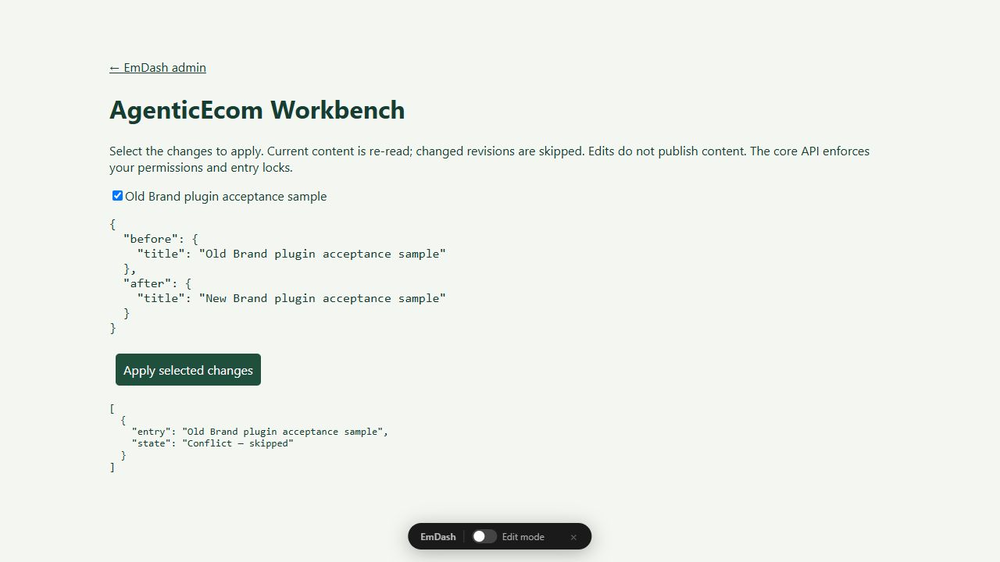
- Select individual replacements before applying draft edits.
- Skip entries that changed after the preview.
- Keep verified change receipts for later review.
Site setup
The registry plugin provides previews. Applying changes requires the supplied Astro Workbench companion; complete source and installation steps are in the README.
Use
Open Safe Bulk Find & Replace. Select a collection, field slug, find text and replacement. Open the preview in the installed companion and select rows.
Limits
Requires the AgenticEcom Astro Workbench companion to apply changes. Registry installation alone is preview-only. No regex, rich-text replacement or automatic rollback. Published entries receive draft edits.
Licence: MIT. Publisher: AgenticEcom (agenticecom.net).
Screenshots
Permissions
Plugins get only the capabilities they declare and you approve. Your EmDash admin lists these again before anything installs.
Security
Report security issues through https://agenticecom.net/contact-us. Do not include credentials or private content in public reports.
Changelog
0.1.1: Corrected product-specific icon; runtime and requested permissions unchanged.
0.1.0: Initial AgenticEcom workbench release. Local EmDash 1.1/Workerd verification; see README for scope and limits.
Installation
Install the verified registry release from EmDash Plugins. Review the requested capabilities before activation. Read the README companion requirements before installing.
Keep exploring
More plugins like Safe Bulk Find & Replace
Browse by keyword, or see everything @agenticecom.net publishes.