
@desidashlab.bsky.social/share-buttons
Share Buttons
Share buttons on every post: X, Facebook, LinkedIn, WhatsApp, Bluesky, Telegram and more, plus copy link and the phone share sheet.
About Share Buttons
Share buttons on every post: X, Facebook, LinkedIn, WhatsApp, Bluesky, Telegram and more, plus copy link and the phone share sheet.
Screenshots
Faq
What does this plugin do?
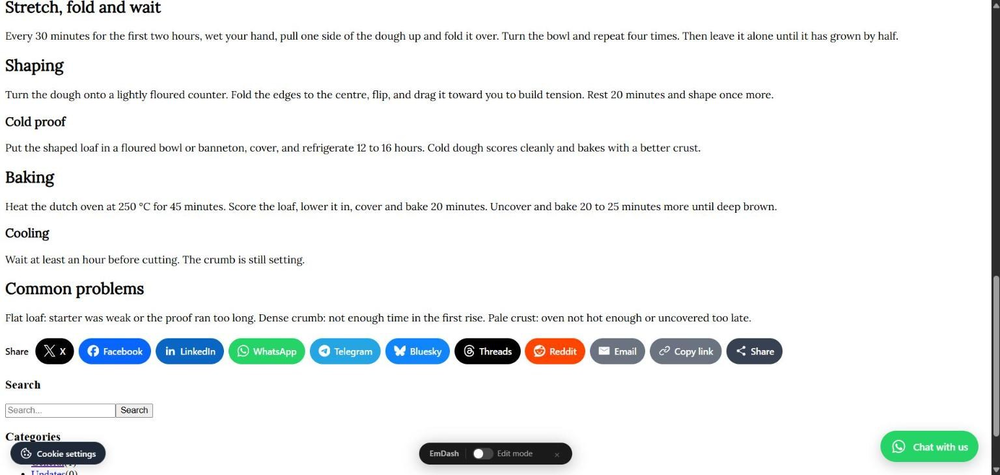
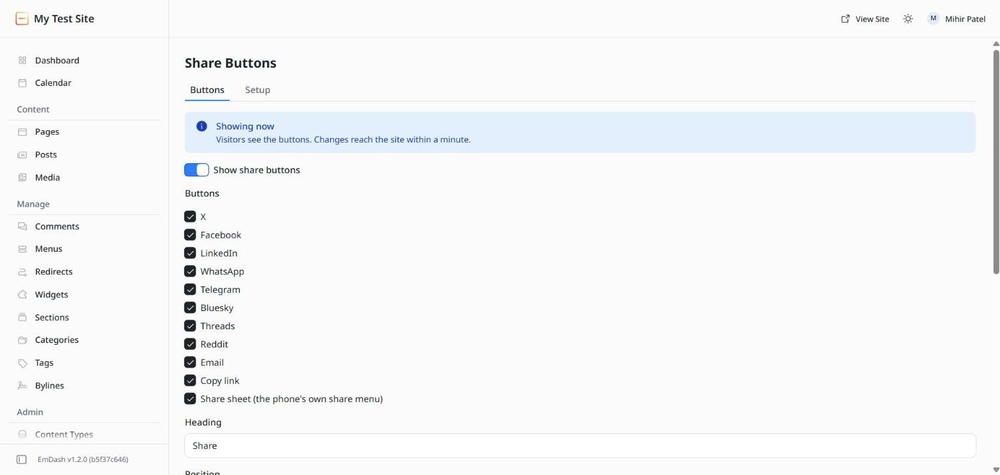
It adds a row of share buttons to your posts. A visitor taps one and the post's title and address are handed to X, Facebook, LinkedIn, WhatsApp, Telegram, Bluesky, Threads, Reddit or an email draft. There is also a copy-link button and, on phones, a button that opens the device's own share menu.
Where do the buttons go?
By default at the end of each post. You can move them under the title, show them in both places, or float them at the left edge of the screen when there is room beside the post (on small screens, or when the post fills the width, they drop back to the end of the post). To put them in a spot of your own, add an element with the data-share attribute to your post template and the buttons appear there instead.
Which pages get buttons?
Every page that has a post area, which is the article element in most themes. If your theme uses something else, change Post area. To limit the buttons to posts only, choose Addresses starting with and enter your posts path, usually /posts/.
What does the share sheet button do?
On a phone it opens the device's own share menu, with every app the visitor has installed. Browsers on desktop computers mostly do not offer one, so the button only appears where it works.
What are tracking tags?
With Add tracking tags on, every shared link gets utm_source (the network) and utm_medium added, so tools such as Plausible, Fathom or Google Analytics can show you which network brought each visitor.
Does it count shares?
No. Share counts need calls to each network's servers and most networks no longer offer them. The buttons open the network's own share dialog and nothing else.
Does it collect anything?
No. The plugin has no access to your content and makes no requests outside your site. The only call is your site fetching its own settings. Each share link goes straight from the visitor's browser to the network they chose.
Changelog
0.1.0
- First release. Share buttons for X, Facebook, LinkedIn, WhatsApp, Telegram, Bluesky, Threads, Reddit and email, plus copy link and the device share sheet.
- Position at the end of the post, under the title, both, or floating at the left edge on wide screens.
- Brand colours or an outline in the theme's text colour, with or without names.
- Optional utm tracking tags on shared links and a "via" username for X.
- Every page with a post area, or only addresses starting with a path. Setup tab shows whether the site is loading the buttons.
Installation
Two steps
- In your EmDash admin open Registry, search for Share Buttons, and click Install. It asks for no permissions.
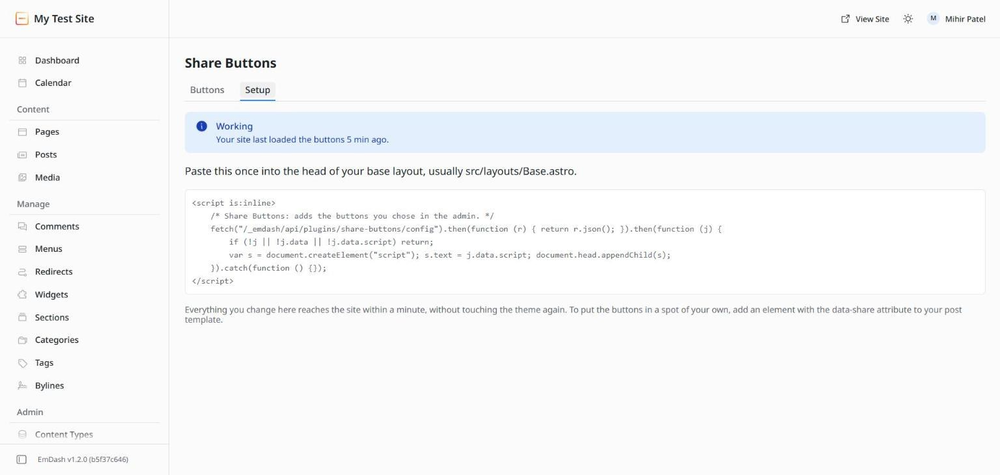
- Open Share Buttons in the left menu, go to the Setup tab, and paste the short block it shows into the head of your base layout, usually
src/layouts/Base.astro. If someone else built your site, send them that block.
The buttons appear at the end of every post within a minute. On the Buttons tab you can pick the networks, move the buttons, switch to outline colours or add names next to the icons.