
DinkusKit Store emails
Order, shipping and abandoned-cart emails for DinkusKit Commerce stores on EmDash, sent from your store's own address.
@dinkuskit.com/dinkus-emailOr open Registry in your EmDash admin and search for this name.
Overview
DinkusKit Store emails sends your shoppers the emails a store needs, from your store's own address.
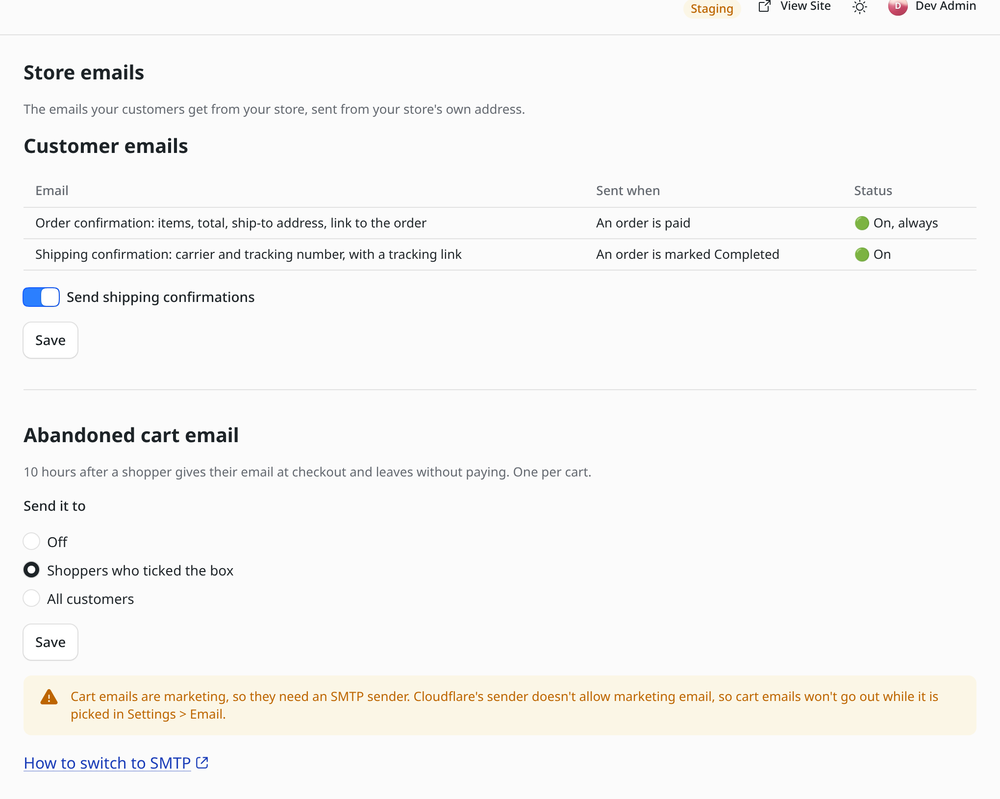
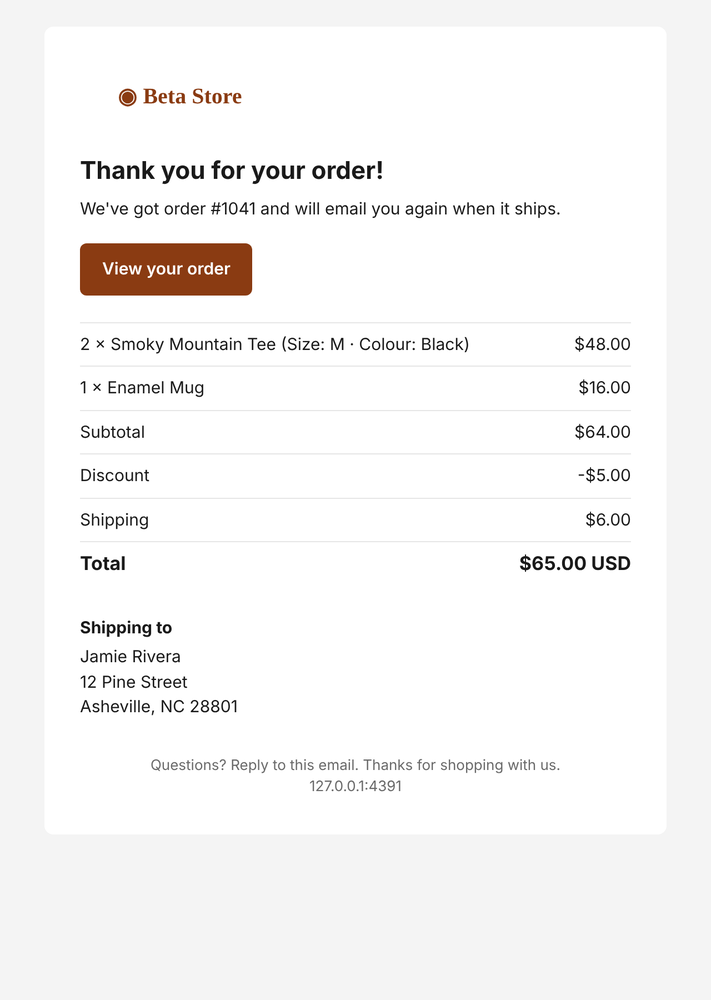
- Order confirmation when an order is paid: the items with their options, subtotal, discount, shipping, total, the ship-to address and a "View your order" button.
- Shipping confirmation when an order ships, with the carrier, the tracking number and a tracking link for USPS, UPS, FedEx and DHL. You can turn it off.
- Abandoned cart email, off until you turn it on: one email to a shopper who left a cart, with a link back to the same cart and a link to stop these emails. Send it to shoppers who ticked "Email me with news and offers", or to every customer.
Pick your logo from Media, a button colour and footer text, and email yourself a sample. Test orders go to you, not the shopper. The Store emails page lists recent emails with masked addresses.
Emails go through the sender you pick in Settings > Email. Cart emails are marketing, so they need an SMTP sender: Cloudflare's sender allows only transactional email.
Explore DinkusKit · Start your store
Building with it? Star DinkusKit Store emails on GitHub to follow and support its development.
Screenshots
Permissions
Plugins get only the capabilities they declare and you approve. Your EmDash admin lists these again before anything installs.
FAQ
Where do the emails come from?
From the sender you pick in Settings > Email, using your store's own address. DinkusKit never sends them for you.
Why don't my abandoned cart emails go out?
They are marketing, and Cloudflare's sender allows only transactional email. Pick an SMTP sender in Settings > Email. Until then the Store emails page marks them "Not sent: cart emails need an SMTP sender".
What happens when a shopper presses "Stop these emails"?
Commerce keeps that address on its stop list. No more cart emails go to it, including one already waiting to be sent. Order and shipping emails still go.
Does it track opens or clicks?
No. The emails carry no tracking pixels and no tracked links.
How long are email records kept?
Each email's address and links are dropped once it is settled. A masked log line stays for 90 days.
Where can I learn more or contribute?
Installation
- Use an EmDash site with Registry sandbox support, DinkusKit Commerce 0.9.0 or later, and the DinkusKit store template, which wakes the store's courier once a minute.
- Pick an email sender in Settings > Email. For abandoned cart emails, pick an SMTP sender.
- Install DinkusKit Store emails and open its Store emails page. Order confirmations start right away. Choose whether to send shipping confirmations and abandoned cart emails, then add your logo and colours.
Keep exploring
More plugins like DinkusKit Store emails
Browse by keyword, or see everything @dinkuskit.com publishes.