Discovery Units
Automatic related-stories blocks with one slot you can hand to a sponsored story for the length of a deal.
@dipakgr.bsky.social/discovery-unitsOr open Registry in your EmDash admin and search for this name.
Overview
Keep readers reading, and honour sponsor deals without touching a post.
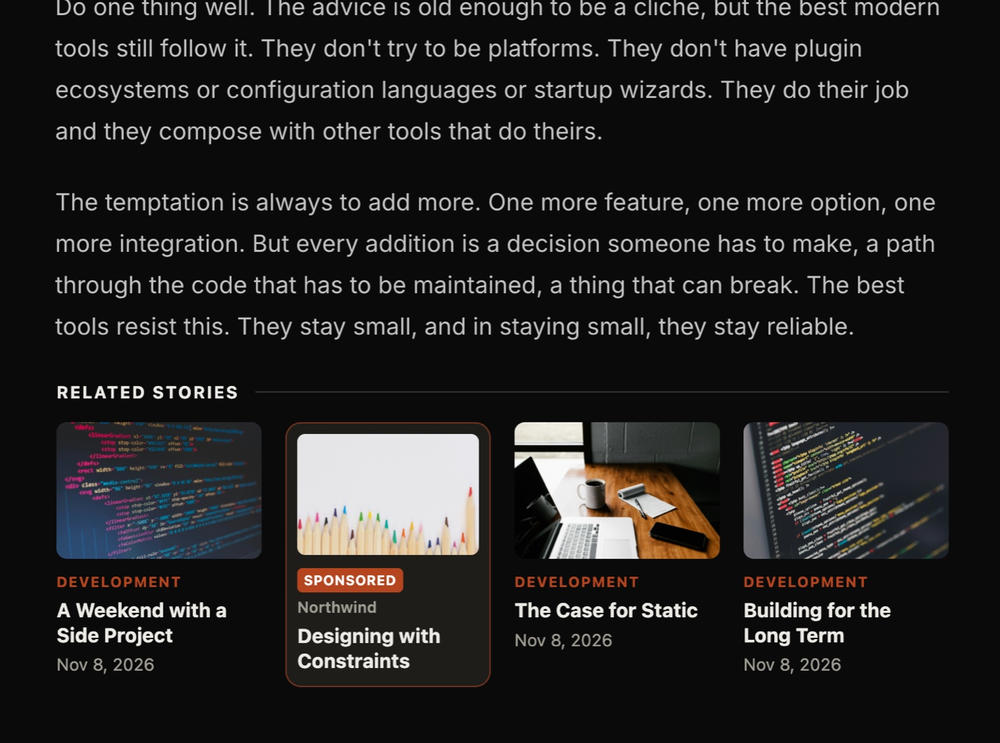
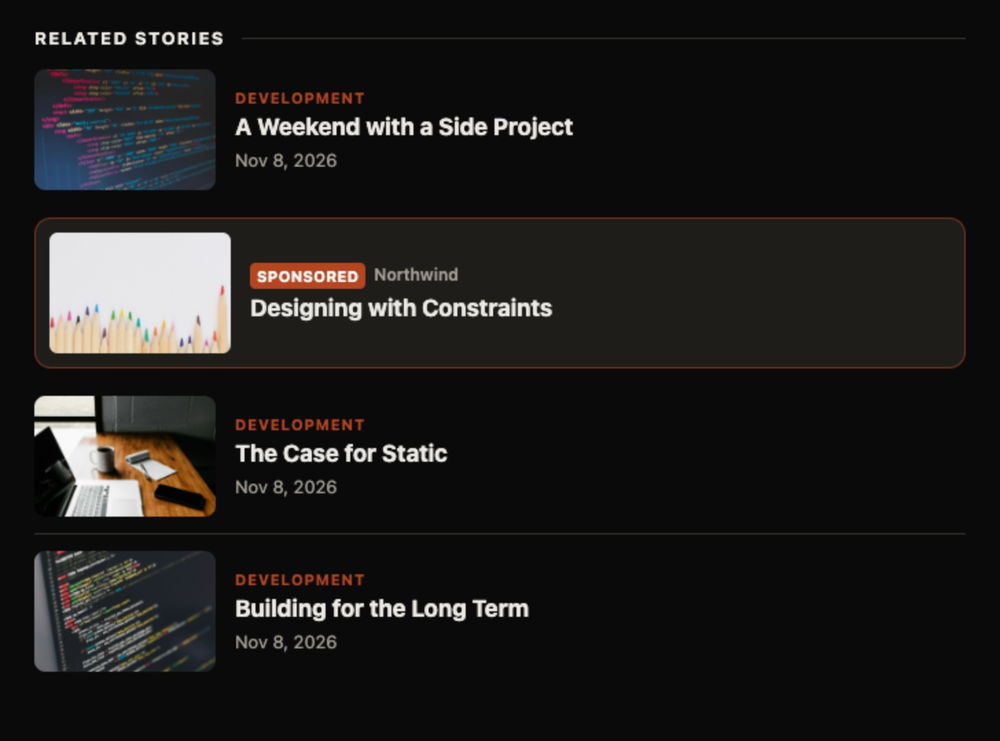
Discovery Units adds a related-stories block to the end of every published post. Stories are picked by shared tags and categories, then by recency.
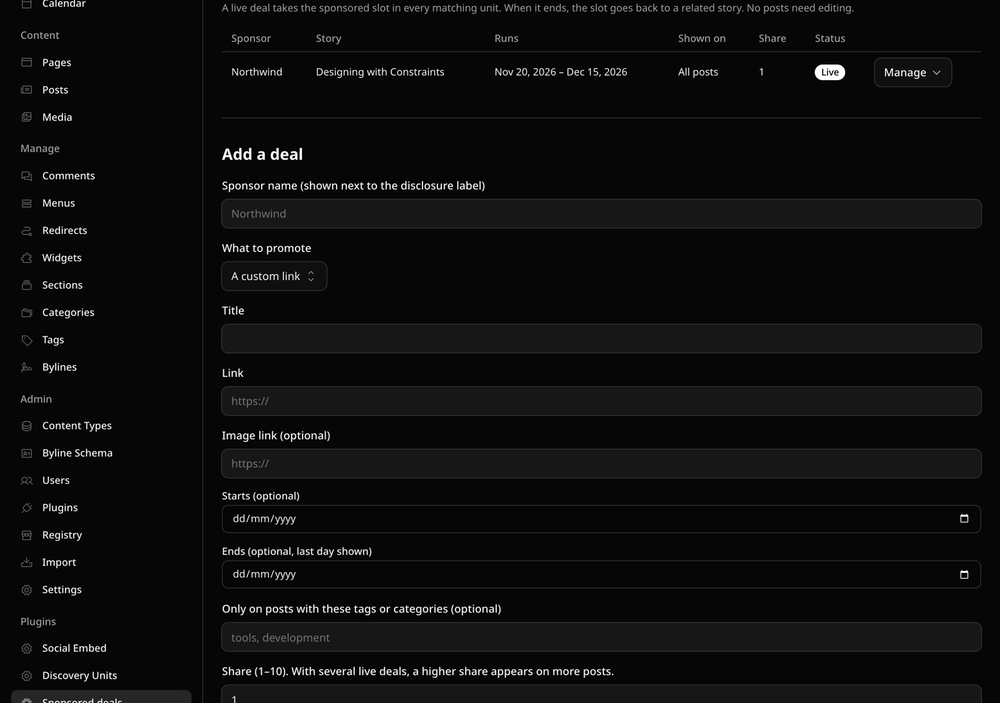
One slot in the block can be handed to a sponsored deal. Give the deal a sponsor, a story (one of your posts, or any link with a title and image), and start and end dates. On the start date the sponsored card appears across your site. On the end date the slot goes back to an ordinary story. Nobody edits a post.
- Automatic. Units update themselves when you publish, unpublish or delete a post, and when a deal starts, ends or changes.
- Honest. A sponsored card always carries a disclosure label and the sponsor's name, and its link is marked
rel="sponsored". - Targeted. Limit a deal to posts with certain tags or categories. Run several deals at once and set each one's share.
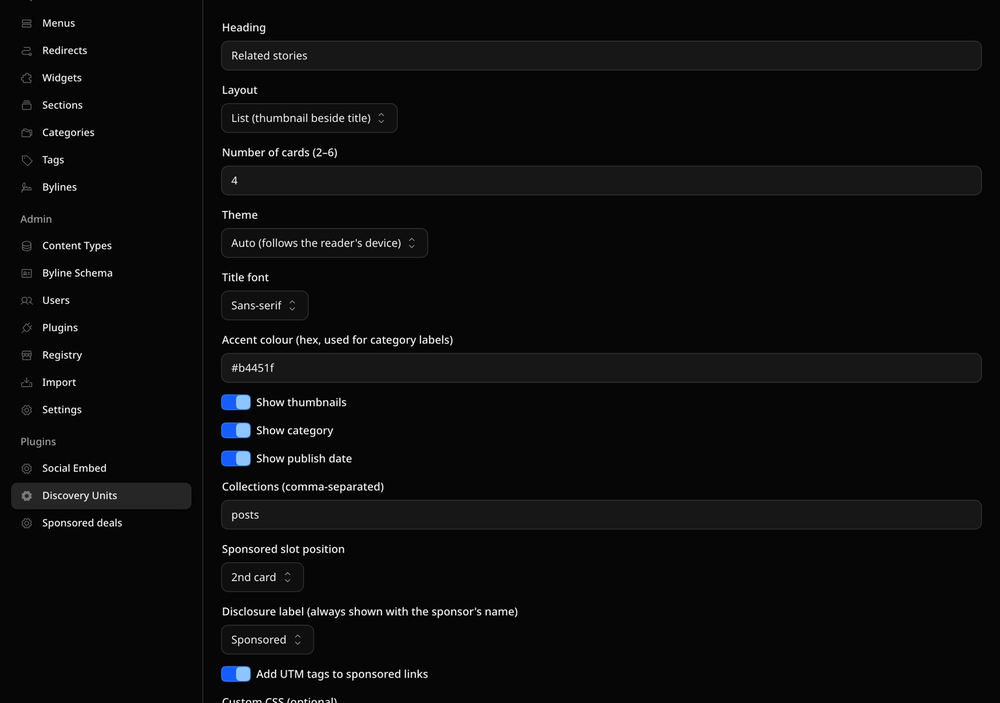
- Yours to style. Grid, list or compact layout, light/dark/auto theme, accent colour, serif or sans titles, plus a Custom CSS box. Every class starts with
dr_. - Zero code, fast pages. The unit is a standard EmDash HTML block. Nothing is computed when a reader opens the page and no scripts are added to your site.
Screenshots
Permissions
Plugins get only the capabilities they declare and you approve. Your EmDash admin lists these again before anything installs.
FAQ
Why does it need permission to publish? The unit is stored in the post itself, so swapping a sponsored card in or out means updating posts that are already live. The plugin republishes only the unit, and only on posts that have no unpublished edits. A post you are part-way through editing is left alone and gets the new unit at your next save.
How quickly does a deal appear or disappear? A deal you save as live starts rolling out within a minute or two, a few posts at a time. Deals with a start or end date are checked every hour, so allow up to an hour either side of midnight UTC.
Can I hide the "Sponsored" label? No. You can choose the wording (Sponsored, Paid partnership, Promoted, Advertisement), but a sponsored card is always labelled.
Does it count clicks?
Not in this version. Turn on UTM tags (on by default) and the sponsor's own analytics will show visits from utm_medium=discovery-unit.
How do I restyle it?
Use the Custom CSS box in settings. Every class starts with dr_ (.dr_unit, .dr_card, .dr_sp for the sponsored card, .dr_title and so on) and colours are --dr_* variables. The README lists them all. The unit has its own isolated frame, so your CSS can't leak into the theme.
Thumbnails are blank on my local dev site. Why? The Astro dev server refuses image requests from the unit's sandboxed frame. They load in a production build.
Does refreshing change my posts? Only the unit block. Because the post is republished, its "updated" time and revision count change; its publish date does not.
Which posts are considered? The newest 500 published posts in the collections you list in settings can be recommended, in the same language as the post being read. Every published post carries a unit, however old it is.
What happens if I uninstall it? Units already in posts stay as ordinary HTML blocks and stop updating.
Security
Discovery Units runs in EmDash's plugin sandbox and makes no network requests. It asks for:
- Content write: to place the unit in a post's body.
- Content publish: to make an updated unit live on posts that are already published. It never publishes a post that has unpublished edits, and never publishes a draft.
- Taxonomies read: to match stories by tag and category.
Post titles, deal fields and settings are escaped. Links are limited to paths on your own site or https addresses, and sponsored links carry rel="sponsored noopener". Custom CSS is confined to the unit's sandboxed, isolated frame and cannot contain markup or @import. No scripts are added to your pages.
Report security issues to dipak@decryptsocial.com.
Installation
- Install Discovery Units from Admin → Registry and approve its permissions.
- Open Admin → Plugins → Discovery Units. The first visit starts indexing your published posts and adding a unit to each one; this takes a few minutes on a large site. New posts get theirs when they are published.
- On the same page, choose the layout, number of cards, theme and heading.
- To run a sponsored story, open Sponsored deals, fill in the sponsor, the story and the dates, and save.
The unit sits at the end of the article. In the editor it is an ordinary HTML block: drag it higher in a post and it stays where you put it.
Keep exploring
More plugins like Discovery Units
Browse by keyword, or see everything @dipakgr.bsky.social publishes.