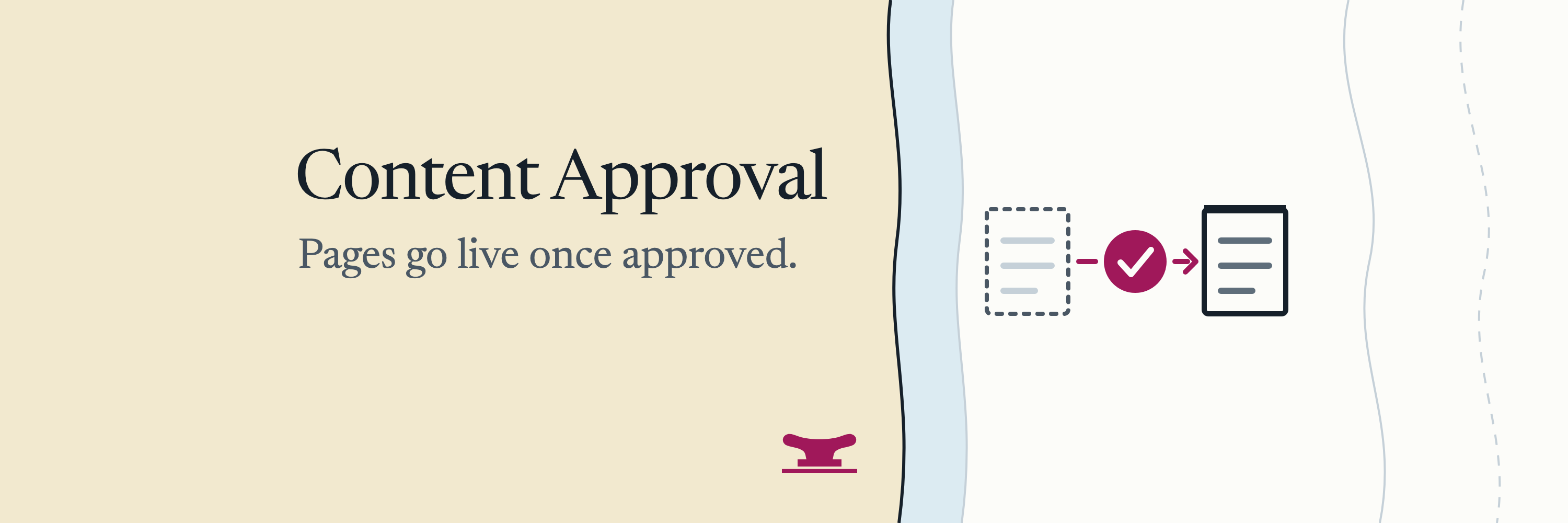
Content Approval
Content approval for EmDash: Publish sends a page for approval; approve and publish in one step, or send it back with a note.
@moorage.dev/approvalsOr open Registry in your EmDash admin and search for this name.
Overview
A second person OKs a page before it goes live. Writers keep pressing Publish; when a page needs approval, the publish is held and becomes a request. No account and no key.
What it does
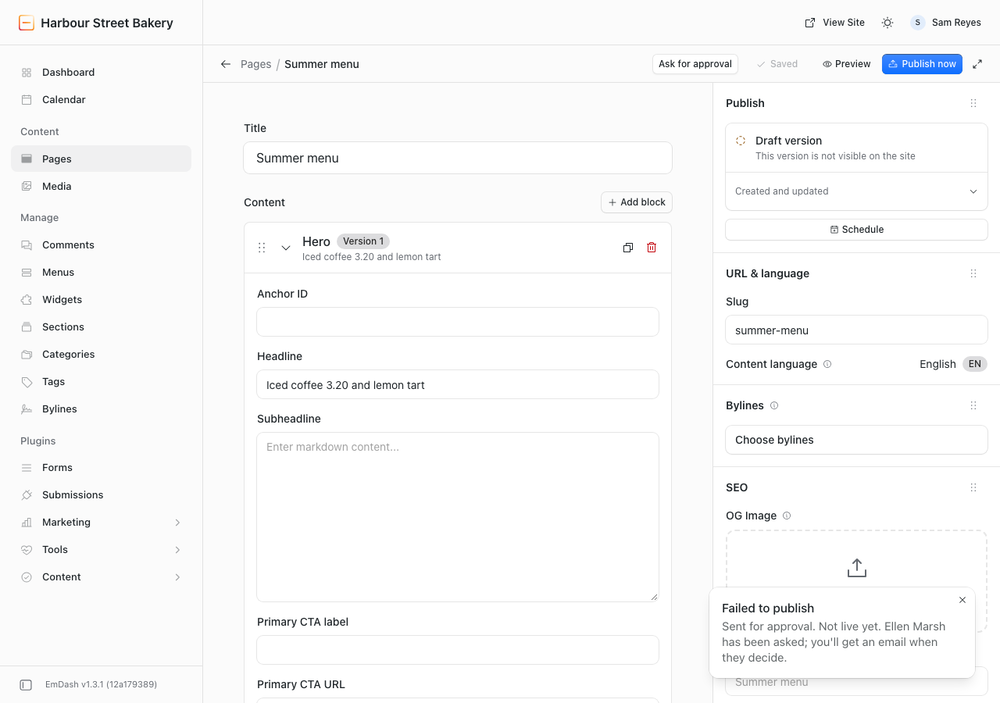
- Publish asks for approval. On the content types you choose, Publish and Schedule are held and the writer reads "Sent for approval. Not live yet." Contributors ask from the Approvals page, with an Ask for approval button on each of their drafts.
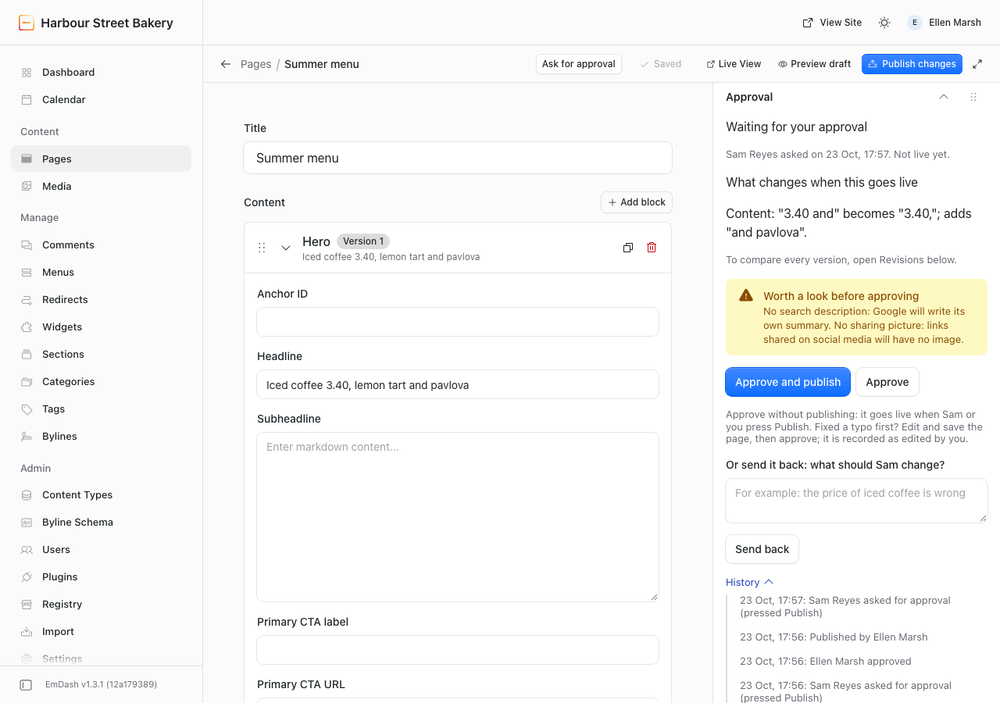
- Approve and publish in one step, approve to publish later, or send it back with a note.
- What changed, in words:
Content: "£3.20" becomes "£3.40", compared with the live page, and after an approval with the approved version. - A text copy of what was approved: the History tab shows the text of each page's latest approval, so nobody can say they never saw it.
- Approvers can fix a typo: edit, save, approve. The history says it was edited by the approver.
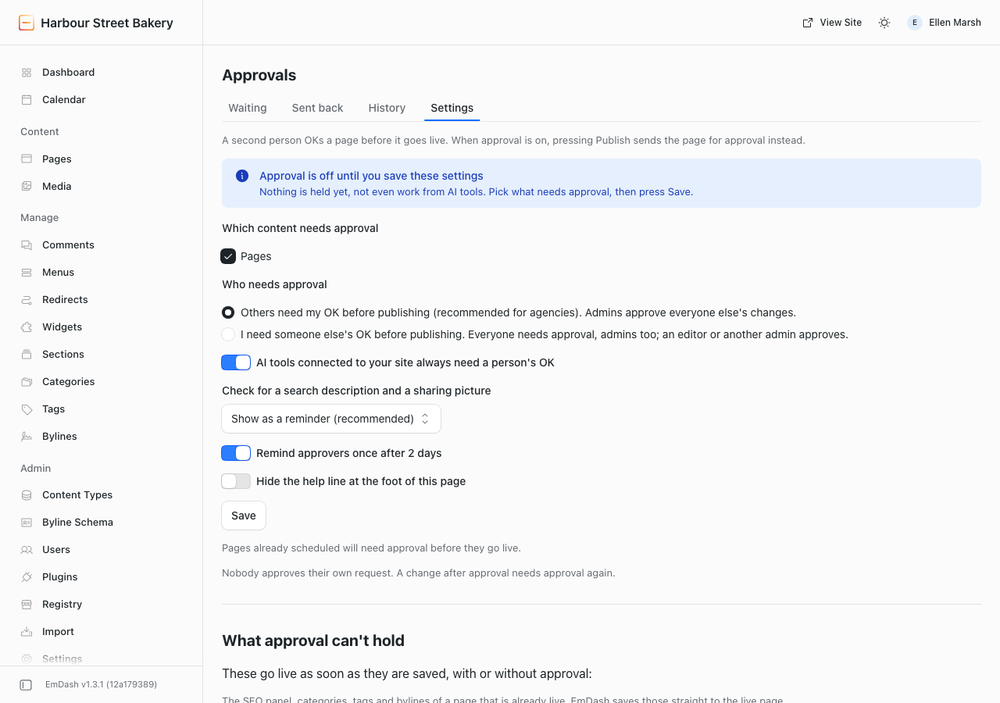
- Two plain choices: "Others need my OK before publishing" or "I need someone else's OK before publishing". Nobody approves their own request.
- AI tools connected to your site always need a person's OK, on every content type.
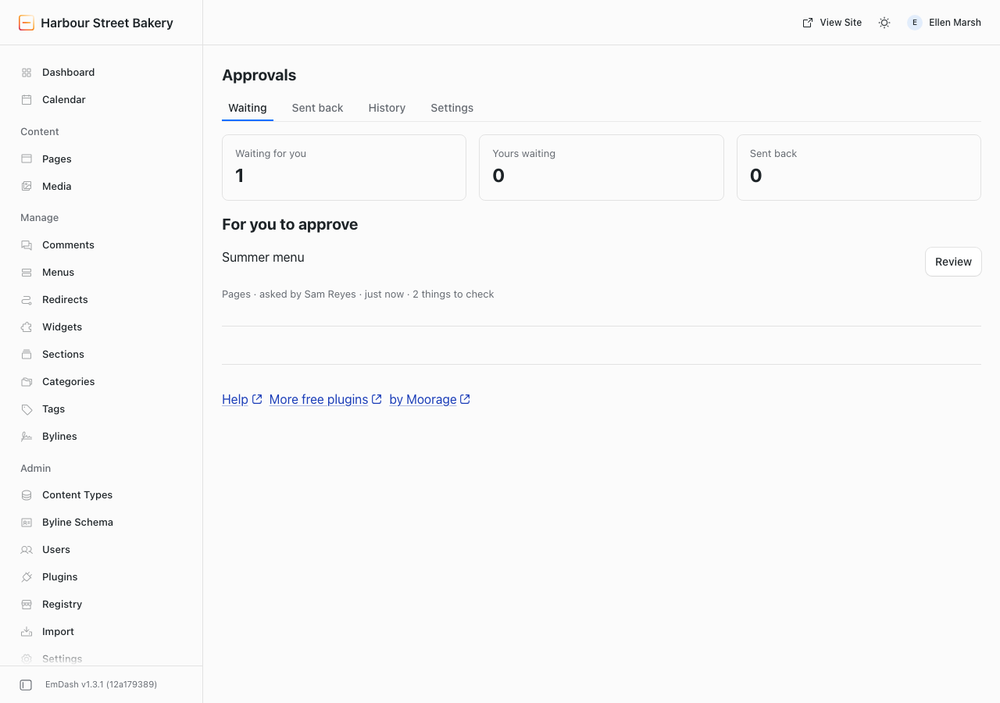
- An Approvals page and a dashboard widget: what is waiting, what was sent back, every decision.
- Email, when your site can send it: to approvers when someone asks, to the writer when they decide, one reminder after two days.
What it does not do
- It cannot hold what EmDash saves straight to a live page: the SEO panel, categories, tags and bylines of a page already live, and every save in a content type without drafts. The Settings tab lists them.
- No discussion threads, chains of approvers or approval by several people.
Permissions
Holds publishing (content policy); reads content, drafts and the content schema to show what changed; publishes when an approver presses Approve and publish; reads users' names and emails to address approvers; sends email.
Screenshots
Permissions
Plugins get only the capabilities they declare and you approve. Your EmDash admin lists these again before anything installs.
FAQ
How do I make EmDash ask for approval before publishing?
Install this plugin, open Approvals > Settings, tick the content types that need approval and press Save. From then on, pressing Publish sends the page for approval.
Who approves?
Choose "Others need my OK before publishing" and site admins approve everyone else's changes. Choose "I need someone else's OK before publishing" and everyone needs approval, admins too; an editor or another admin approves. Nobody approves their own request.
Why does the editor say "Failed to publish"?
That title is EmDash's own and a plugin cannot change it. The text under it starts "Sent for approval. Not live yet.": nothing failed, the page is waiting for approval.
Can the approver publish straight away?
Yes. Approve and publish approves the exact version they looked at and puts it live in one step.
Can I see what was approved later?
Yes. The History tab shows, for each page decided recently, the text of its latest approval and who approved it. The page's own Revisions panel keeps every version.
What if the approver spots a typo?
They edit and save the page like anyone else, then approve. The history records that the approver edited it.
Does it work without email?
Yes. Requests show on the dashboard and on the Approvals page. With email set up, approvers are emailed when someone asks.
What does approval not cover?
Things EmDash saves straight to the live page: the SEO panel, categories, tags and bylines of a page already live, and content types that keep no drafts. The Settings tab lists them for your site.
Is it free?
Yes, on any number of sites, with no account and no key. It is open source under the MIT License.
Security
Reporting a problem
Email security@moorage.dev, not a public issue. Say which version you use, what you found and how to reproduce it. Fixes go into the latest release; update to it to receive them. The source is public on GitHub.
What it keeps and sends
It keeps requests, decisions with their notes and the text of each page's latest approval in the site's own database. It reads users' names and email addresses only to address approvers. Email goes by the site's own email service; nothing is sent to any outside service.
Installation
Install from Plugins in your EmDash admin, or pin it in code:
npm install @moorage/plugin-approvals
// astro.config.mjs
import approvals from "@moorage/plugin-approvals";

emdash({ sandboxed: [approvals] });
Then open Approvals in the admin sidebar, tick the content that needs approval and press Save. Nothing is held until you do.
Keep exploring
More plugins like Content Approval
Browse by keyword, or see everything @moorage.dev publishes.