Lead Delivery: HubSpot, Zapier, Webhooks & Email
Send EmDash form enquiries to HubSpot, Zapier, Make, n8n or email, with a delivery log, retries and an alert when one fails.
@moorage.dev/lead-deliveryOr open Registry in your EmDash admin and search for this name.
Overview
Every enquiry sent through your EmDash forms goes where you work: your inbox, HubSpot, or another app such as Zapier, Make or n8n. Each one is logged, tried again if it does not get through, and someone hears about it when it needs fixing. No account and no key.
What it does
- Deliveries: a form and where its enquiries go, named for you ("Contact form → Shop inbox"). A form can have several.
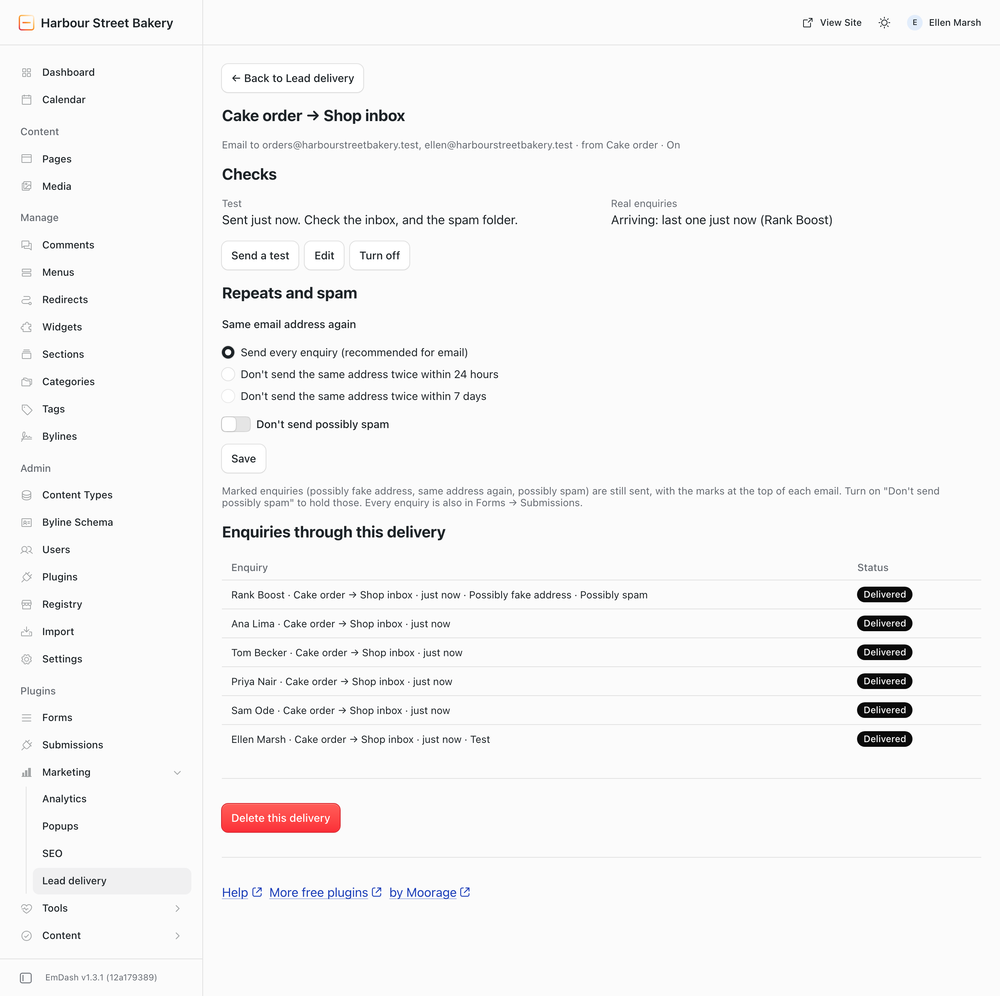
- Email to one or more addresses, with the form's own field labels. Reply answers the person.
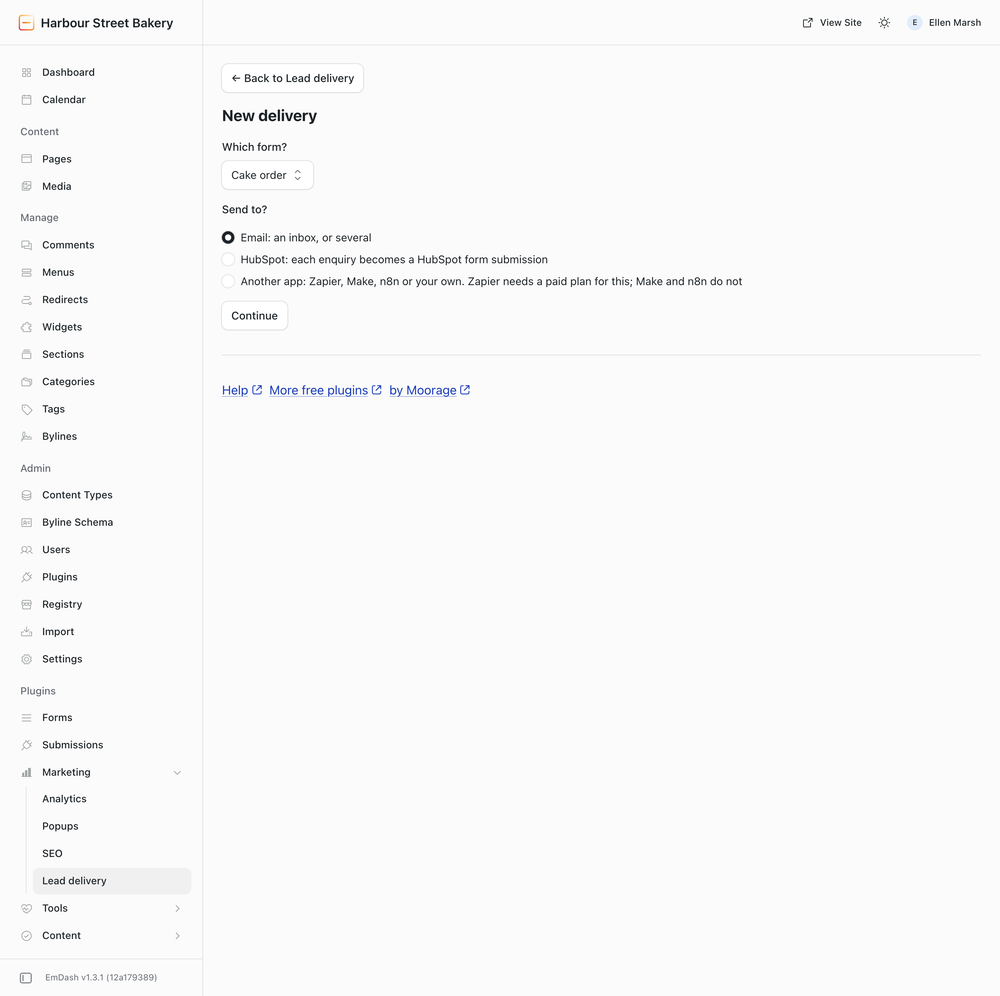
- HubSpot: each enquiry becomes a HubSpot form submission. Paste the form's share link or embed code; no key is stored.
- Another app (Zapier, Make, n8n or your own): flat JSON, signed with Standard Webhooks headers.
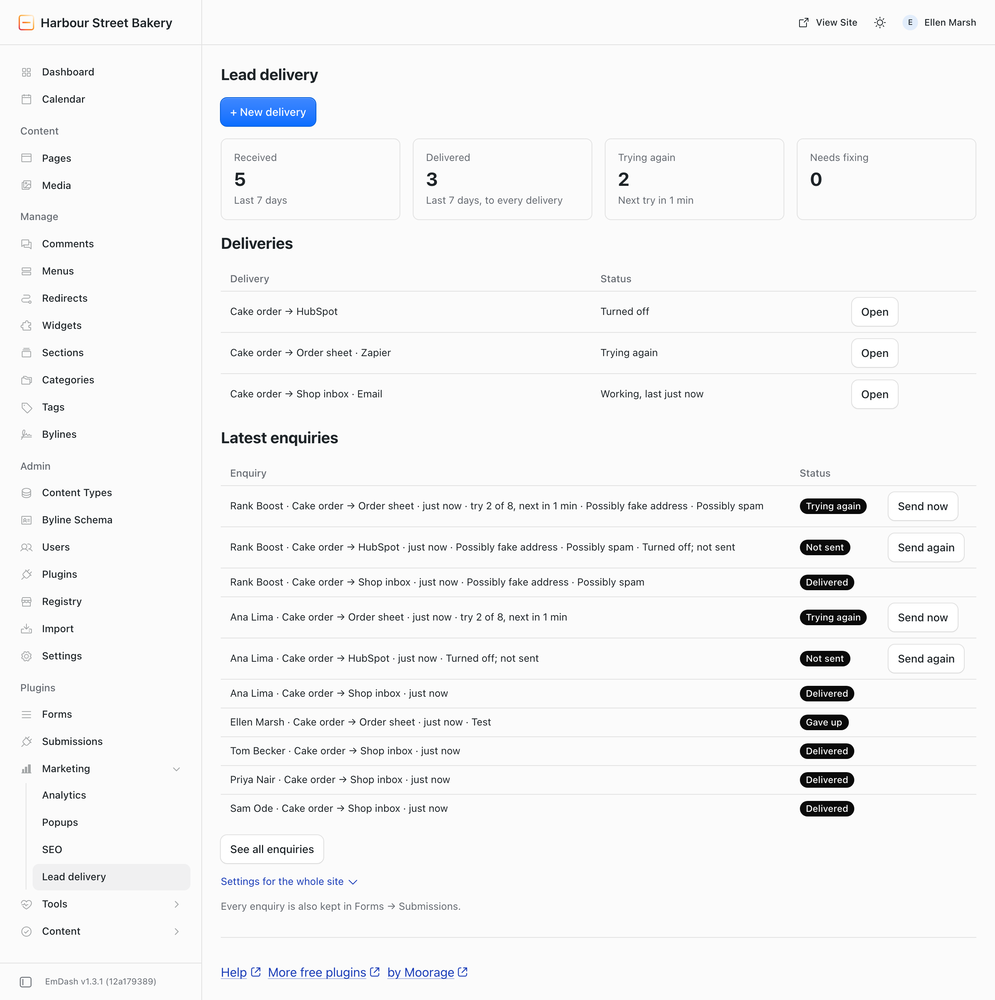
- A delivery log your clients can read, with Send again.
- Retries: 8 tries over about two days.
- Alerts by email, at most once a day for each kind: an enquiry that could not be delivered, a form gone quiet for 3 days, retries not running.
- Marks, not filters: possibly fake addresses, the same address again and possibly spam are marked at the top of each email and still sent. Each delivery can hold repeats (24 hours or 7 days) and possibly spam.
What it does not do
- No Mailchimp yet.
- File attachments are not sent; they stay in Forms → Submissions.
- It does not replace the Forms inbox; every enquiry stays there.
Connecting a form
Where the site can call its own address, an admin connects a form in one step: type the code shown on EmDash's approval page, press Authorize, then Done, connect. The access is used once and thrown away. Elsewhere, someone who looks after the site's code connects each form once; New delivery shows the instructions and can email them.
Permissions
Send web requests to the addresses you enter, and to the site itself (to connect a form in one step, with the access you approve). Send email (Email deliveries and alerts). Read the forms' notification emails to its private address, and cancel those.
Screenshots
Permissions
Plugins get only the capabilities they declare and you approve. Your EmDash admin lists these again before anything installs.
FAQ
How do I send EmDash form submissions to HubSpot?
Install this plugin, open Lead delivery, press New delivery, choose your form and HubSpot, and paste the HubSpot form's share link or embed code. Each enquiry becomes a HubSpot form submission. The HubSpot form must have the fields you send, at least Email, and CAPTCHA must be off on it.
How do I connect EmDash forms to Zapier, Make or n8n?
In New delivery choose "Another app" and paste the address the app gave you: in Zapier "Webhooks by Zapier" (a paid Zapier plan), in Make a Custom webhook, in n8n a Webhook node. Each request is signed, so the app can check it came from your site.
Does connecting a form need a web person?
Not where the site can call its own address (on Cloudflare: the compatibility flag global_fetch_strictly_public): an admin connects it in one step by typing a code on EmDash's approval page. Lead Delivery uses that access once and throws it away. Elsewhere EmDash's form editor has no box for it yet, so someone who can call the site's API sets it once per form; New delivery shows the instructions for that form and can email them.
What if HubSpot or Zapier is down?
The enquiry is tried again 8 times over about two days. If it still does not arrive, the people on the alert list get one email, and you can press Send again.
Does it lose enquiries?
Not from the moment an enquiry reaches it: each is stored once and kept until all its deliveries are done. Every enquiry is also in Forms → Submissions. If a form stops sending altogether, the quiet-form alert tells you after 3 days.
Can my clients see it?
Editors see the log and can press Send again. Only admins add or change deliveries.
Is it free?
Yes, on any number of sites, with no account and no key. It is open source under the MIT License.
Security
Reporting a problem
Email security@moorage.dev, not a public issue. Say which version you use, what you found and how to reproduce it. Fixes go into the latest release; update to it to receive them. The source is public on GitHub.
What it keeps and sends
Each enquiry is stored in the site's own database until all its deliveries are done, then its contents are deleted; log rows are kept for 30 days. Enquiries go only to the addresses, HubSpot forms and apps you enter. Each app delivery is signed with its own secret. Connecting a form in one step uses the admin access you approve once and then throws it away; it is never stored.
Installation
Install from Plugins in your EmDash admin (it runs sandboxed there; use 0.4.0 or later), or pin it in code, in plugins or, from 0.4.0, in sandboxed (on Cloudflare a sandboxed plugin may make only 10 calls to the site per request; from 0.4.0 Lead Delivery stays within that, and up to 0.3.1 it belongs in plugins):
npm install @moorage/plugin-lead-delivery
// astro.config.mjs
import { formsPlugin } from "@emdash-cms/plugin-forms";
import leadDelivery from "@moorage/plugin-lead-delivery";

emdash({ plugins: [formsPlugin(), leadDelivery] });
It needs the official forms plugin (@emdash-cms/plugin-forms), 0.2.11 or later: earlier versions save a ticked consent box as unticked. Then open Lead delivery under Marketing in the admin sidebar and press New delivery: choose a form and where its enquiries go, and a test is sent.
Keep exploring
More plugins like Lead Delivery: HubSpot, Zapier, Webhooks & Email
Browse by keyword, or see everything @moorage.dev publishes.