@moorage.dev/seo
SEO & Schema Markup
SEO for EmDash: schema markup, structured data, Google preview, noindex rules, redirects import and SEO checks. A Yoast alternative.
About SEO & Schema Markup
EmDash already handles titles, descriptions, sitemaps, canonicals and social tags. This plugin adds structured data, page checks and redirects import. No account and no key.
What it does
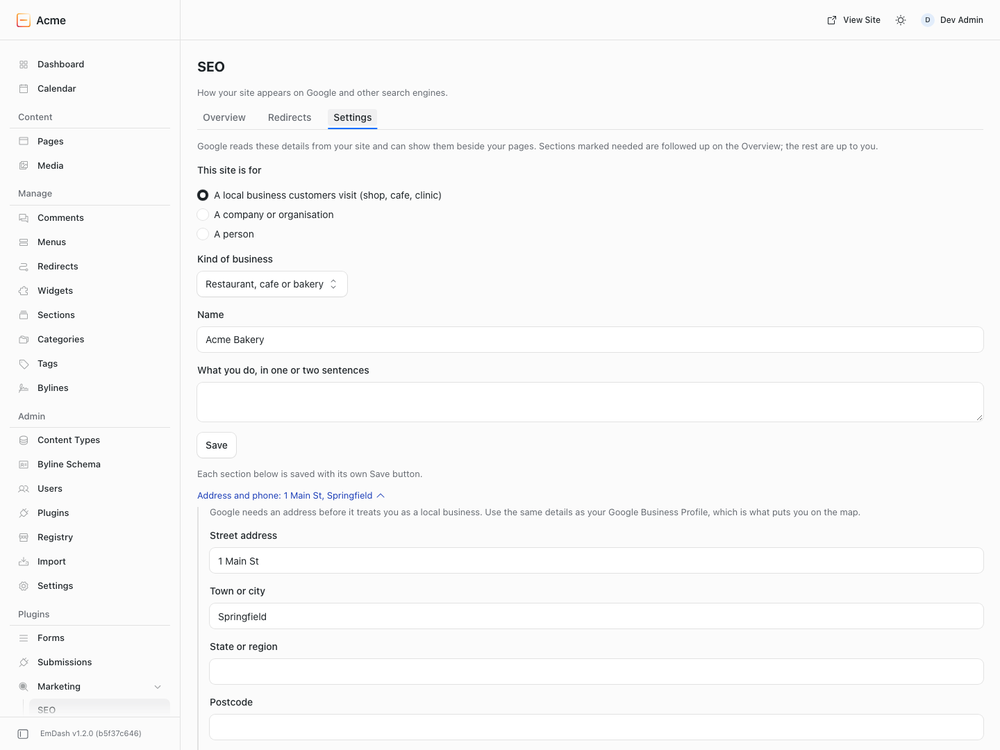
- Schema markup (structured data, JSON-LD). One linked graph per page in place of EmDash's single object: Organization, Person or a local business with address and opening hours; WebSite; WebPage; blog posts and articles with their authors; services; team members; breadcrumbs.
- A page type for every collection, guessed from its name and changeable per collection or per page.
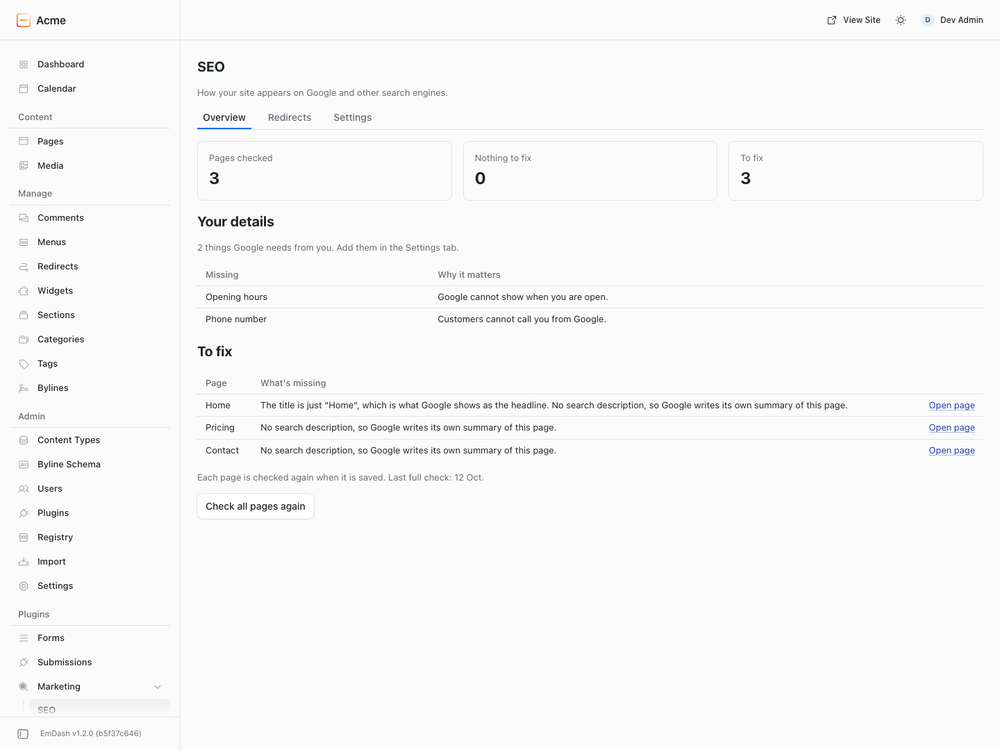
- Pages to fix. A list of pages with a missing description, a shared title or a canonical pointing elsewhere, each with a link to the page. No score and no traffic light: a list that can reach zero.
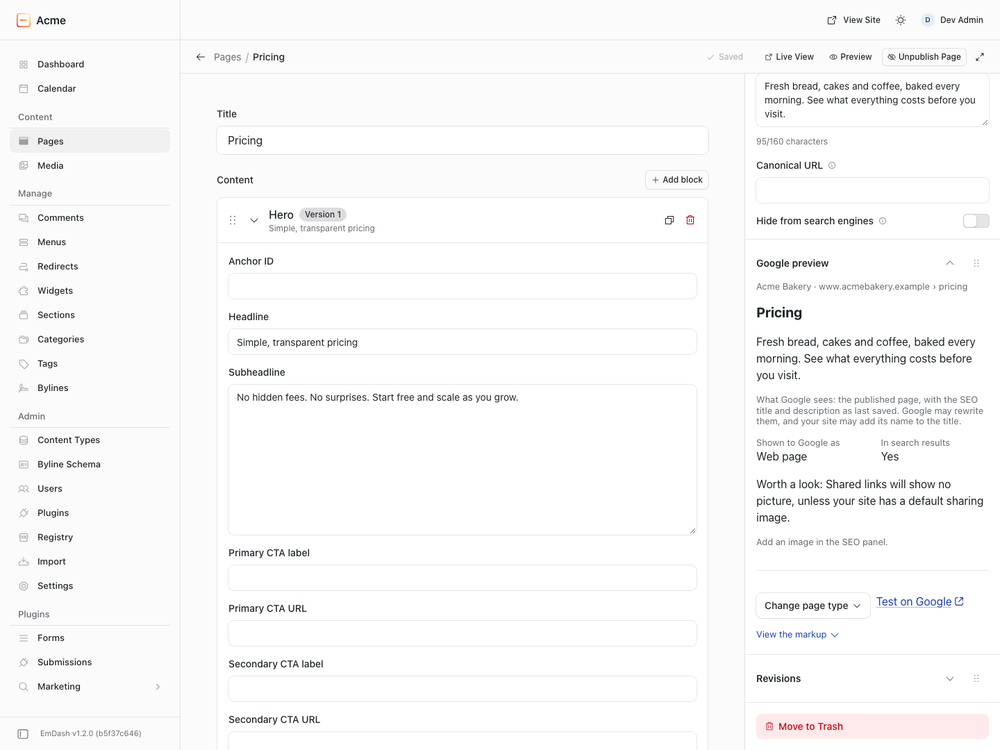
- Google preview in the entry editor: the address, title and description as Google may show them, with up to three things to fix.
- Hide from search (noindex) per collection, with a warning on the SEO page whenever something is hidden.
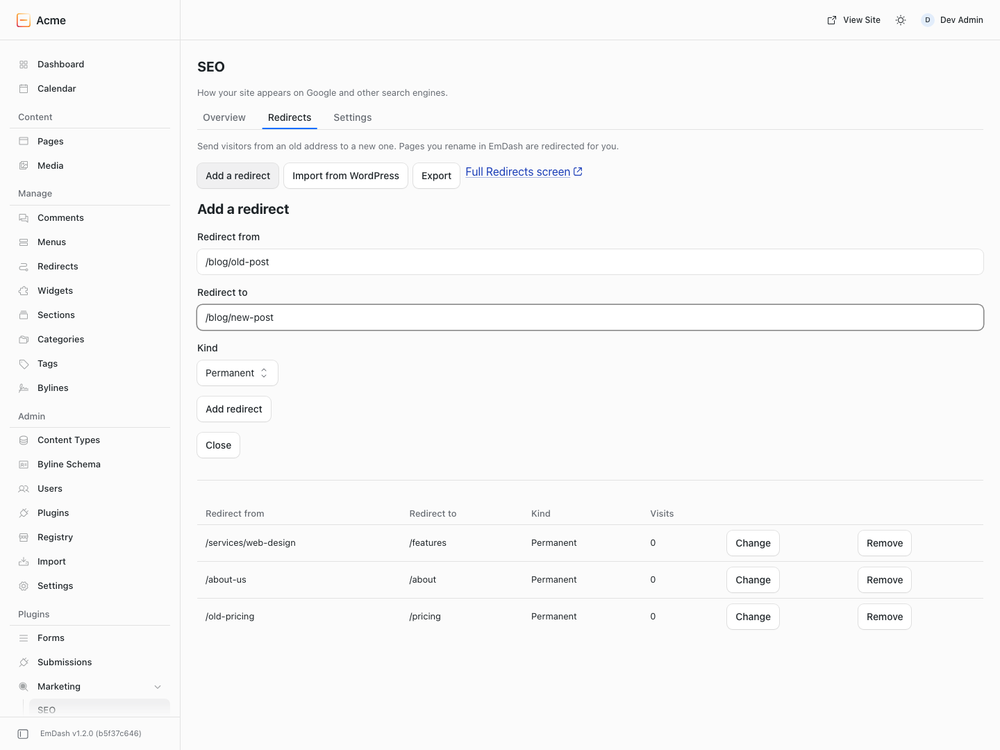
- Redirects. Add, change and remove redirects, or paste a list exported from Redirection, Yoast SEO Premium or Rank Math.
What it does not do
- It does not write the page title, the sitemap or robots.txt; EmDash core and your theme do.
- No keyword density or readability score: Google uses neither.
- No FAQ, Product or Event schema yet; use a
json_ldfield for those. - The checks describe the published page, not what you are typing.
Limits
One business location. EmDash has no regular-expression redirects: exact addresses and "everything under a folder" are converted, other patterns are listed for you to rewrite.
Permissions
Read content, bylines and the content schema, to check pages and build the markup. Manage redirects, only for an import you confirm; existing redirects are never changed.
Screenshots
Faq
How do I add schema markup to EmDash?
Install this plugin. Every page gets structured data (JSON-LD) straight away; fill in "Who you are" to make it accurate.
How do I add structured data to one page?
Add a JSON field named json_ld to the collection and paste any schema.org object into the entry.
Is there a Yoast alternative for EmDash?
EmDash core covers titles, descriptions, sitemaps and canonicals. This plugin adds the schema graph, page checks, the Google preview and redirects import.
How do I import redirects from WordPress?
Export them from Redirection, Yoast SEO Premium or Rank Math, open SEO > Redirects > Import a list from WordPress, paste the list and press "Check list". Nothing is added until you confirm.
How do I noindex a collection in EmDash?
Open SEO > Settings > Content types and choose "Hide from Google and other search engines" for that content type.
Does it do title templates or llms.txt?
Not by itself: a plugin cannot set the page title or serve files from the site root. Both are done by the theme.
Is there an SEO score?
No, on purpose. You get a list of things to fix that can reach zero.
Installation
Install from Plugins in your EmDash admin, or pin it in code:
npm install @moorage/plugin-seo
// astro.config.mjs
import seo from "@moorage/plugin-seo";

emdash({ sandboxed: [seo] });
Then open SEO in the admin sidebar. It works before you change anything; three short steps make the result more accurate.