Site Health & Broken Links
Site Health for EmDash: a broken link checker for your pages, menus and links to other sites, with email alerts and a setup checklist.
@moorage.dev/site-healthOr open Registry in your EmDash admin and search for this name.
Overview
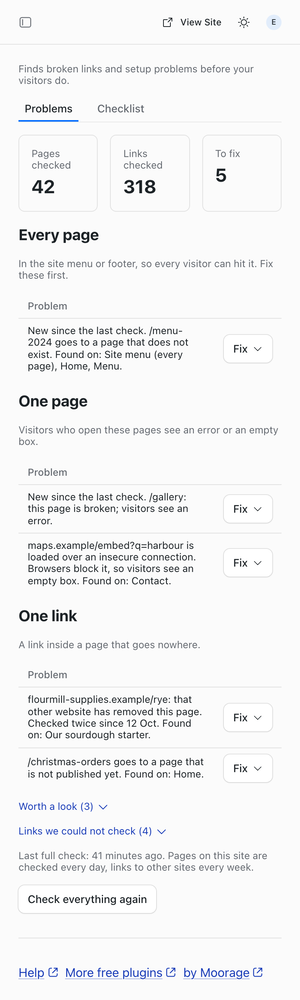
Site Health is a broken link checker for EmDash that tells you what is broken before a customer does: a dead link in the menu, a page that shows an error, a map that will not load.
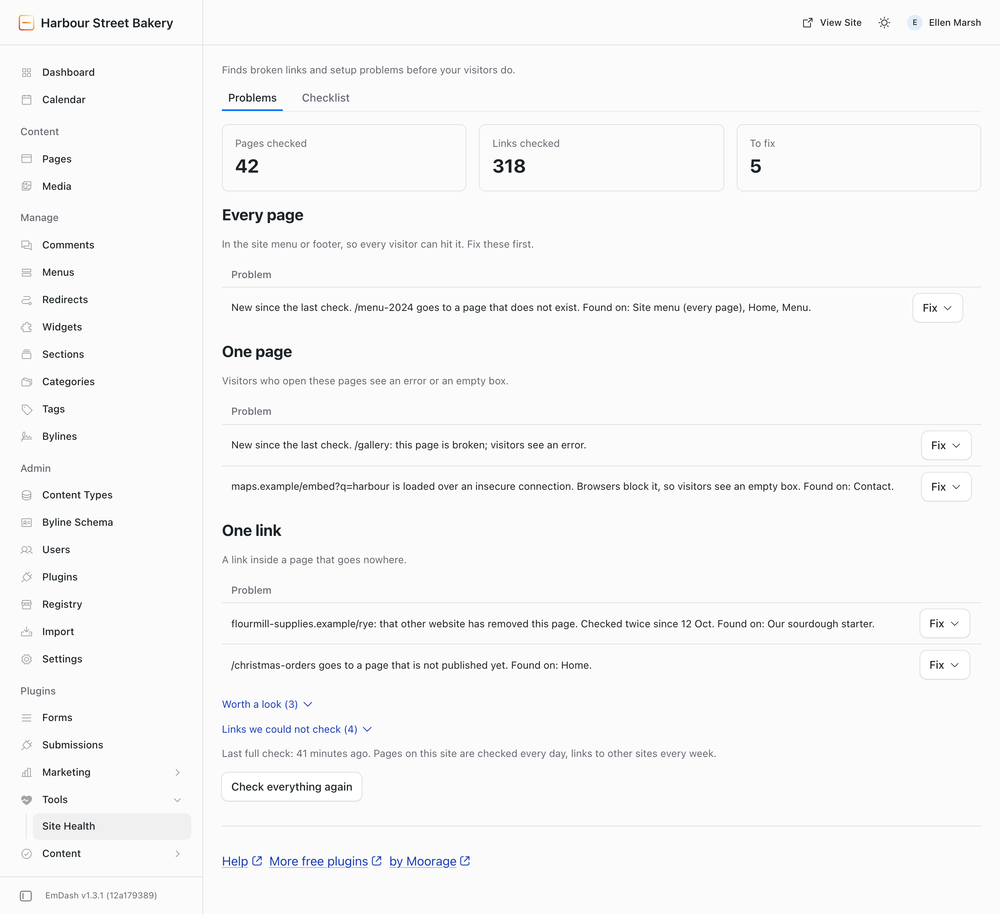
- Broken links, grouped by how bad. Every page (the site menu and footer), one page (a page that shows an error, or loads a map or form over an insecure connection), one link (a link inside a page that goes nowhere). One row per broken address, with every page it was found on.
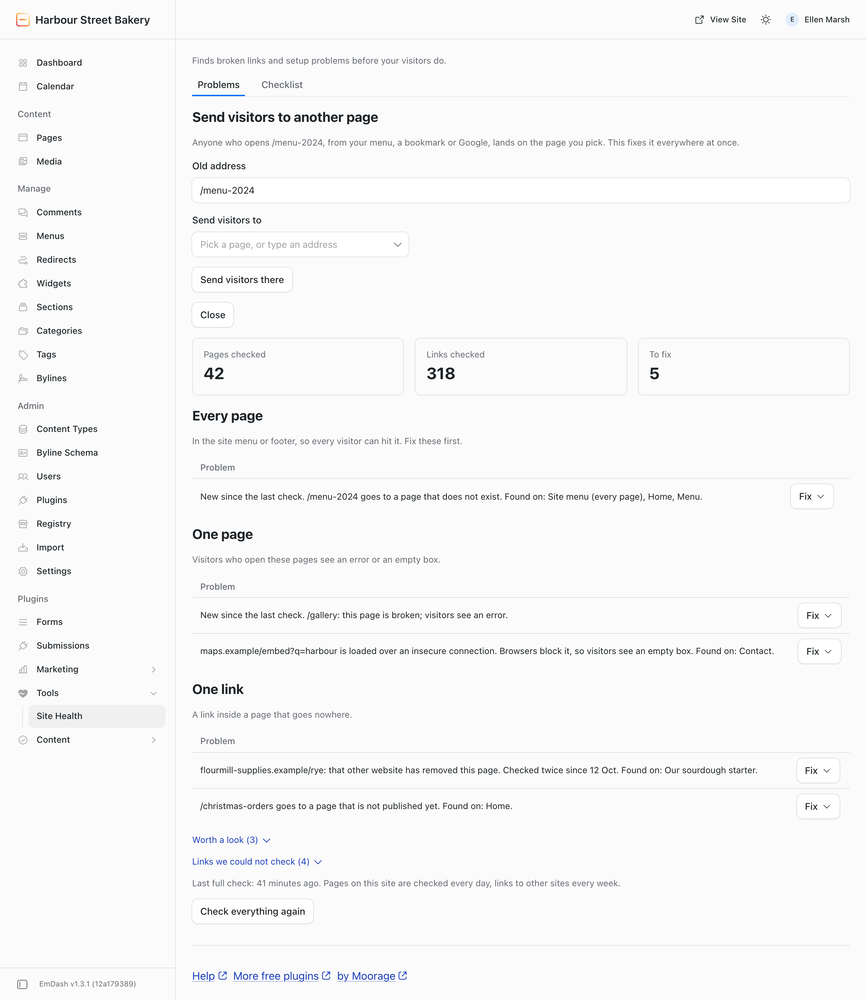
- Fix in one step. Send visitors from a dead address on your site to a page you pick from a list, and the link is fixed everywhere it appears. Or open the page with the link named. Check any row again at once, or mark it as fine.
- Links to other sites, checked politely. A few at a time, never one site more than once a minute. A link is called broken only when the other website says the page is gone, twice, a day apart. Sites that turn away automatic checkers (LinkedIn, Instagram) are listed as "could not check", never as broken.
- Email when it matters. At once when a page shows an error or a menu link breaks, and a weekly list of only what is new. Several addresses, the site's name first in the subject, never more than one email a day of each kind.
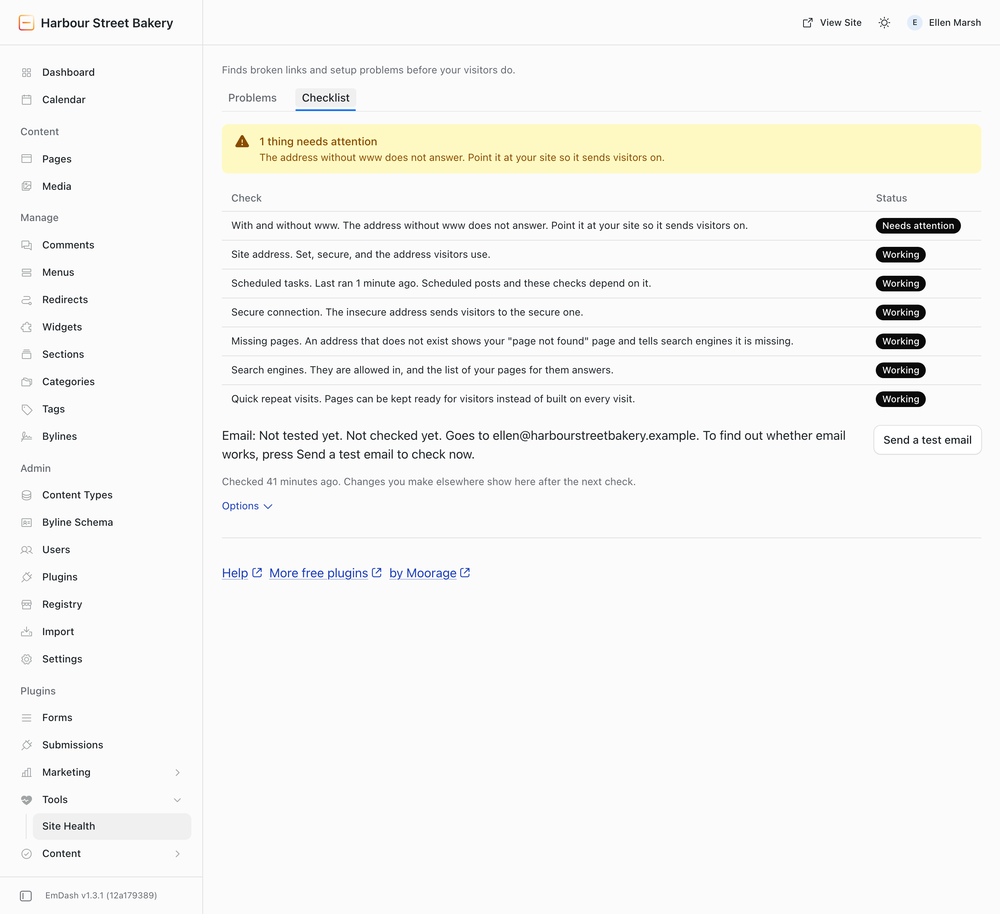
- A setup checklist for whoever looks after the site: secure address, with and without www, the "page not found" page, search engines allowed in, scheduled tasks running, email working.
- A dashboard widget with the count.
No account, no key, nothing sent to anyone but the websites your pages link to. Editors see the links they can fix; page errors and setup are for Admins.
Screenshots
Permissions
Plugins get only the capabilities they declare and you approve. Your EmDash admin lists these again before anything installs.
FAQ
Why does it say "could not check" instead of broken?
Some websites, such as LinkedIn and Instagram, turn away every automatic checker. Calling those links broken is the most common complaint about link checkers, so they are listed apart and never counted. Open one to check it yourself.
Why do links to other sites take a day?
A link is called broken only when the other website says the page is gone on two checks at least a day apart. A site that is down for an hour should not send you an alert.
Will it slow my site down or annoy other websites?
No. It reads your pages a few at a time in the background, asks other websites for a few pages a minute, never the same website more than once a minute, and says who it is.
Can it change the links inside my pages for me?
Not yet. For an address on your own site, "Send visitors to another page" fixes the link everywhere at once. For other links, it opens the page with the link named.
My site is not public yet. Does it work?
Partly. Links inside your pages that point to one of your pages or posts are checked straight away, and a link to a page that is not published yet shows as broken. Links to any other address on your own site, the menus, page errors and the Checklist need the site to open its own pages, so they wait until it has a public address; until then those links are listed under "Links we could not check", never as broken.
Who gets the emails?
The first Admin who opens Site Health, plus anyone you add under Checklist, Options. Your site needs an email service for EmDash; the Checklist's "Send a test email" tells you whether it has one.
Why do the checks and emails use the site's old address?
Plugins keep the site address EmDash had when the server started. After changing the site's address, restart the site.
Security
Reporting a problem
Email security@moorage.dev, not a public issue. Say which version you use, what you found and how to reproduce it. Fixes go into the latest release; update to it to receive them. The source is public on GitHub.
What it keeps and sends
It keeps the problems it found and your choices (marked as fine, alert addresses) in the site's own database. It requests the site's own pages and the addresses your pages link to, and nothing else; it sends no page content to anyone. Alerts go by the site's own email to the addresses you enter. Adding a redirect happens only when you press Fix.
Installation
Install from Plugins in your EmDash admin, or pin it in code:
npm install @moorage/plugin-site-health
// astro.config.mjs
import siteHealth from "@moorage/plugin-site-health";

emdash({ sandboxed: [siteHealth] });
Then open Tools > Site Health in the admin sidebar. The first check starts by itself and takes about 20 minutes for a site with 40 pages; links to other sites follow a day later.
Site Health needs EmDash's scheduled tasks. On Cloudflare that means a Cron Trigger on the Worker; the Checklist tab says so if they are not running.
Keep exploring
More plugins like Site Health & Broken Links
Browse by keyword, or see everything @moorage.dev publishes.