
Pinnacle Bulk Editor
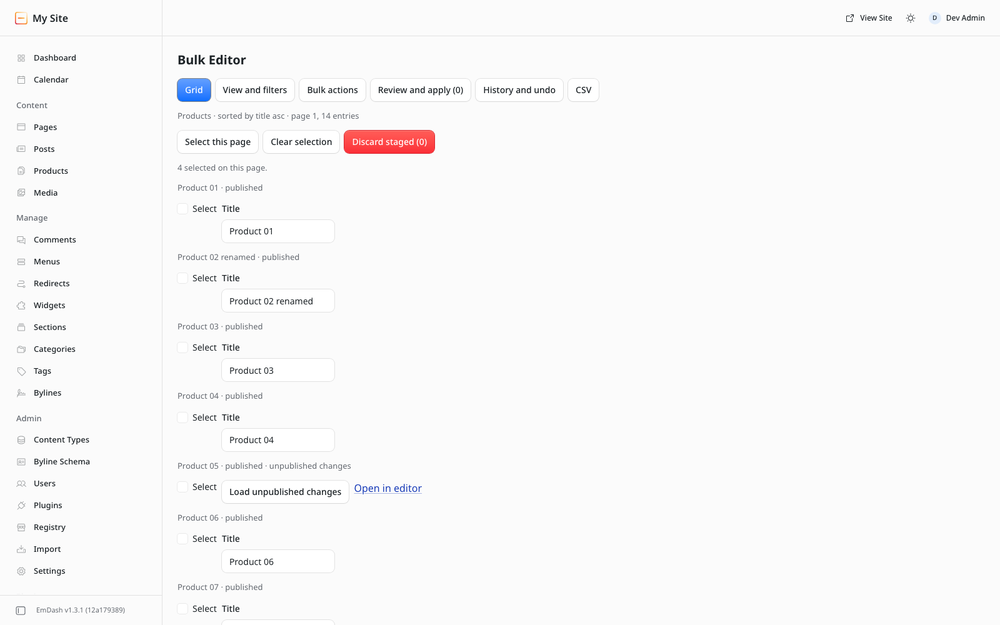
Edit many entries at once in a filterable grid: set a field, find and replace, publish or unpublish, with review first and undo.
@pinnacleplugins.com/pinnacle-bulk-editorOr open Registry in your EmDash admin and search for this name.
Overview
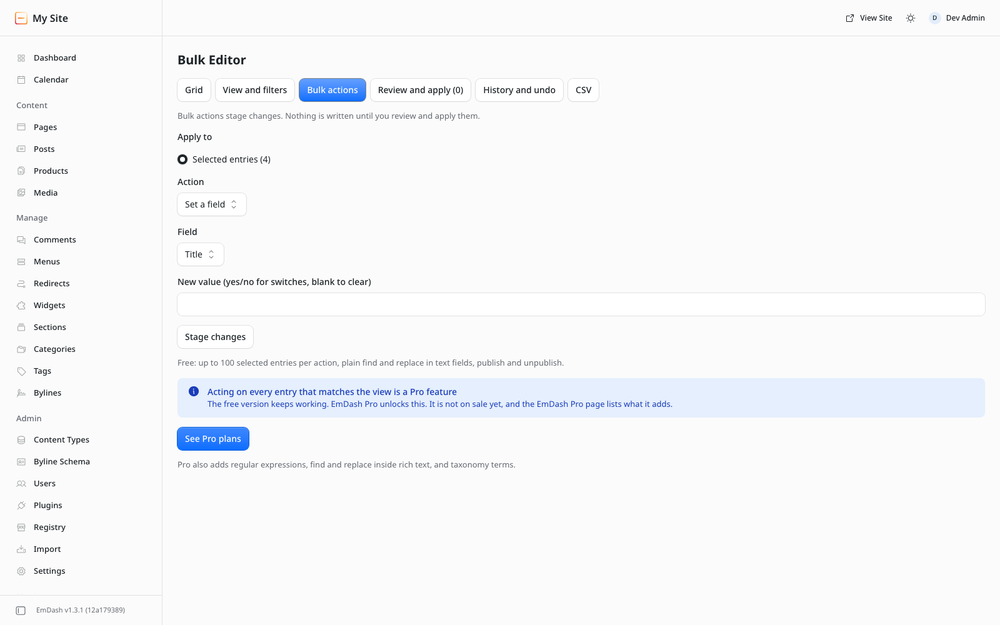
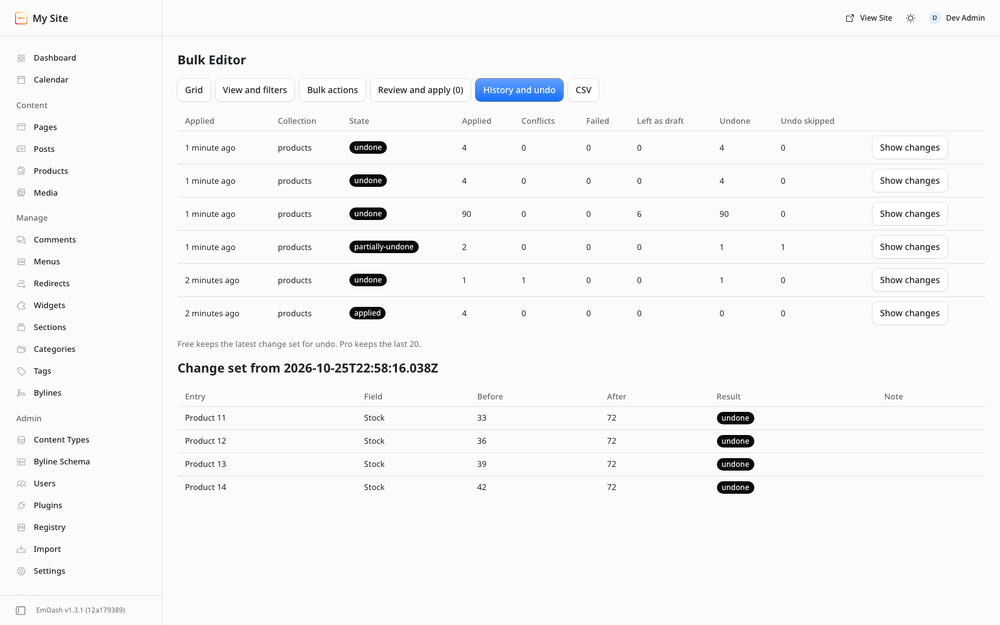
Edit many entries at once. Filter a collection in a grid, pick the entries you want and apply one change to all of them: set a field, find and replace text, publish or unpublish. Every change is staged and reviewed before it is written, applied in the background with conflict checks, and the latest change set can be undone.
Free and EmDash Pro
The free version includes:
- an inline grid with up to 6 columns, filters on indexed fields, sorting and paging
- staging, review, discard and apply, with conflict checks
- setting a field on up to 100 selected entries per action
- plain find and replace, and publish or unpublish in bulk
- undo of the latest change set
EmDash Pro is coming soon. It is not on sale yet, so this release has no license key field and makes no license checks. These are the features an EmDash Pro key unlocks in this plugin. The EmDash Pro page lists them for every Pinnacle plugin, and you can ask us there to tell you when it goes on sale.
- bulk actions on every entry that matches the view, with no limit per action
- regular expressions in find and replace, and find and replace inside rich text
- adding or removing taxonomy terms
- CSV round trip
- an undo history of the last 20 change sets
The free version does not depend on EmDash Pro and keeps working as it is.
Screenshots
Permissions
Plugins get only the capabilities they declare and you approve. Your EmDash admin lists these again before anything installs.
Changelog
Changelog
1.0.0
First public release, by Coding Chicken under the Pinnacle Plugins brand.
- A grid with up to 6 columns, filters on indexed fields, sorting and paging.
- Set a field on up to 100 selected entries, plain find and replace, publish and unpublish.
- Every change is staged and reviewed, applied with conflict checks, and the latest change set can be undone.
- EmDash Pro is not on sale yet. The Pro features are part of the code and stay switched off. The License panel shows a coming-soon notice with a link to the EmDash Pro page, and the plugin makes no license checks.
- Verified on EmDash 1.3.1, in the plugin sandbox and as a native plugin.
Installation
Pick one of three options.
- From the EmDash plugin registry. In your EmDash admin, find Pinnacle Bulk Editor in the plugin registry and install it. It runs in the EmDash plugin sandbox, and EmDash shows the plugin's permissions for you to approve.
- npm, sandboxed. Run
npm install @pinnacleplugins/emdash-bulk-editor, add the plugin tosandboxed: [...]inastro.config.mjsand setsandboxRunner(for example@emdash-cms/sandbox-workerd/sandboxon Node). - npm, native. Run
npm install @pinnacleplugins/emdash-bulk-editorand add the plugin toplugins: [...]inastro.config.mjs. It then runs in your site's own process, so use this only on hosts you trust with in-process code.
import emdash from "emdash/astro";
import plugin from "@pinnacleplugins/emdash-bulk-editor";

// inside defineConfig({ integrations: [...] })
emdash({ plugins: [plugin] }); // native
emdash({ sandboxed: [plugin], sandboxRunner: "@emdash-cms/sandbox-workerd/sandbox" }); // sandboxed on Node
The full README, with limits, permissions and notes for agents, ships with the npm package.
Keep exploring
More plugins like Pinnacle Bulk Editor
Browse by keyword, or see everything @pinnacleplugins.com publishes.