
Pinnacle Sheets Sync
Sync an EmDash collection with Google Sheets, Airtable or Notion, by hand or on a schedule, with previews and a run log.
@pinnacleplugins.com/pinnacle-sheets-syncOr open Registry in your EmDash admin and search for this name.
Overview
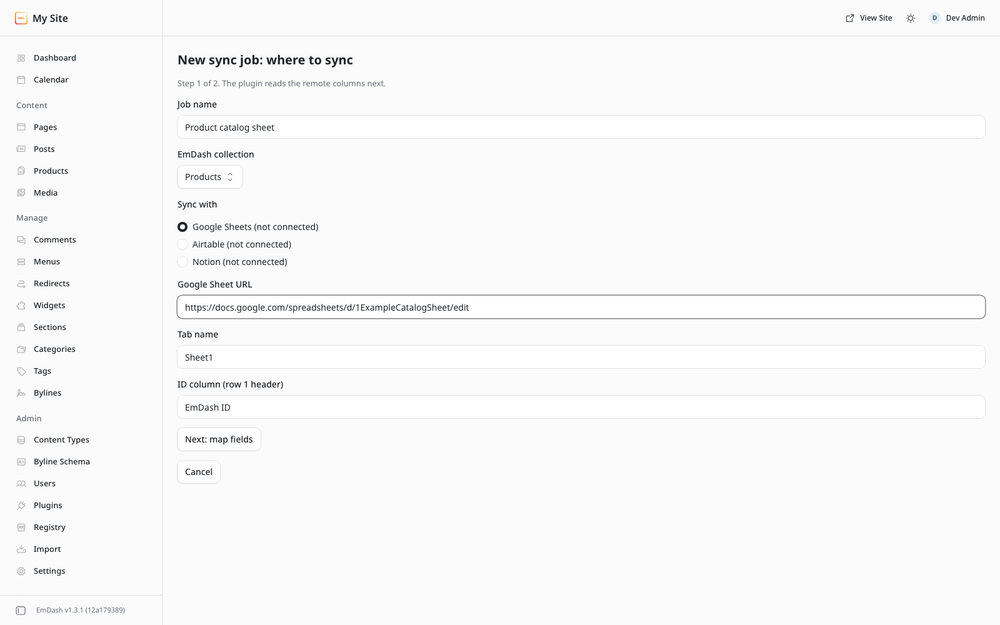
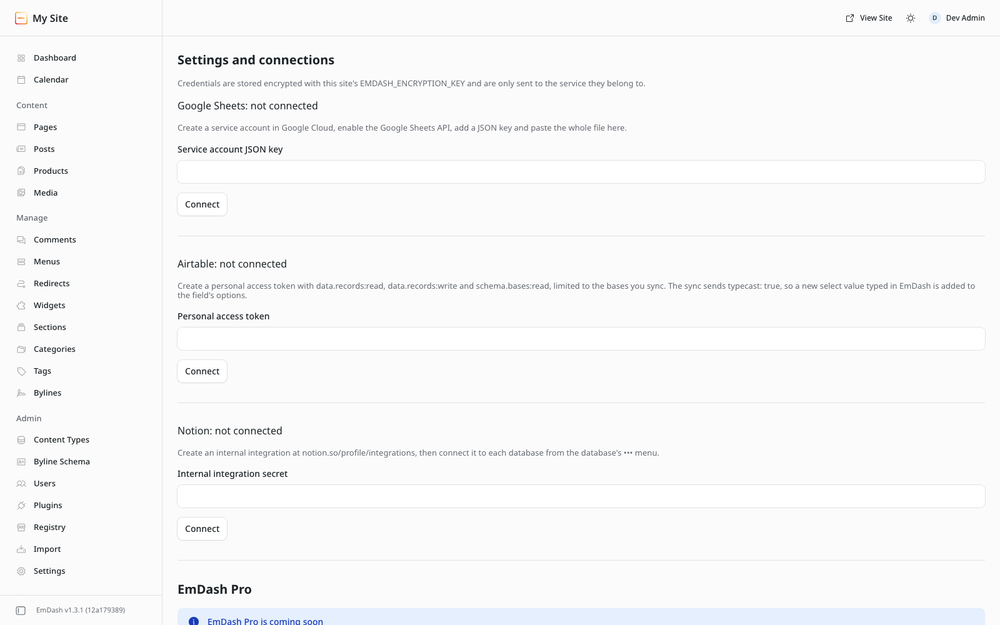
Keep an EmDash collection in sync with a Google Sheet, an Airtable table or a Notion database, by hand or on a schedule, so the people who live in a spreadsheet can keep working there. Every sync can be previewed first, and every run is logged.
Built for Node-hosted EmDash. Cloudflare is supported.
Free and EmDash Pro
The free version runs one sync job, in one direction (EmDash to the remote side, or the remote side to EmDash), with any of the three services. It includes matching existing records by a match field, previews, full syncs, pacing to each service's rate limit and the run log. It runs by hand, hourly or daily.
EmDash Pro is coming soon. It is not on sale yet, so this release has no license key field and makes no license checks. These are the features an EmDash Pro key unlocks in this plugin. The EmDash Pro page lists them for every Pinnacle plugin, and you can ask us there to tell you when it goes on sale.
- two-way sync with a conflict policy (newer edit, EmDash, or the remote side)
- any number of sync jobs
- passing deletes to the other side
- a 15-minute schedule
The free version does not depend on EmDash Pro and keeps working as it is.
Without Pro, jobs that use Pro features are paused, not deleted, and the oldest job that fits the free version keeps running.
Screenshots
Permissions
Plugins get only the capabilities they declare and you approve. Your EmDash admin lists these again before anything installs.
Changelog
Changelog
1.0.0
First public release, by Coding Chicken under the Pinnacle Plugins brand.
- One sync job, in one direction, with Google Sheets, Airtable or Notion.
- Matching records by a match field, previews, full syncs and a log of every run.
- Runs by hand, hourly or daily, paced to each service's rate limit.
- EmDash Pro is not on sale yet. The Pro features are part of the code and stay switched off. The License panel shows a coming-soon notice with a link to the EmDash Pro page, and the plugin makes no license checks.
- Verified on EmDash 1.3.1, in the plugin sandbox and as a native plugin.
Installation
Pick one of three options.
- From the EmDash plugin registry. In your EmDash admin, find Pinnacle Sheets Sync in the plugin registry and install it. It runs in the EmDash plugin sandbox, and EmDash shows the plugin's permissions for you to approve.
- npm, sandboxed. Run
npm install @pinnacleplugins/emdash-sheets-sync, add the plugin tosandboxed: [...]inastro.config.mjsand setsandboxRunner(for example@emdash-cms/sandbox-workerd/sandboxon Node). - npm, native. Run
npm install @pinnacleplugins/emdash-sheets-syncand add the plugin toplugins: [...]inastro.config.mjs. It then runs in your site's own process, so use this only on hosts you trust with in-process code.
import emdash from "emdash/astro";
import plugin from "@pinnacleplugins/emdash-sheets-sync";

// inside defineConfig({ integrations: [...] })
emdash({ plugins: [plugin] }); // native
emdash({ sandboxed: [plugin], sandboxRunner: "@emdash-cms/sandbox-workerd/sandbox" }); // sandboxed on Node
The full README, with limits, permissions and notes for agents, ships with the npm package.
Keep exploring
More plugins like Pinnacle Sheets Sync
Browse by keyword, or see everything @pinnacleplugins.com publishes.