
Readable Resume
Write your resume in the admin and publish it as a page on your site.
@readableresume.com/readable-resumeOr open Registry in your EmDash admin and search for this name.
Overview
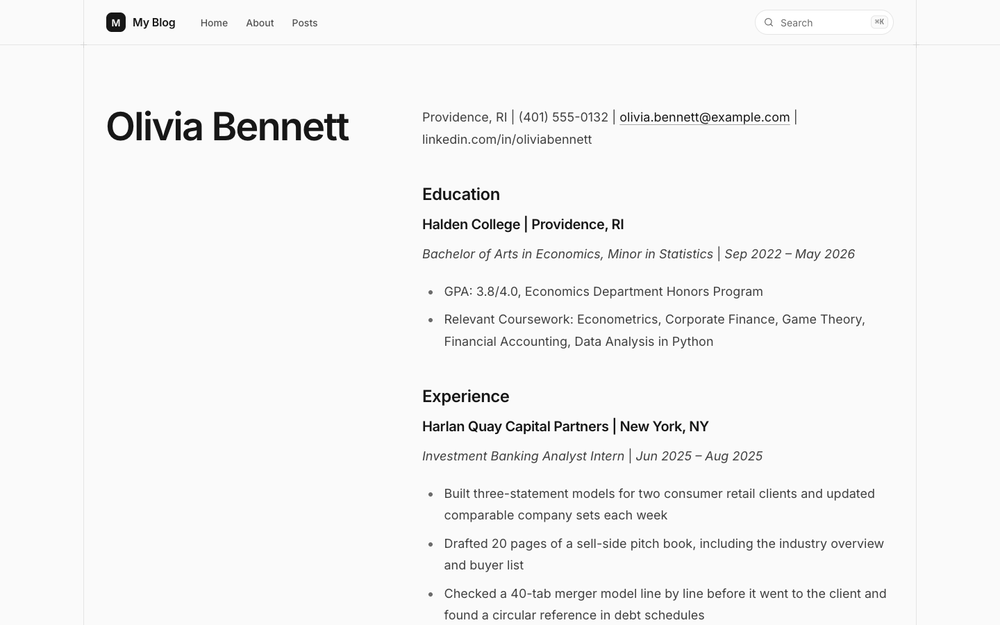
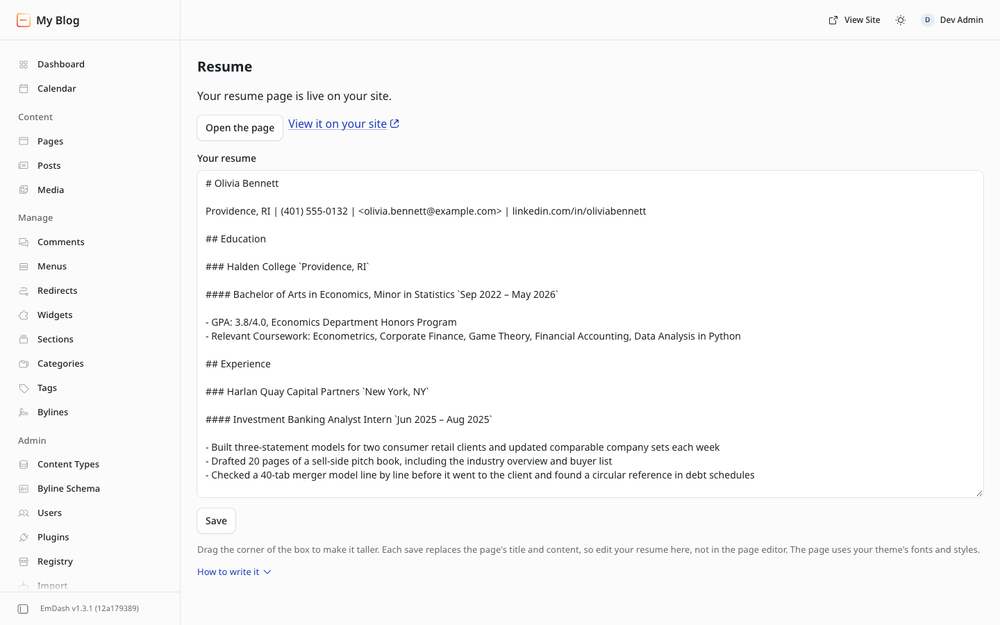
Write your resume in Markdown on the Resume page in your admin and click Save. The plugin keeps one page in your Pages collection up to date with it: your name as the title, your contact line, then sections with a line for each job or school, the role and dates under it, and bullets.
The structure is the Classic layout from ReadableResume. The page is one column of headings, paragraphs and bullets in reading order, with no images or tables, so the text copies cleanly.
The page uses your theme's fonts and styles. The plugin only touches the one page it creates, makes no network requests, and never publishes on its own: you publish the page from the editor. If your Pages collection keeps revisions, as it does in the Blog and Starter templates, later saves wait as a draft until you publish again. Otherwise they update the live page.
Screenshots
Permissions
Plugins get only the capabilities they declare and you approve. Your EmDash admin lists these again before anything installs.
FAQ
Why are the dates after a bar instead of on the right margin?
Sandboxed plugins can't add styles to the public site, so the plugin writes plain headings and paragraphs that your theme styles like any other page. The place and dates follow a bar on the same line.
Will it print as a one-page resume?
Your theme decides how the page prints. The Blog template, for example, prints its header and footer too, so check the print preview. For a one-page PDF, the same layout is the free Classic template for Google Docs and Word on ReadableResume.
What happens if I edit the page in the editor?
The next save from the Resume page replaces the page's title and content. The slug, SEO fields and publish state are left alone.
What happens when I uninstall it?
The page stays in Pages as an ordinary page.
Installation
- Install the plugin from Registry in your admin and approve its two permissions, Read content and Manage content. It needs them to create and update its page.
- Open Resume in the sidebar, replace the template with your resume, and click Save. Drag the corner of the box to make it taller.
- Click Open the page, check it, and publish it. Change the slug there if you want an address like
/resume; later saves keep it.
Your site needs a collection named pages with a title field and a Portable Text field named content, and a route that shows those pages. The Blog template shows them at /pages/<slug> and the Starter template at /<slug>.
Markdown it understands: # Your Name on the first line, the contact line after it, ## Section, ### Company and #### Job Title with the place or dates in backticks at the end, - bullets, **Label:** text lines, italics and links.
Keep exploring
More plugins like Readable Resume
Browse by keyword, or see everything @readableresume.com publishes.