
SEOdash
Titles, social cards, structured data, content analysis, a site audit, instant indexing and publishing rules, built on EmDash's SEO fields.
@stevenorechow.me/seodashOr open Registry in your EmDash admin and search for this name.
Overview
SEOdash adds the SEO tools EmDash does not have, and works with the ones it does.
EmDash already gives entries a search title, description, sharing image, canonical address and a "hide from search engines" switch, and it handles redirects, the sitemap and robots.txt. SEOdash keeps no second copy of any of that, so nothing is lost if the plugin is removed.
What it adds
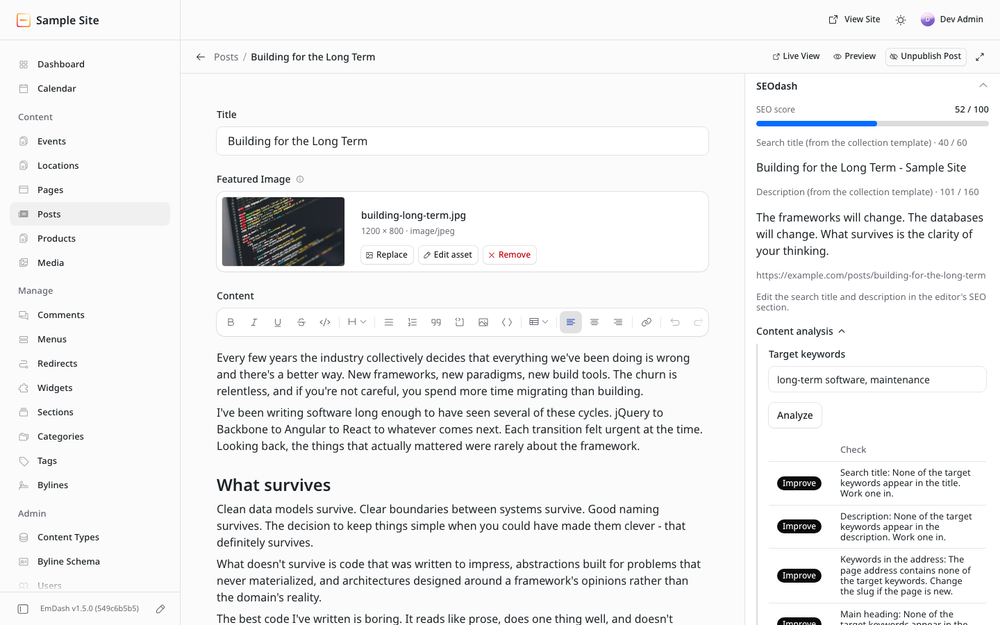
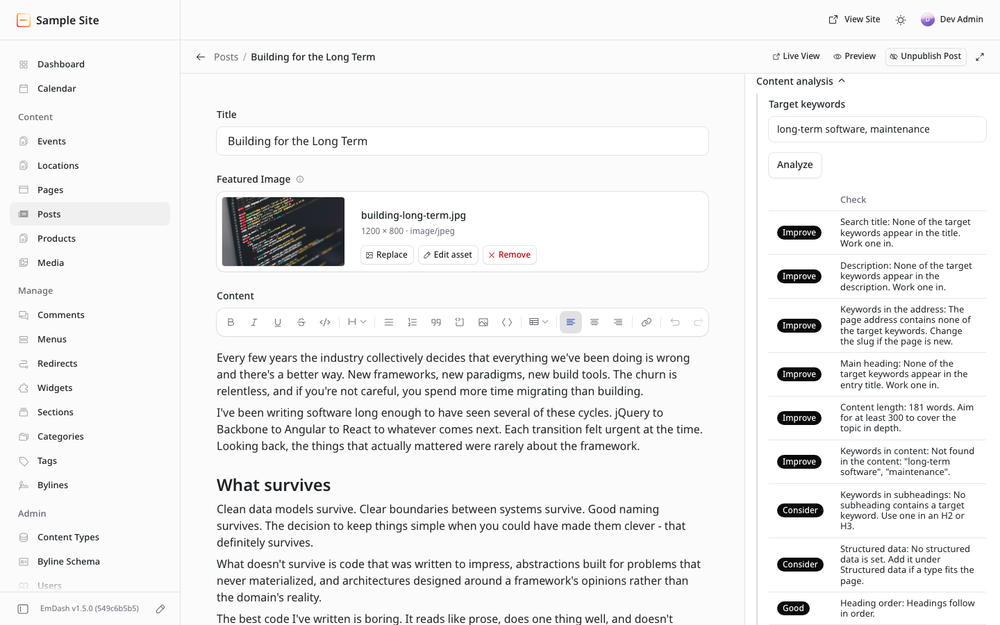
- Editor panel. An SEO score, a content analysis against your target keywords, sharing overrides, robots directives and structured data for the entry. The entry's search title and description are shown as search engines will see them, templates included, and edited in the SEO section of the editor.
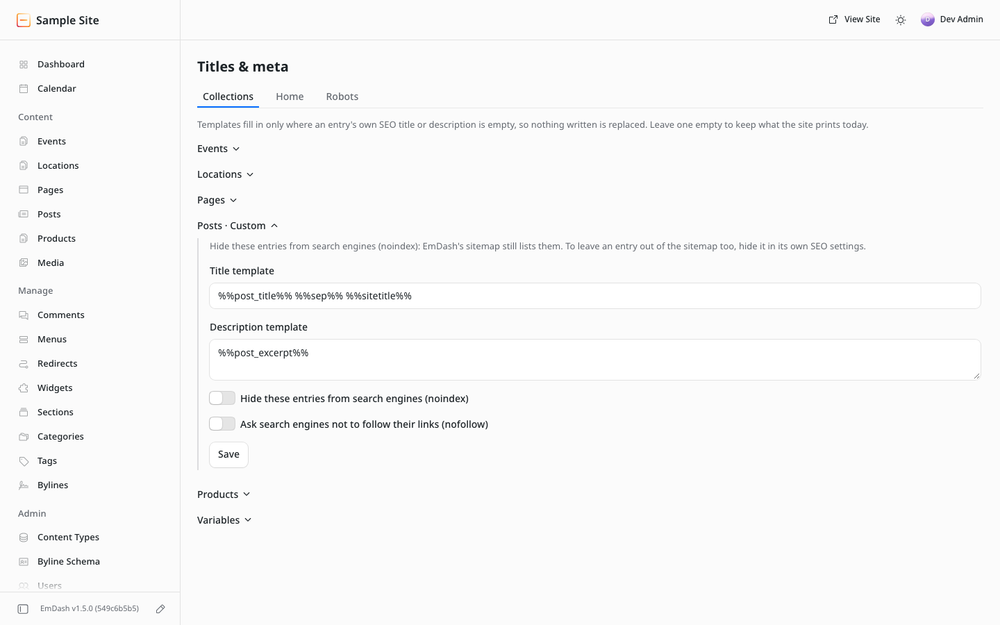
- Titles and meta. Title and description templates per collection with variables, a home page title and description, and extra robots directives for the site or a collection.
- Social cards. Open Graph and X card tags, with a per-entry sharing title and description when sharing should differ.
- Structured data. Fourteen schema types per entry (article, product, event, recipe, FAQ, how-to, job posting, video and more) and custom JSON-LD, automatic rules per collection, publisher and local business details, and breadcrumbs.
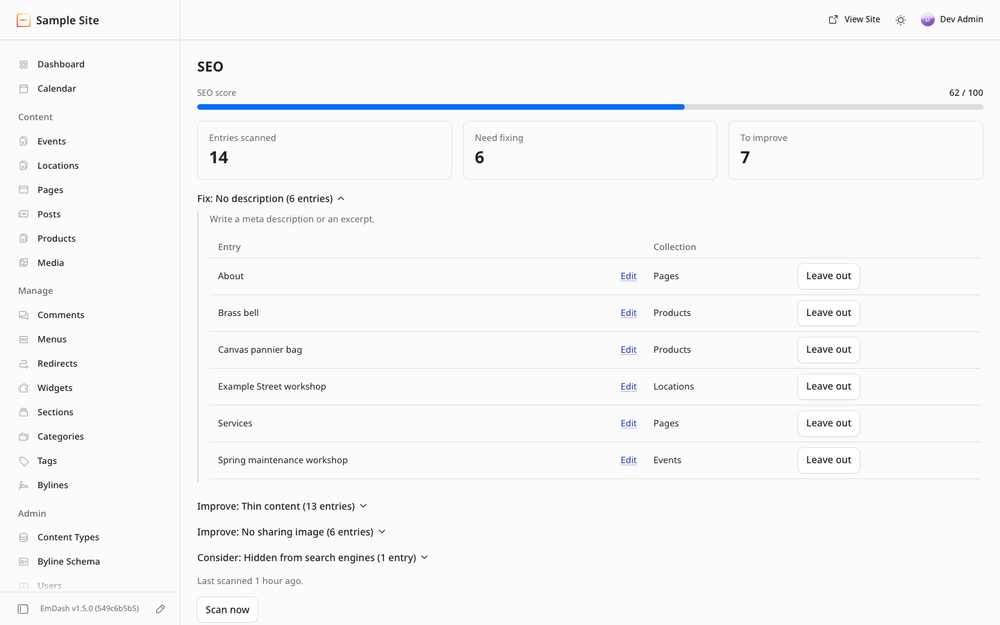
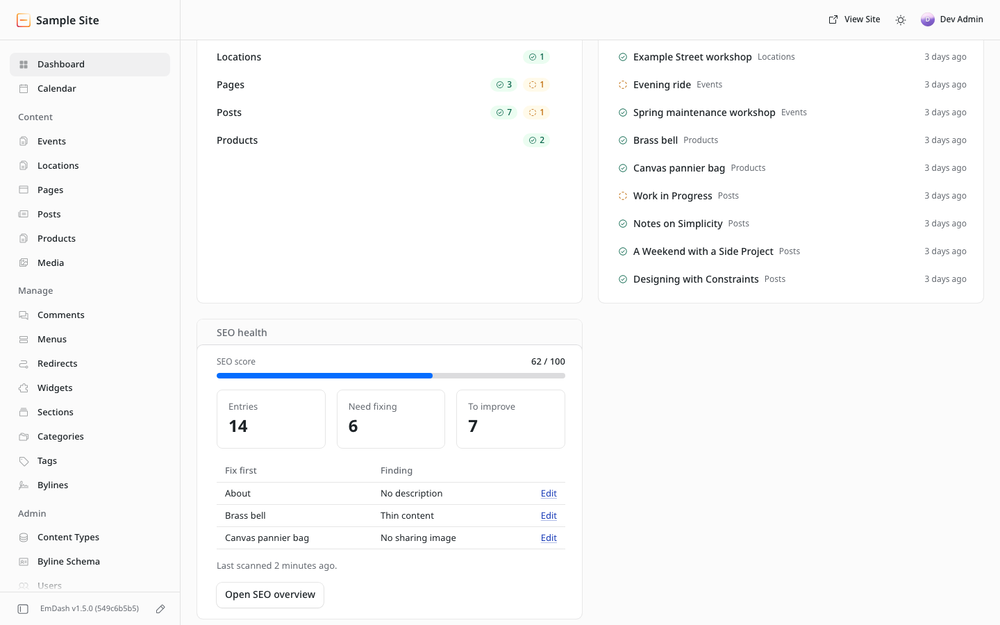
- Site audit. Scores every published entry, lists what to fix first, and shows the result on the dashboard.
- Instant indexing. Tells search engines about new and changed pages through IndexNow (Bing, Yandex, Naver and others), on publish or on demand.
- Publishing rules. Optionally require a description or image alt text before an entry can be published.
How it behaves
- With default settings nothing changes on the public site. A tag is printed only for a value you entered or an option you switched on.
- It never changes an entry's SEO fields.
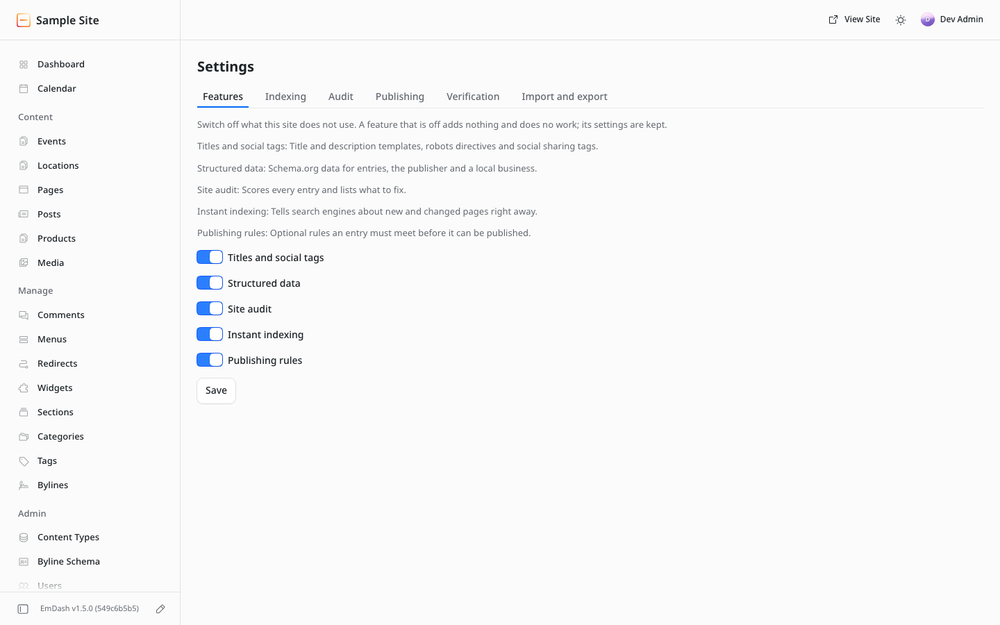
- Every feature can be switched off on the Features tab under Settings. Off means no output and no background work.
- No scripts, styles or other assets are added to public pages.
Screenshots
Permissions
Plugins get only the capabilities they declare and you approve. Your EmDash admin lists these again before anything installs.
FAQ
Does it replace EmDash's SEO fields? No. The search title, description, image, canonical address and "hide from search engines" switch are EmDash's own fields. The SEOdash panel shows and scores them. A sandboxed plugin can read them but not change them, so they are edited in the SEO section of the editor.
Does it add redirects, a sitemap or a robots.txt editor? No. EmDash has those already.
Will it change my site when I install it? No. With default settings the public pages are unchanged.
What happens to my data if I remove it? EmDash's own SEO fields keep their values. The uninstall dialog asks whether to delete plugin storage data: unticked, SEOdash's settings and per-entry data stay for a reinstall; ticked, they are deleted. Settings can be exported first under Settings, on the Import and export tab.
Which outside services does it contact? Only IndexNow, after you switch instant indexing on. It receives your own page addresses and your IndexNow key.
On Cloudflare, SEOdash's pages say "Plugin responded with 404" after installing. On EmDash 1.5 a new plugin reaches only some of the site's running copies at first, so some requests miss it, tags included. Deploy the site once to fix it.
How long does a site scan take? A sandboxed plugin may make about 30 requests to EmDash per run, so the scan works in small batches: about 15 to 25 entries each time the button is pressed. A scheduled job continues an unfinished scan every five minutes.
What licence is it under? GPL-3.0-only; the source is in the repository linked from this listing.
Changelog
1.0.3
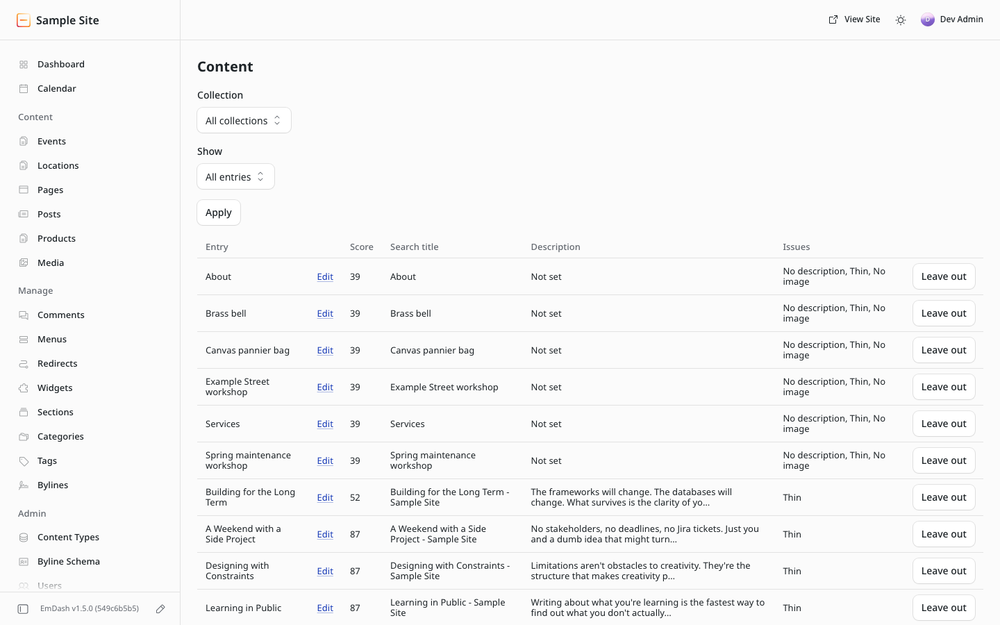
- Leave entries out of the audit, such as a 404 page, with the Leave out button on each finding; put them back from the Content tab. Settings → Audit limits the audit to chosen collections.
- Hidden entries count only as hidden, not as thin or missing a description.
- IndexNow key file downloads from the Indexing tab.
- Editor panel. The sharing image is set with EmDash's OG Image field and its media library picker. The panel shows only what it can change.
- Settings. Help folded into labels.
- Google Indexing API removed to fit the registry size limit. Google only uses it for job postings and livestreams. IndexNow is unchanged.
- X title, description and image fields show only where an entry already has one; X uses the sharing values otherwise.
1.0.2
- Every finding names its entries. The Overview lists the entries behind each finding, worst first, with an Edit link and what to change. "Show all" opens the Content tab filtered to that finding.
- Content tab. Filter by any finding, and the Issues column says which issues an entry has instead of a count.
- Dashboard widget. Shows the entry to fix first for each top finding, with an Edit link.
- Content analysis. Every failing check says what to do, and the check list reads properly in the narrow editor panel.
- Messages. The outcome of an action shows at the top of the page or panel instead of a pop-up over the admin header. The scan button no longer reports an out-of-date count.
1.0.1
Screenshots for the listing. No changes to the plugin.
1.0.0
First release: editor panel, titles and meta, social cards, structured data, site audit, instant indexing, publishing rules, settings import and export, and a switch for each feature.
Installation
- In the EmDash admin, open Plugins, find SEOdash in the registry, install it and approve the access it asks for. On Cloudflare, deploy the site once after installing, so every part of the site picks SEOdash up.
- Open SEO in the sidebar. The Overview page shows the first audit once it has run; the first scan starts by itself within five minutes, or press Scan the site.
- Open any saved entry: the SEOdash panel shows its score, its search appearance and the settings SEOdash adds.
Nothing needs to be configured for the plugin to be useful, and nothing is printed on the site until you enter a value.
Optional steps
- Site details. A sandboxed plugin cannot read EmDash's site settings, so the title separator, default sharing image, Google and Bing verification codes and social profiles used in tags and structured data are entered once under Settings, on the Verification tab.
- IndexNow. Under Settings, on the Indexing tab, download the key file, add it to the site's public folder and deploy. Then switch IndexNow on and confirm the file is in place.
- Audit scope. To audit only some collections, tick them under Settings, on the Audit tab. Single entries, such as a 404 page, can be left out from the Overview.
- Page titles. EmDash templates set
<title>themselves, so the page title comes from the site template. Description and social title templates are applied automatically.
Keep exploring
More plugins like SEOdash
Browse by keyword, or see everything @stevenorechow.me publishes.