
@swiss.ky/linguadash
LinguaDash
Translate EmDash content and SEO fields with DeepL, OpenAI or Cloudflare AI, and see which entries are missing, outdated or need review.
About LinguaDash
LinguaDash shows which entries are missing a language, which translations are outdated and which still need review, and helps editors close those gaps.
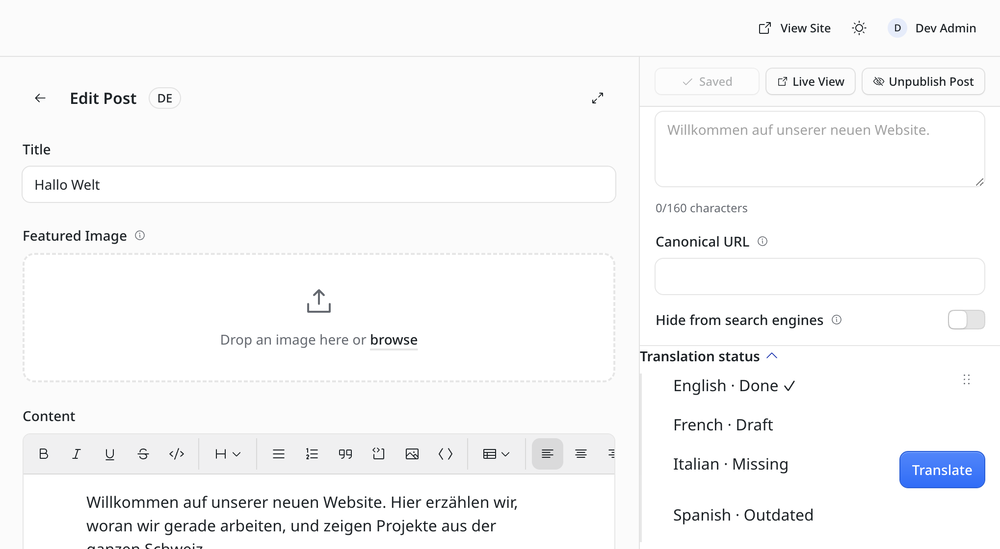
- Translation status in the editor. Every entry lists its languages as Missing, Draft, Done or Outdated. Nobody sets the status by hand.
- Outdated detection. When the source's translatable fields change, its translations are flagged Outdated until they are updated.
- Machine translation as drafts. DeepL, OpenAI or Cloudflare AI Gateway translate text, rich text and SEO titles and descriptions. Results are saved as drafts to review; published translations are never overwritten.
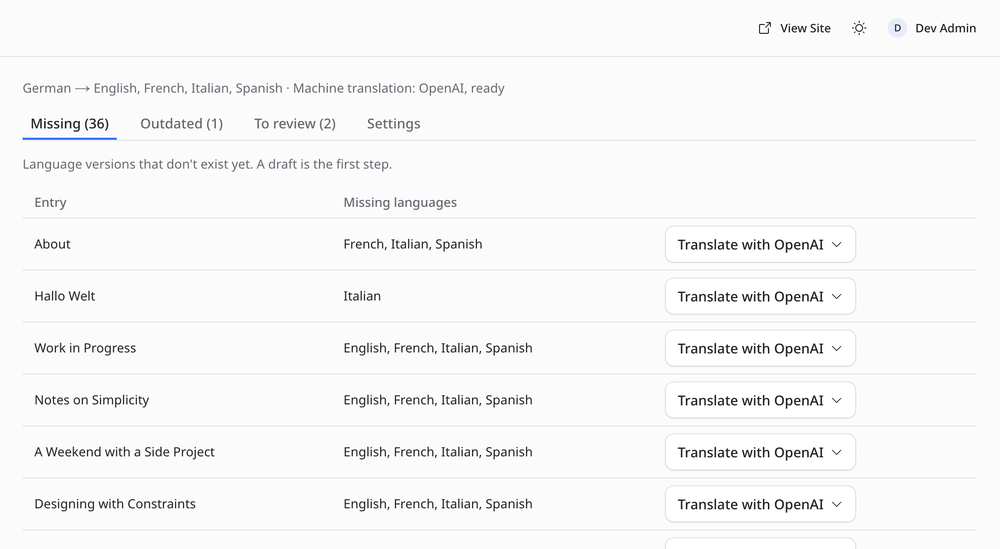
- Translations page. Tabs for missing, outdated and unreviewed translations across all collections, with actions to translate one language or all of them.
- SEO per language. New translations copy the source's SEO settings, but never its canonical URL.
- Admin in five languages. The plugin's own screens are available in English, German, French, Italian and Spanish.
Text is sent only to the translation provider you choose. API keys are stored encrypted.
Two Astro components for your theme, <LanguageSwitcher> and <TranslationNotice>, ship in the npm package.
Screenshots
Installation
Requires EmDash 0.42 or later with a plugin sandbox runner, and Astro i18n routing with every target language listed in i18n.locales. Machine translation also needs EMDASH_ENCRYPTION_KEY.
- Select Install.
- Open Translations in the admin, then Translation settings, and enter the target languages, e.g.
fr, it, en. - In Content Types, switch on Translatable for every field that differs per language.
- Optional: pick a machine translation provider, enter its credentials and select Test machine translation.