
Perq: Free AI Credits
Browse verified free AI credits, startup programs and free tiers from perq.sh in your admin, plus a JSON feed for your site.
@upskillcoach.bsky.social/perq-creditsOr open Registry in your EmDash admin and search for this name.
Overview
Perq is a directory of free AI credits and perks: free tiers, signup credits, startup programs, student offers and promo codes from LLM APIs, GPU clouds, vector databases, agent tools and more. Every offer is copied from the vendor's own page with a source quote and a last-verified time.
This plugin brings that data into EmDash:
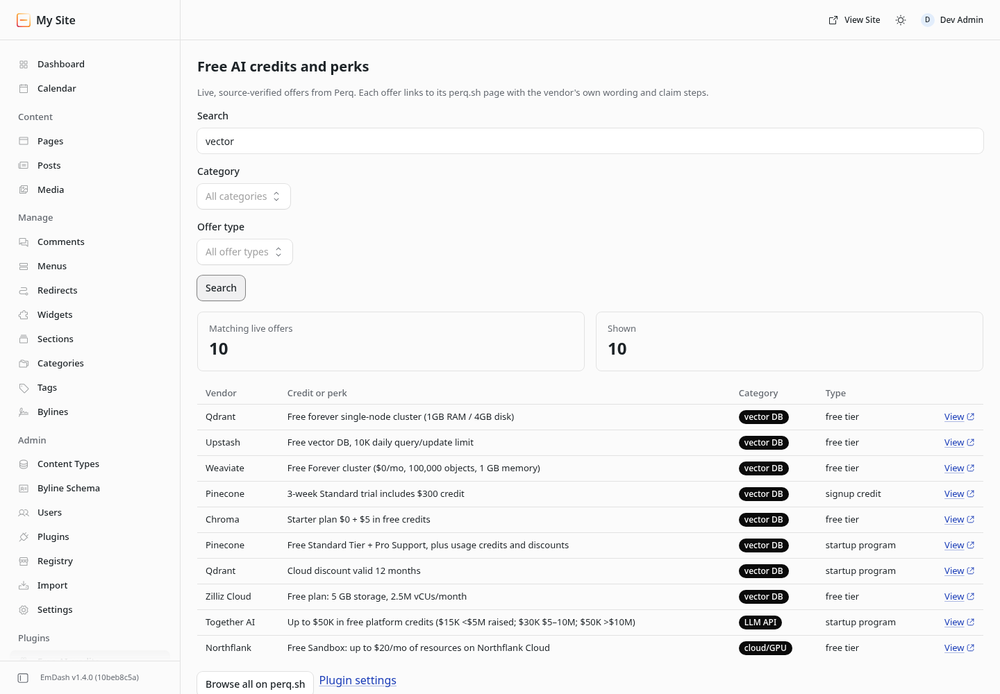
- Free AI credits admin page: search live offers by keyword, category and offer type.
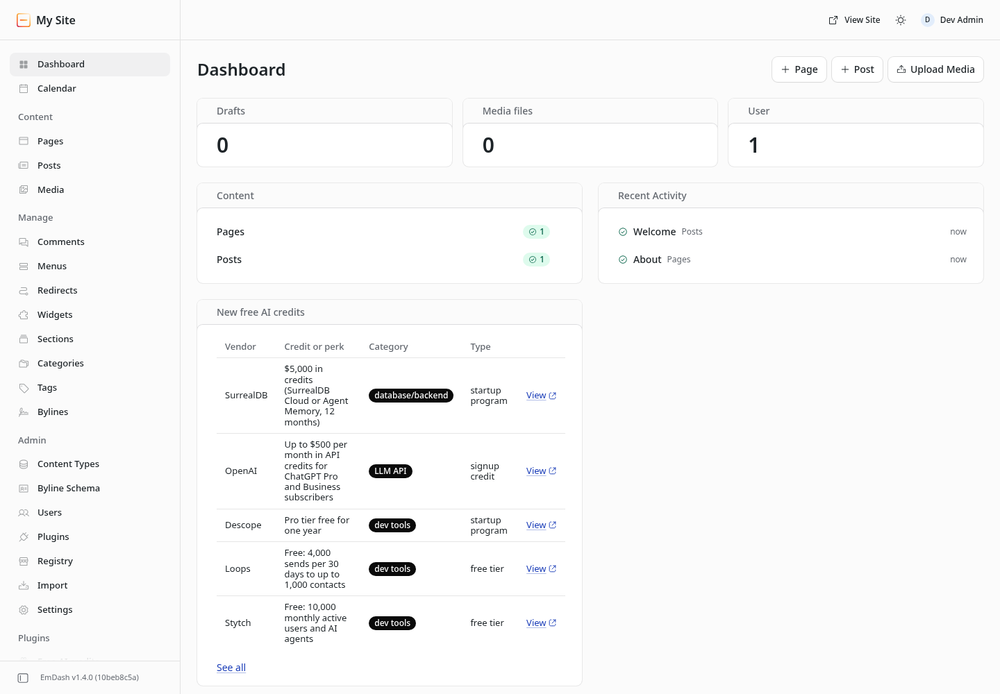
- New free AI credits dashboard widget: the five newest offers.
- Public JSON feed at
/_emdash/api/plugins/perq-credits/offersso your templates can show a "free credits" list on your site (cached for 5 minutes).
The plugin only talks to perq.sh. It does not read your content, users or media, and stores nothing besides its two settings.
Screenshots
Permissions
Plugins get only the capabilities they declare and you approve. Your EmDash admin lists these again before anything installs.
FAQ
Is the data free to use? Yes. The plugin reads Perq's public search API. Please keep the "Offer data from Perq" attribution when you show offers publicly.
How fresh is it? Perq re-checks offers against vendor pages continuously; each offer carries its last-verified time. The public feed is cached for 5 minutes.
Where do the links go? "View" opens the offer's page on perq.sh, with the vendor's wording and claim steps. claimUrl redirects to the vendor's claim page.
Questions or a wrong offer? Email ops@avatar33.com or use the report link on the offer's perq.sh page.
Installation
- Install Perq: Free AI Credits from the Registry in your EmDash admin and approve the single network permission (
perq.sh). - Open Free AI credits in the admin sidebar to search offers.
- Optional: open Perq settings to pick a default category and how many offers to show (1 to 25).
- To list offers on your site, fetch
/_emdash/api/plugins/perq-credits/offers. Supported query parameters:q,category(for examplellm-api,cloud-gpu),type(for examplefree-tier,startup-program),sort(relevance,newest,popular,verified,value,az) andlimit(1 to 25). The response is{ success, data: { ok, total, offers: [...] } }; each offer hasvendor,value,category,offerType,eligibility,urlandclaimUrl.
Keep exploring
More plugins like Perq: Free AI Credits
Browse by keyword, or see everything @upskillcoach.bsky.social publishes.