

@vapvarun.bsky.social/knowx
KnowX Knowledge Base
A searchable knowledge base for EmDash: categories, article feedback, and a report of what readers search for.
About KnowX Knowledge Base
KnowX turns an EmDash site into a help center. Visitors search for an answer, browse topics, and say whether an article helped. You see which searches find nothing and which articles get more No votes than Yes.
What you get
- Help home. A search box and topic cards. When you have more than one top-level category, each card shows a name, a short description and an icon you pick.
- Articles. Table of contents, copy-link on headings, copy on code, previous and next, last updated date, optional version badge.
- Search. EmDash's own search, limited to the content types you tick. Instant results as you type, plus a results page. Each result says what kind of content it is.
- FAQ. Its own page, with FAQ data for search engines.
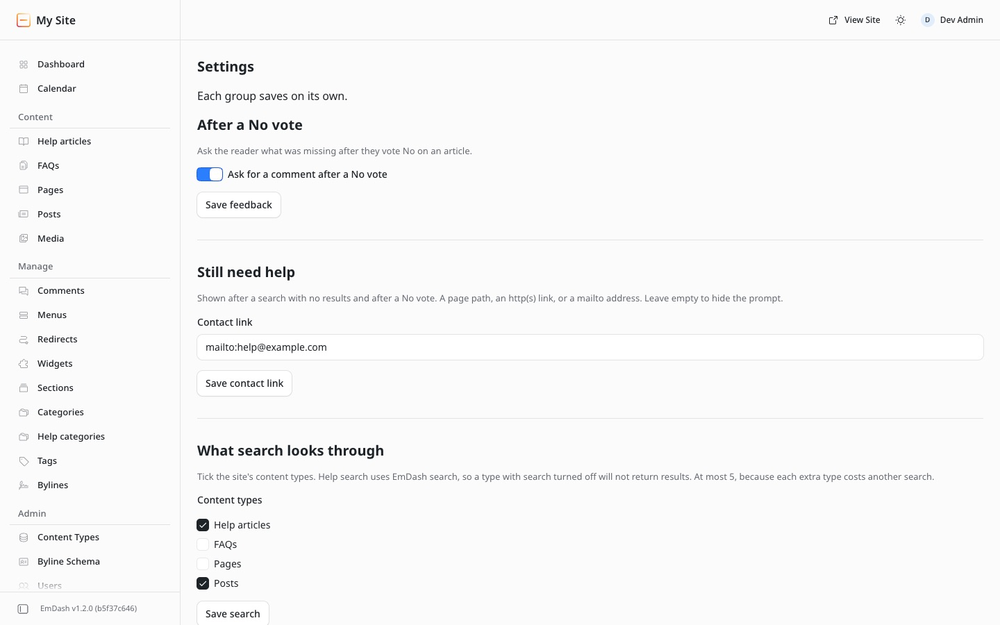
- Was this helpful. Yes or No on each article. After a No you can ask for a short comment.
- Still need help. A contact button after an empty search and after a No vote. You set one link. Hidden when that setting is empty.
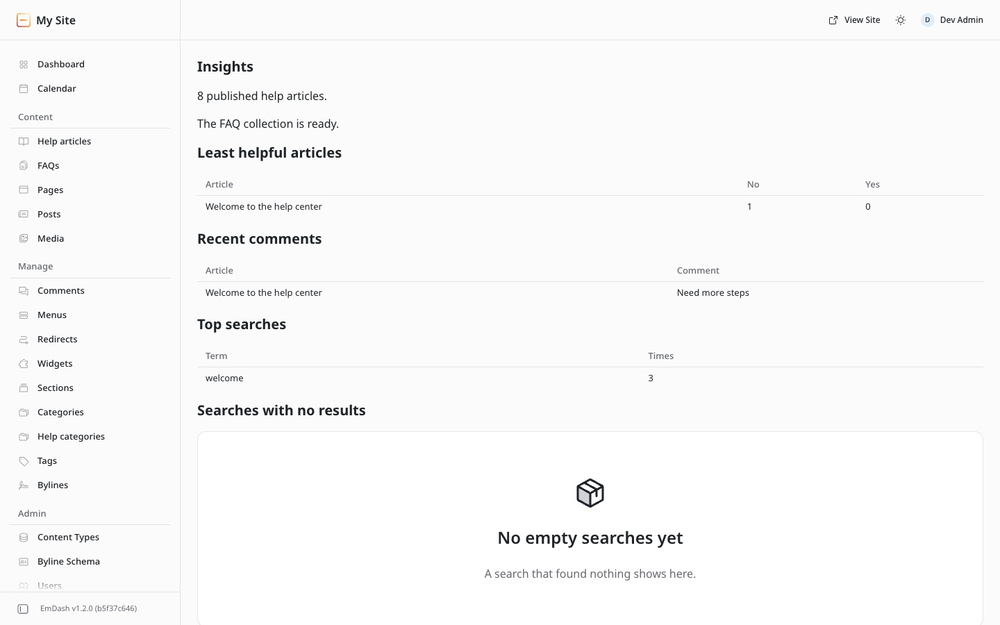
- Insights. Weak articles by name, comments as plain text, top searches, searches that found nothing.
- Dashboard card. Empty searches this week, and the least helpful article.
How it fits together
KnowX is the engine: routes, storage and the admin screens. An EmDash plugin cannot add pages to your site, so the public pages ship as a site kit you copy in once. See Installation.
Every visitor-facing feature works for guests. Signing in changes nothing.
Screenshots
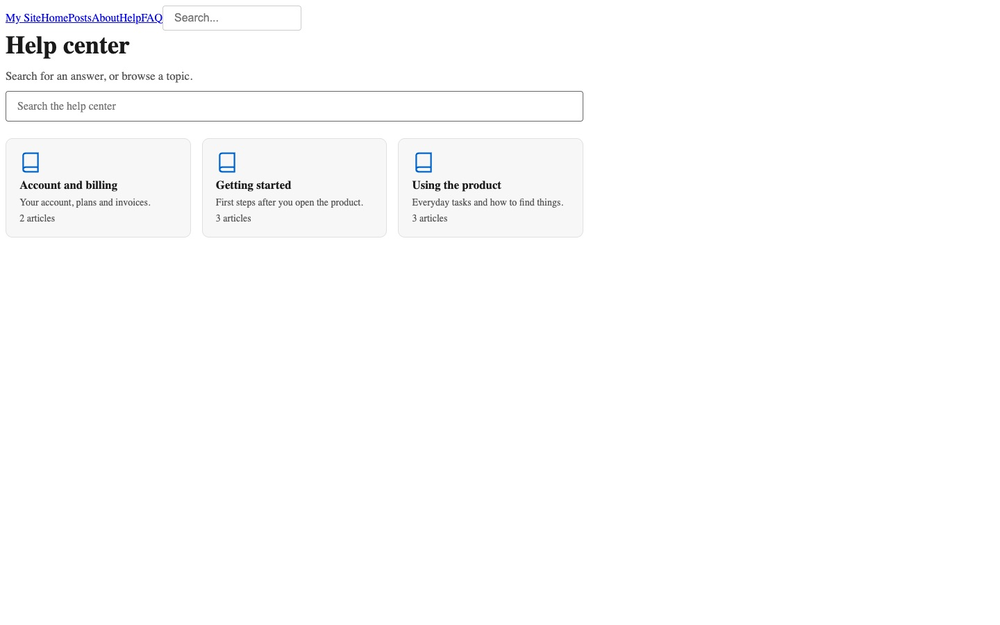
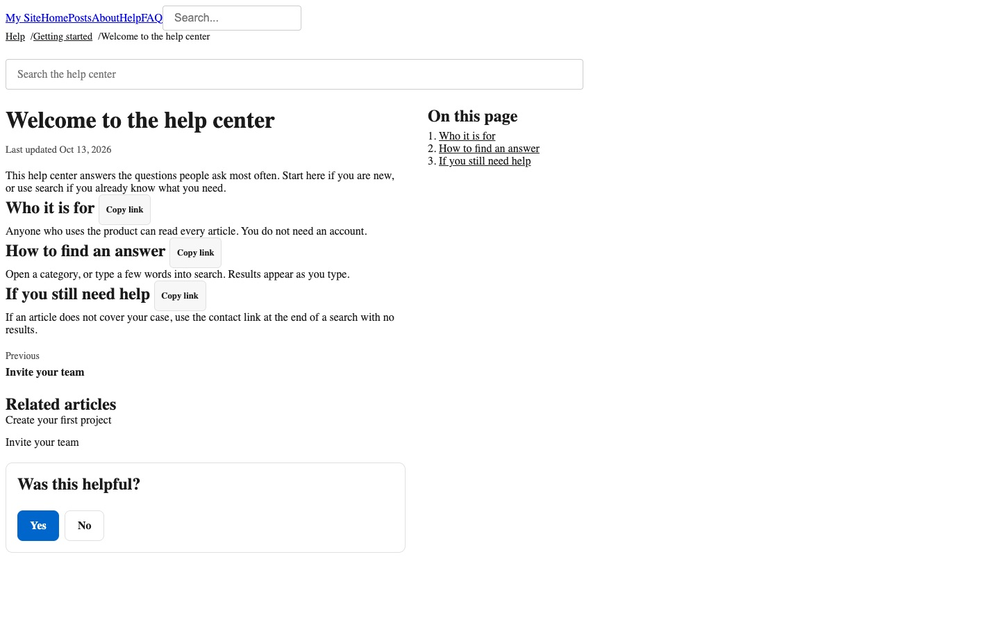
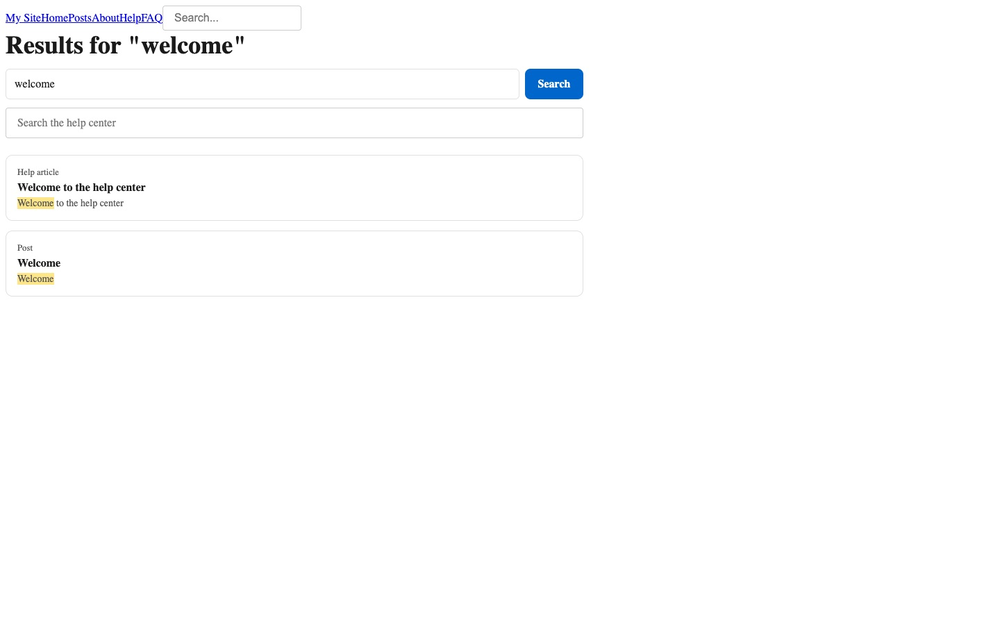
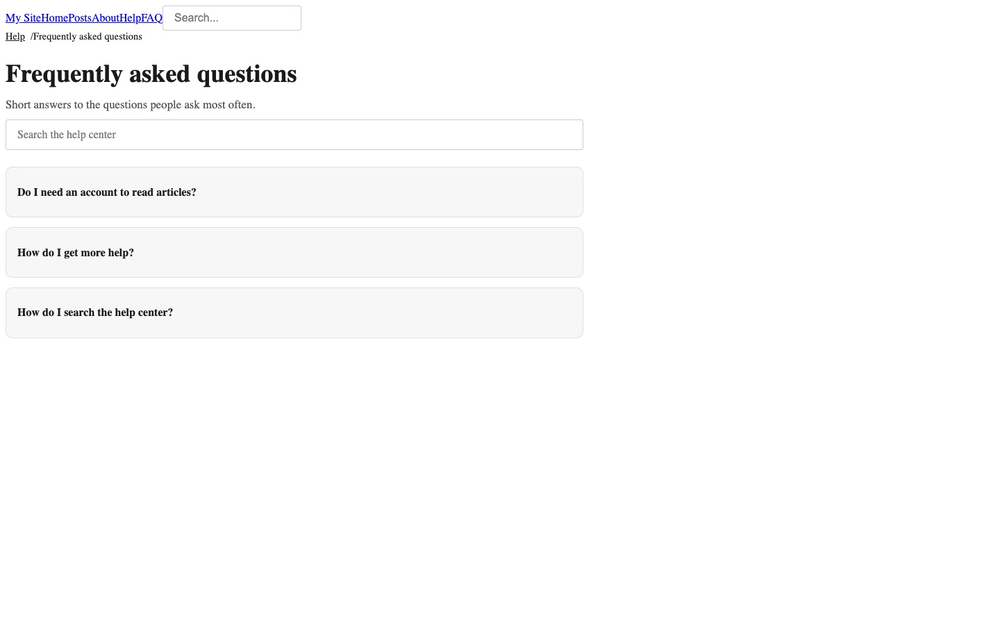
Faq
Why is /docs/ a 404 after install?
The plugin cannot create pages. Copy the site kit pages into your site, then reload.
Can guests vote and search? Yes. Every reader-facing feature works without an account.
Does search look through posts and pages? Only the content types you tick on Settings. Help articles are on by default. A type with search turned off in its collection will not return results.
Does it send email? No. The contact button is a link you set: a page, an http(s) address, or a mailto address.
Does it work in dark mode? Yes. The kit colours follow your site theme.
Is there a paid version? No. Everything here is free.
Can I put a search box inside an article? Not from the registry install. That needs a trusted install, and it is not part of this release.
Changelog
0.1.0
- New: Help center pages: home, topic, article, search and FAQ.
- New: Was this helpful votes, with an optional comment after a No.
- New: Search log and Insights: weak articles, comments, top searches, empty searches.
- New: Settings for the contact link, comments after a No, what search covers, and product icons.
- New: A card on the EmDash dashboard for empty searches this week and the least helpful article.
- New: Article and breadcrumb data for search engines.
Copy site-kit/ after installing.
Full history: https://github.com/wbcomdesigns/emdash-knowx/blob/main/CHANGELOG.md
Installation
- Install KnowX from the registry and confirm the permissions (read content, schema and taxonomies).
- Create a
docscollection and afaqcollection. The kit ships the field list insite-kit/seed/. Turn search on for both. - Copy the site kit into your site. Full steps: https://github.com/wbcomdesigns/emdash-knowx/blob/main/site-kit/README.md
- Add menu links for
/docs/and/docs/faq/. - Open Admin, then KnowX, then Settings. Set a contact link if you want "Still need help?", and tick the content types search should cover.
Your site needs a sandbox runner in astro.config.mjs. Without one, EmDash skips sandboxed plugins at startup.
A block inside an article (a search box or a list of articles) needs a trusted install. The registry package is the whole product without it. That extra is not in this release.