

Learnomy
Free courses for your EmDash site: lessons in the editor, free enrollment, progress and a quiz per lesson. No payments.
@vapvarun.bsky.social/learnomyOr open Registry in your EmDash admin and search for this name.
Overview
Learnomy adds free courses to your EmDash site. Write courses and lessons in EmDash's own editor, put each course's lessons in order, and add a short quiz to any lesson. No payments of any kind.
What you get
- Courses and lessons under their own menus, with a cover, excerpt and category per course.
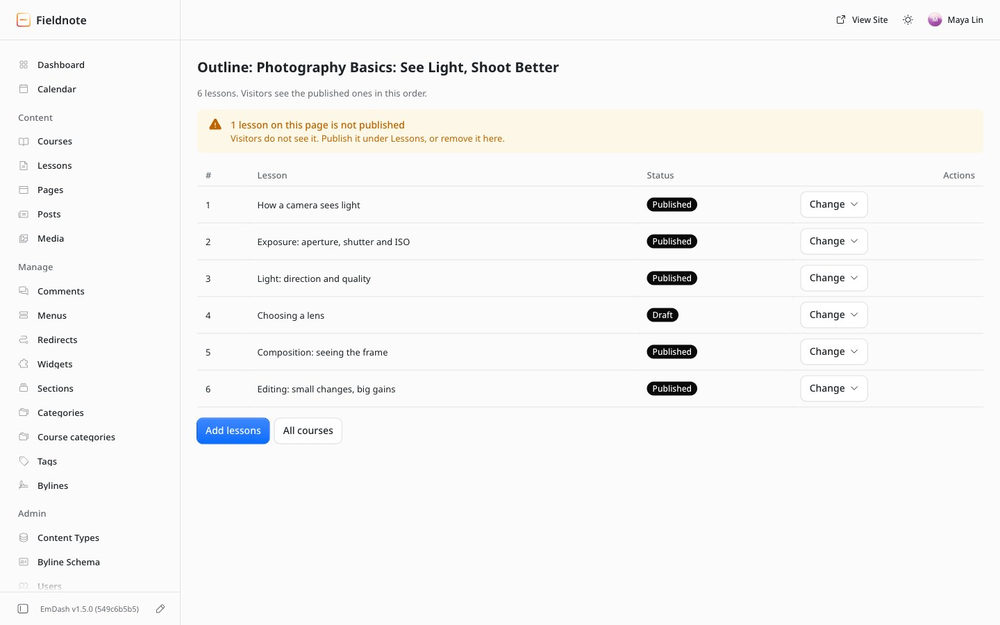
- A Course outline page: pick a course, add lessons by title, set their order.
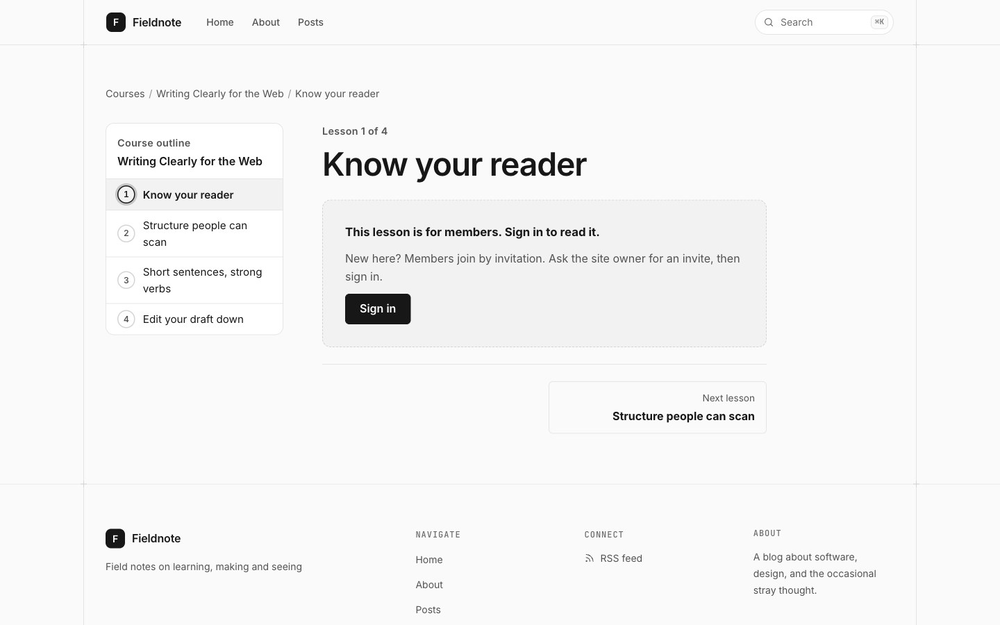
- Open courses anyone can read, or Members courses for signed-in people.
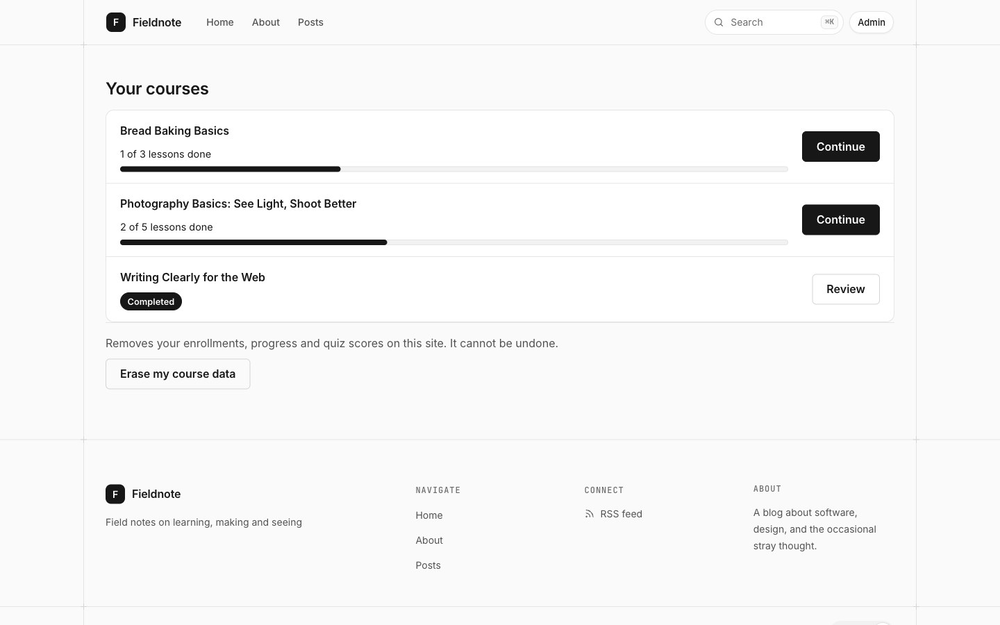
- Free enrollment, Mark complete, progress and a finished state.
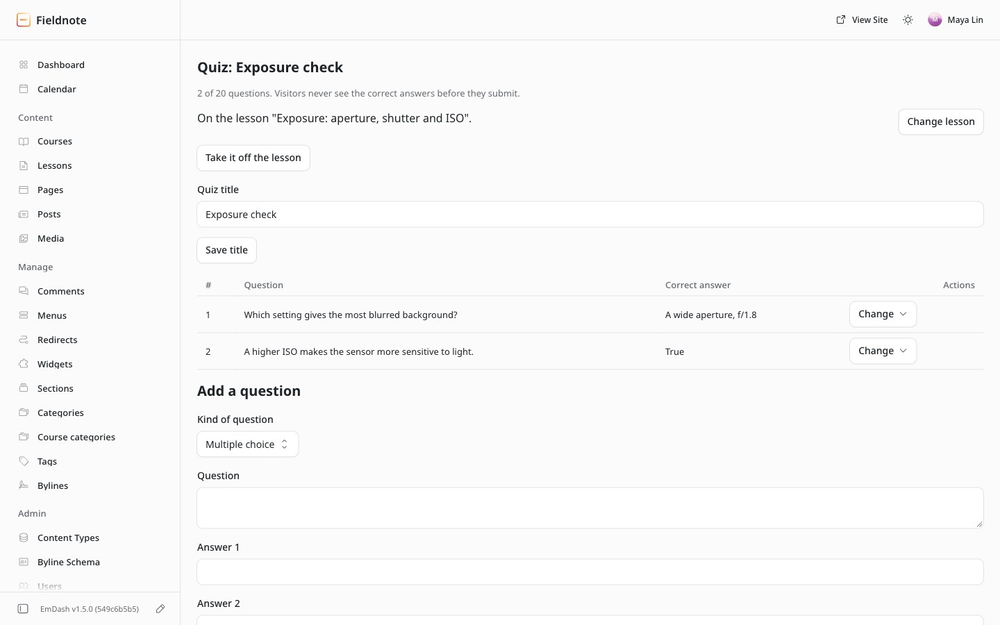
- One quiz per lesson, up to 20 questions: multiple choice, multiple answers, true or false, short answer or fill in the blank, scored on your site so the right answers are never sent early.
- Pass marks, retake limits and practice quizzes that show the right answers and your explanations after submitting.
- Your courses for members, on your site's account page.
- Enrollments and Quiz results lists with names, and erase for one member.
- A dashboard card, and MCP tools so an AI agent can build a whole course.
What Members means
Members keeps out guests, not other members. A guest sees a Members lesson's title and a sign-in prompt; the text and its quiz never reach their browser or search engines. Anyone signed in to your site can read every published lesson.
How members join
By your invite: Users, Invite User, role Subscriber. Invites and recovery need an email provider. Self-signup will work once EmDash releases its fix for allowed-domain signup.
How it fits together
The plugin is the engine. The course pages come as a site kit you copy into your site once. See Installation.
Screenshots
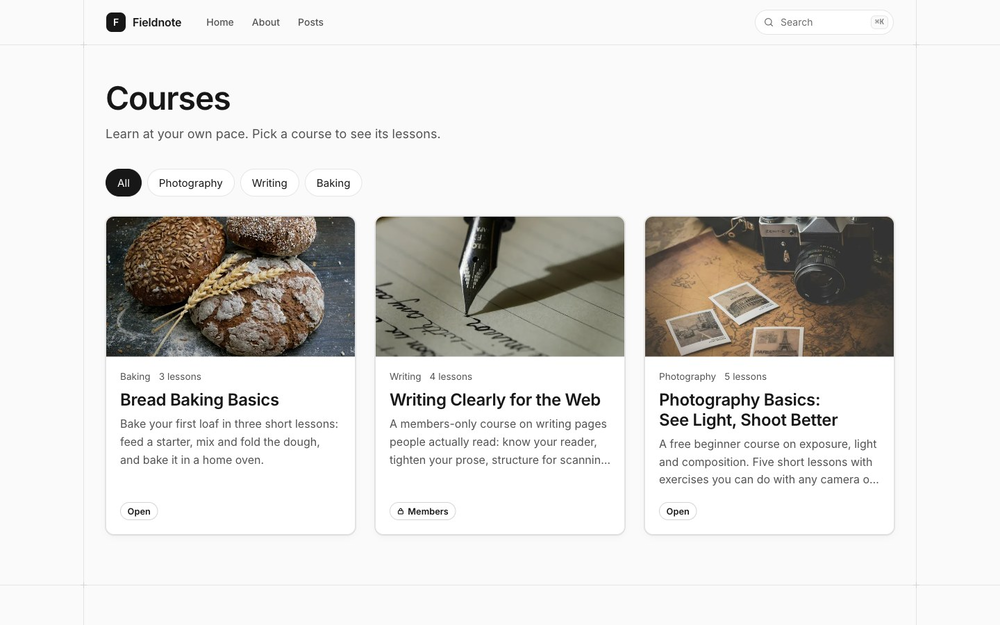
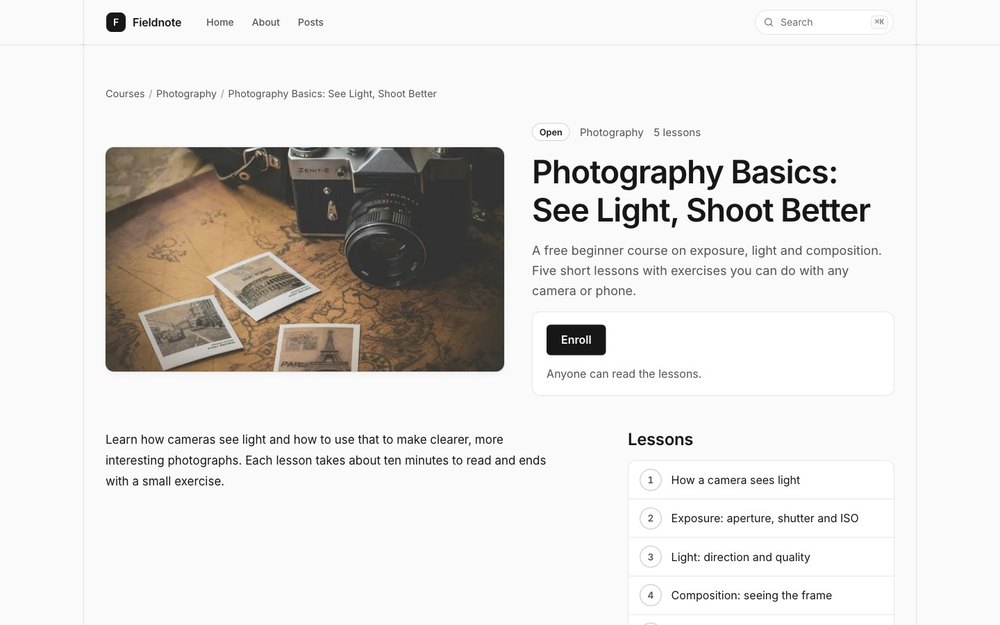
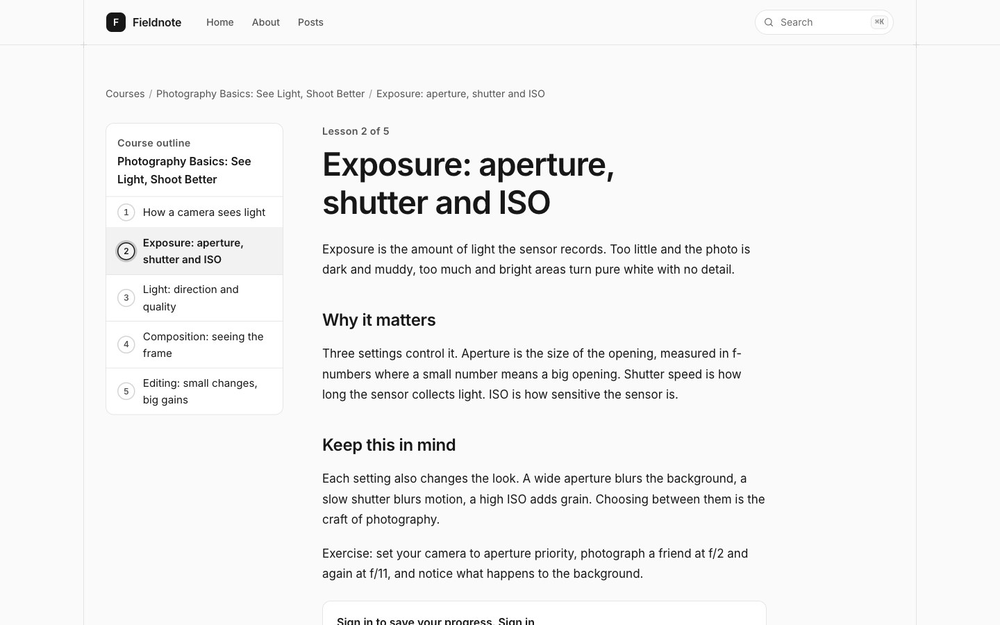
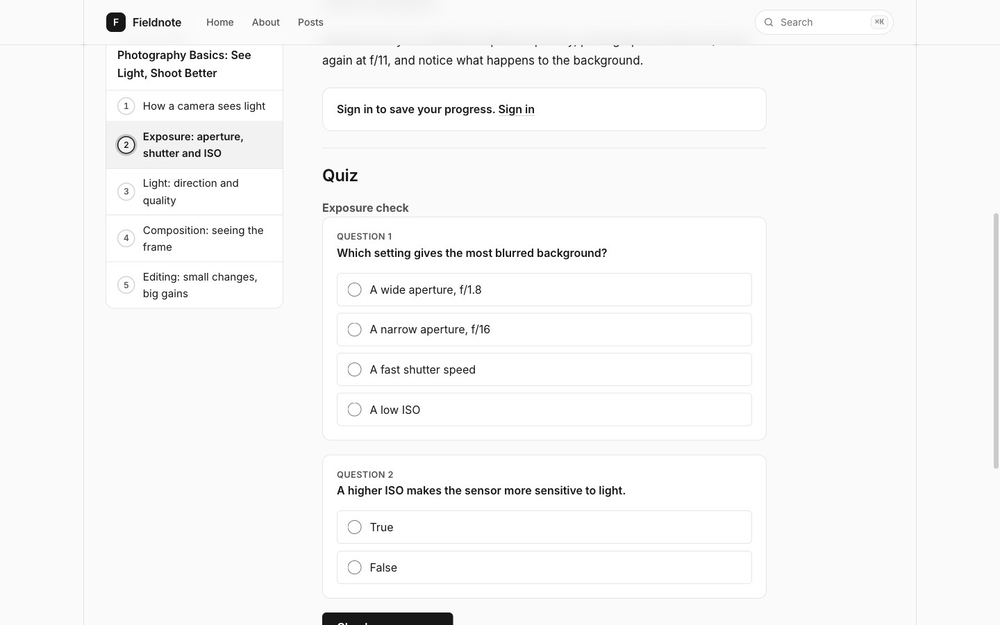
Permissions
Plugins get only the capabilities they declare and you approve. Your EmDash admin lists these again before anything installs.
FAQ
Is it free? Yes. No paid version, and no payments of any kind.
Does Members hide lessons from other members? No. Members keeps out guests, not other members. Anyone signed in can read every published lesson.
How do people join? By your invite: Users, Invite User, role Subscriber. Self-signup will work once EmDash releases its fix for allowed-domain signup.
Why does it ask to read my content and user accounts? Content: to list your courses and lessons by title and show visitors only published ones. User accounts: to show member names in Enrollments and Quiz results. It never writes your content.
Can one lesson be in two courses? Yes. Add it to both outlines.
Can an AI agent build courses? Yes. Turn on Agent access on the plugin card and give the agent a token with the Learnomy MCP tools scope. Courses and lessons use EmDash's own content tools; outlines and quizzes use Learnomy's.
What are the limits? 200 lessons per course, 20 questions per quiz, and course pages look through the first 1,500 published lessons of a site.
Does it work with my theme? The pages take your theme's font, colours and light or dark scheme, and you can restyle them with --learnomy-* tokens.
Changelog
0.2.1
Fixes. No new permissions. Copy the site kit again after updating.
- Fix - A member's own erase keeps attempts used on every quiz, so a limit set later still counts them.
- Fix - A member's own erase removes the attempt counts of deleted quizzes.
0.2.0
Richer quizzes. No new permissions. Copy the site kit again after updating.
- New - Pass marks: members pass a graded quiz before its lesson counts as complete.
- New - Multiple answers, short answer and fill in the blank questions.
- New - Retakes: unlimited, a maximum number of attempts, or a wait between attempts.
- New - Practice mode with right answers and explanations after submitting.
- Improve - Quiz results shows best score and attempts; members see attempts left and passed quizzes.
0.1.1
Fixes. No new permissions. Copy the site kit again after updating.
- Improve - Find counts only the matches and pages through all of them.
- Fix - A course with no access value shows as Members everywhere.
- Fix - The catalog's Previous link goes to the previous page.
- Dev - Indexes for the admin lists; redeploy note for Cloudflare.
0.1.0
The first release. Needs EmDash 1.5.0 or later.
- New - Courses and lessons in EmDash's editor, with a Course outline page to set each course's lessons and order.
- New - Open or Members courses; Members keeps lesson text away from guests.
- New - Free enrollment, Mark complete and progress.
- New - One quiz per lesson, up to 20 questions, scored on your site.
- New - Your courses for members, Enrollments and Quiz results lists, erase for one member, a dashboard card.
- New - MCP tools for outlines, quizzes and lists, so an agent can build a whole course.
New permissions: Read your content, Read user accounts.
Installation
Needs EmDash 1.5.0 or later and a sandbox runner (Registry shows in the admin menu).
- Install Learnomy from the Registry and accept the two permissions: Read your content (list courses and lessons by title, show only published ones) and Read user accounts (names in your lists).
- Copy the site kit into your site with the one command in the install guide (link below), from your site's root folder. It adds the course pages, the Your courses component and the Courses, Lessons and Course categories content types, and never replaces a newer shared Wbcom file.
- Add
<LearnomyMyCourses />to your site's account page. - Restart the dev server or deploy. Add
/courses/to your menu. On Cloudflare, redeploy after installing or updating. Cloudflare runs several copies of your site at once, and EmDash refreshes the plugin list only in the copy that handled the install or update (seen on EmDash 1.5). Until you redeploy (npm run deploy), some requests to the plugin can answer "Plugin route not found" and its admin pages can show a plugin error. EmDash is tracking a fix in emdash-cms/emdash#4865. - Invite members: Users, Invite User, role Subscriber.
Full guide: https://github.com/wbcomdesigns/emdash-learnomy/blob/main/docs/website/getting-started/install.md
Keep exploring
More plugins like Learnomy
Browse by keyword, or see everything @vapvarun.bsky.social publishes.