

@vapvarun.bsky.social/polls
WB Polls
Create polls, let visitors or members vote once, and show live results anywhere on your site.
About WB Polls
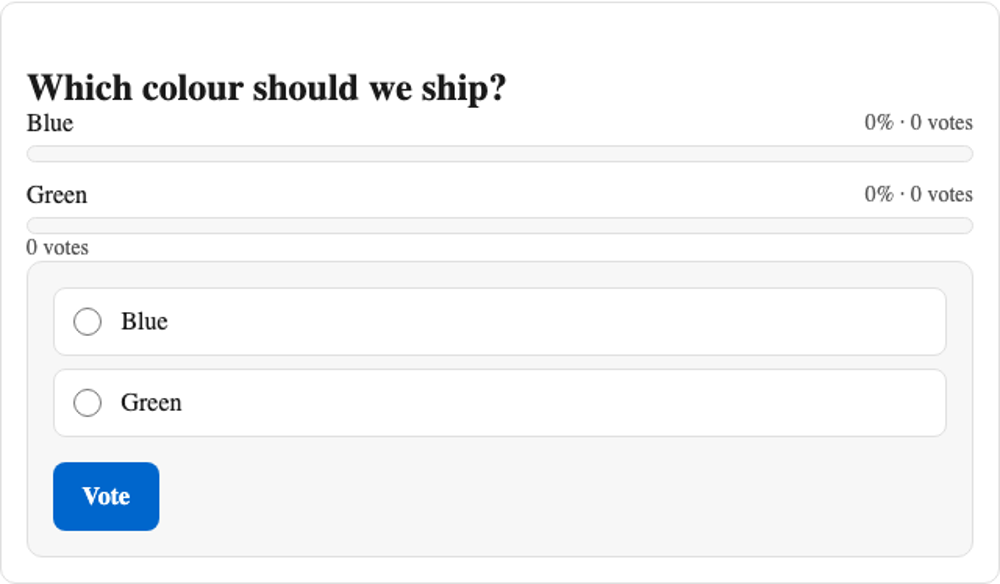
WB Polls lets a site owner ask a question and show live results on any EmDash page.
What you get
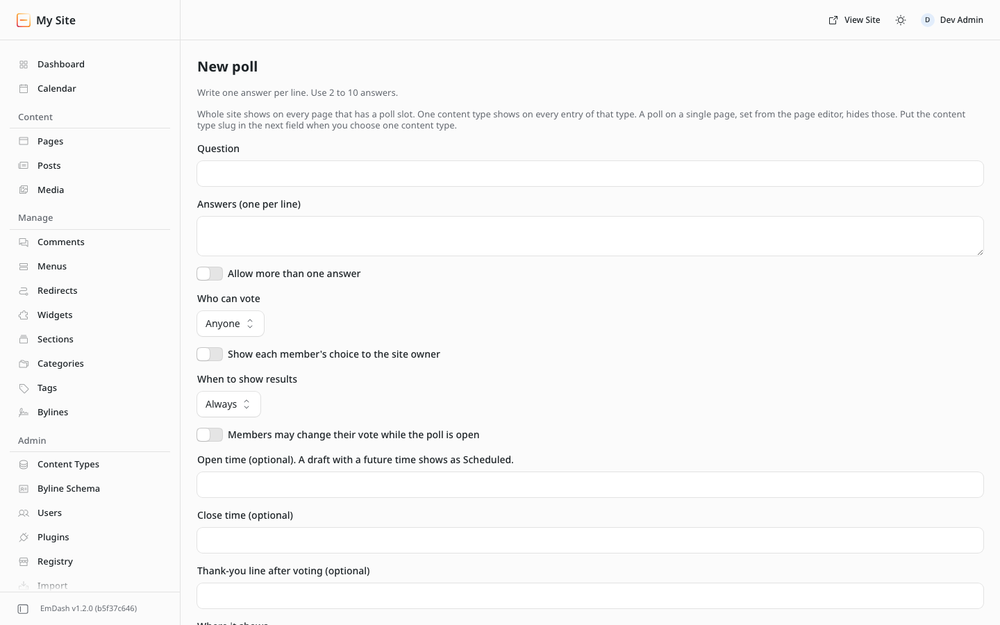
- Create a poll with two to ten answers, one choice or several.
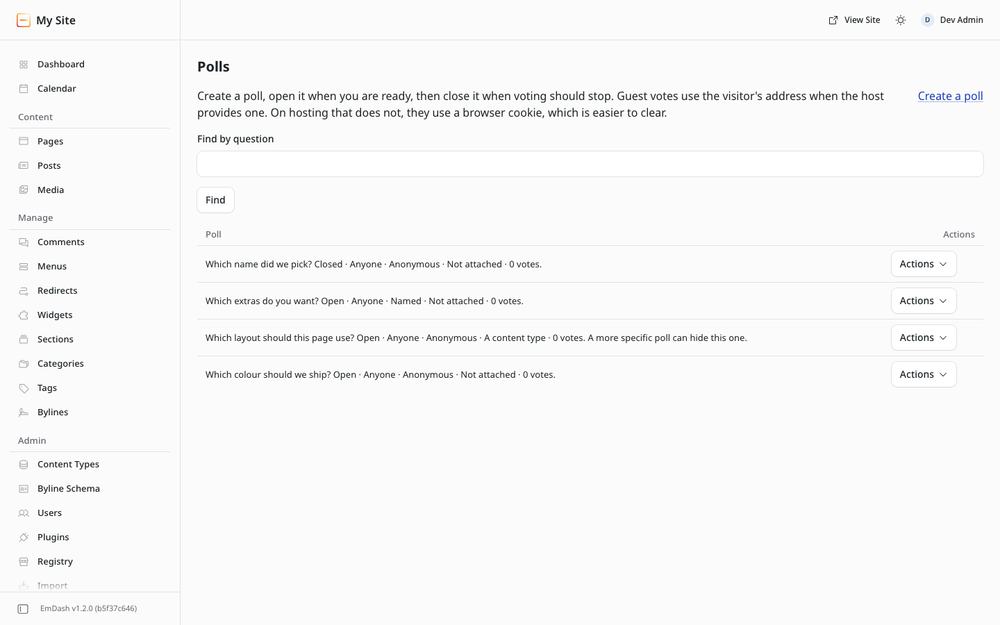
- Open it when you are ready, close it when voting should stop, or set a close time.
- Choose who can vote: anyone, or signed-in members only.
- Choose when results show: always, after a vote, or after the poll closes.
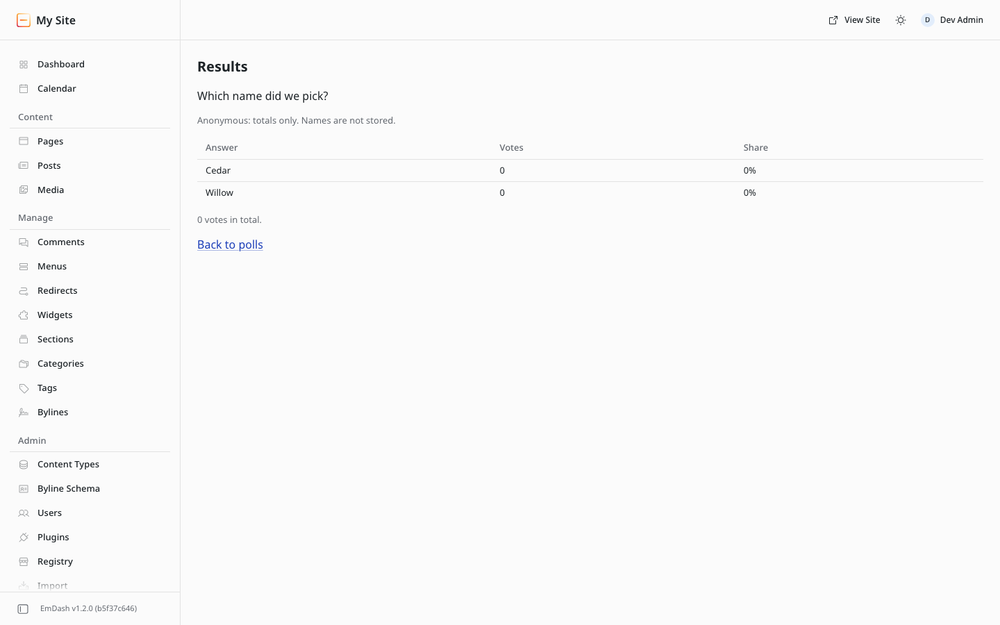
- Choose anonymous totals, or named results the site owner can see.
- Attach a poll to one page, to every entry of a content type, or to the whole site. A developer can also place a specific poll by id.
- Copy a poll into a new draft with no votes.
How it fits together
The plugin is the engine: storage, voting routes and the admin screens. An EmDash plugin cannot add pages, so the visible poll ships as a site kit you copy in once. See Installation.
Guests can vote when you allow anyone. Members vote as their signed-in account. Only you create and manage polls.
Screenshots
Faq
Why is there no poll on the page after I create one? Create is a draft. Open the poll from the list. Then attach it to a page, a content type or the whole site, and put a poll slot on that template.
Can guests vote? Yes, when you set Who can vote to Anyone. One vote per visitor. Signed-in members still vote as themselves.
Who sees voter names? Only you, and only on a named poll. Guests stay anonymous. Anonymous polls never store a name.
Does it work in dark mode? Yes. The kit follows the visitor's system setting.
Can I put a poll in the middle of an article?
Not from a registry install. Attach it above or below the content, or place <Poll id /> in a template. An in-text block needs a trusted install; that path is optional and does not change the registry product.
Is there a paid version? No. Everything here is free.
Changelog
0.1.1
- Polls stay readable in dark mode on any site theme.
- A missing poll explains what to do next.
- Tapping anywhere on an answer selects it.
0.1.0
- New: create, edit, open, close and delete polls from admin.
- New: guests and signed-in members can vote once, with an optional change while the poll is open.
- New: attach a poll to one page, a content type or the whole site.
- New: anonymous or named results. The owner can erase one member's votes.
- New: copy a poll into a new draft with no votes.
- New: site kit poll and slot components, with one wording file for visitor text.
Installation
- Install WB Polls from the registry. It asks for no extra permissions.
- Copy the site kit into your site. On a lab,
./scripts/apply-kit.shdoes this. By hand, copysite-kit/lib/,site-kit/styles/andsite-kit/components/into yoursrc/folders of the same names. - Put
<PollSlot collection={entry.collection} id={entry.id} />once in the template that wraps posts and pages, above or below the content. Or put<Poll id="..." />on one page. - Open Admin, then Polls. Create a poll, attach it, and open it.
Your site needs a sandbox runner in astro.config.mjs. Without one, EmDash skips sandboxed plugins at startup.
EmDash 1.2 or later.
Full steps: https://github.com/wbcomdesigns/emdash-polls/blob/main/site-kit/README.md