

@vapvarun.bsky.social/reviews
WB Reviews
Star ratings and moderated reviews for any content: posts, pages, products or listings.
About WB Reviews
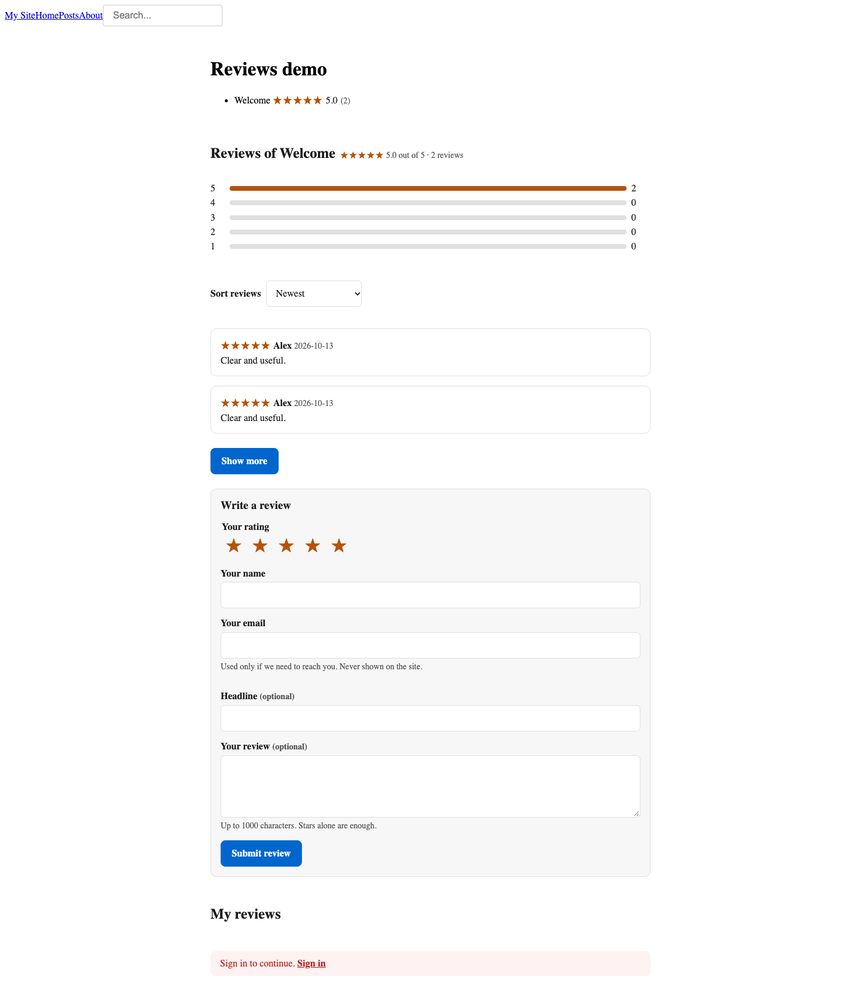
WB Reviews adds star ratings and moderated reviews to any EmDash content: posts, pages, products or listings. Visitors read the average, the star breakdown and the written reviews. Members or guests leave one review per page. You approve what goes live.
What you get
- Ratings on any content. Tick the site's own content types by name. Nothing is tied to posts.
- Written reviews and stars alone. Text is optional. A star-only rating counts in the average and does not appear in the list.
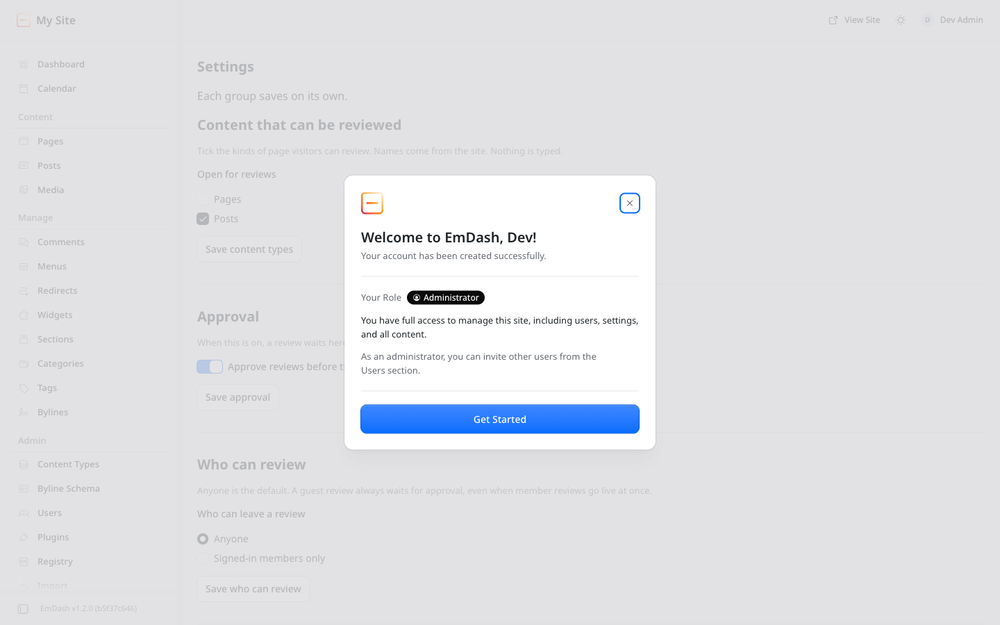
- Members or anyone. Guests give a name (and an email if you ask). Guest reviews always wait for approval. One review per visitor.
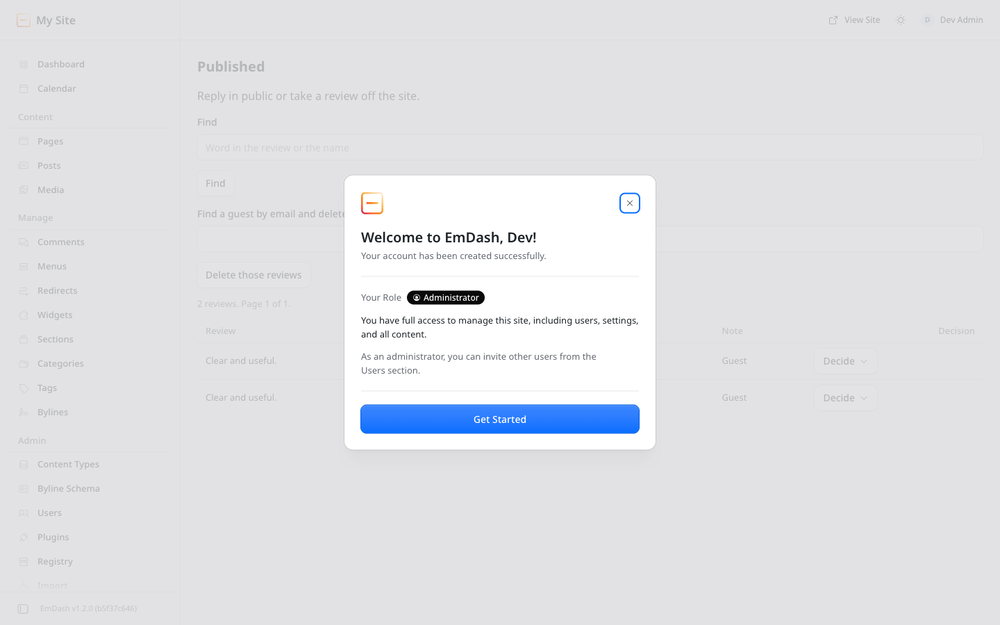
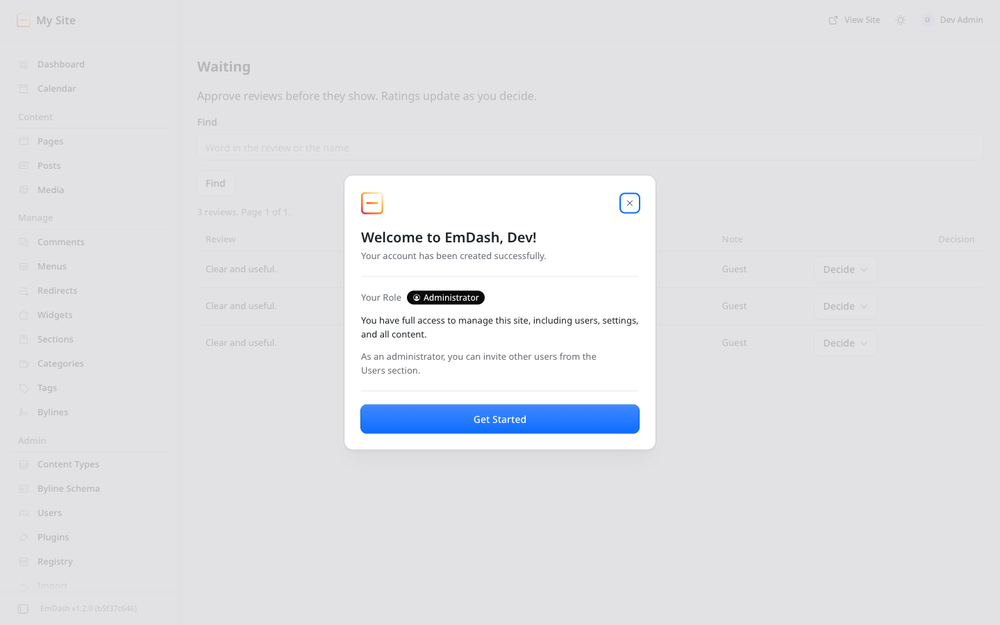
- Moderation. Waiting and Published pages, find by text, and delete a guest's reviews by email.
- Owner reply. One public reply under a review, written in admin.
- Search engines. The rating is added to the page as structured data.
- A dashboard card for what is waiting, plus an optional hourly email with no review text and no link.
How it fits together
The plugin is the engine: routes, storage and the admin screens. An EmDash plugin cannot add pages to your site, so the public screens ship as a site kit you copy in once. See Installation.
Reviews are not core comments. Comments stay for conversation. This plugin adds a rating, one entry per person, an average, a bar breakdown and an owner reply.
Screenshots
Faq
Why is there no reviews block after install? The plugin cannot add pages or CSS. Copy the site kit components onto your templates, then reload.
Can guests write a review? Yes, when Settings says anyone can review. A guest gives a name, and an email if you ask for one. Guest reviews always wait for approval.
Do new reviews go live straight away? Only member reviews, and only if you turn off approval. With it on, which is the default, a review waits until you approve it. A change to a live review also waits; the published text stays until you approve the change.
What is a star-only rating? Stars without text. It counts in the average and the bars, and it does not appear in the written list.
Does it send email? At most one short notice an hour when reviews are waiting, and only if you turn that on and the site has mail (the official Resend plugin). The notice has no review text and no link.
Is there a paid version? No. Everything here is free.
Changelog
0.1.1
- Fix: registry cover is 1200x400 so the listing no longer crops the name.
- New: a dark cover sits beside the light one. The registry publishes the light file.
- Fix: empty stars, RTL reply/honeypot, and Show more as a quiet button.
0.1.0
- New: star ratings and moderated reviews on any content type the owner ticks.
- New: guests can review when the owner allows it. One review per visitor, always approved first.
- New: star-only ratings count in the average and stay out of the written list.
- New: owner reply, star bars, sort and show more on the public list.
- New: Waiting, Published and Settings admin pages, plus a dashboard card.
- New: optional hourly email when reviews are waiting. No review text and no link.
- New: rating added to the page as structured data.
Installation
- Install WB Reviews from the registry and confirm
content:read,schema:readandemail:send. - Copy the site kit into your site. From the site root:
K=path/to/emdash-reviews/site-kit
mkdir -p src/lib src/styles src/components
cp $K/lib/wbcom-kit.ts $K/lib/reviews-strings.ts src/lib/
cp $K/styles/wbcom-base.css $K/styles/reviews.css src/styles/
cp $K/components/Reviews.astro $K/components/RatingBadge.astro src/components/
- Drop
<Reviews collection="posts" id={post.data.id} />on the entry template, and<RatingBadge collection="posts" id={post.data.id} />on cards. - Open Admin → Reviews → Settings. Tick the content types visitors can review. Save.
Your site needs a sandbox runner in astro.config.mjs. Without one, EmDash skips sandboxed plugins at startup.
Full steps: https://github.com/wbcomdesigns/emdash-reviews/blob/main/site-kit/README.md