Buyblock: Payments & Buy Buttons for PayPal
Accept PayPal payments on EmDash with Buy Now buttons on any page: secure checkout, verified payments, orders dashboard. Free core.
@zachristudio.com/buyblock-paypalOr open Registry in your EmDash admin and search for this name.
Overview
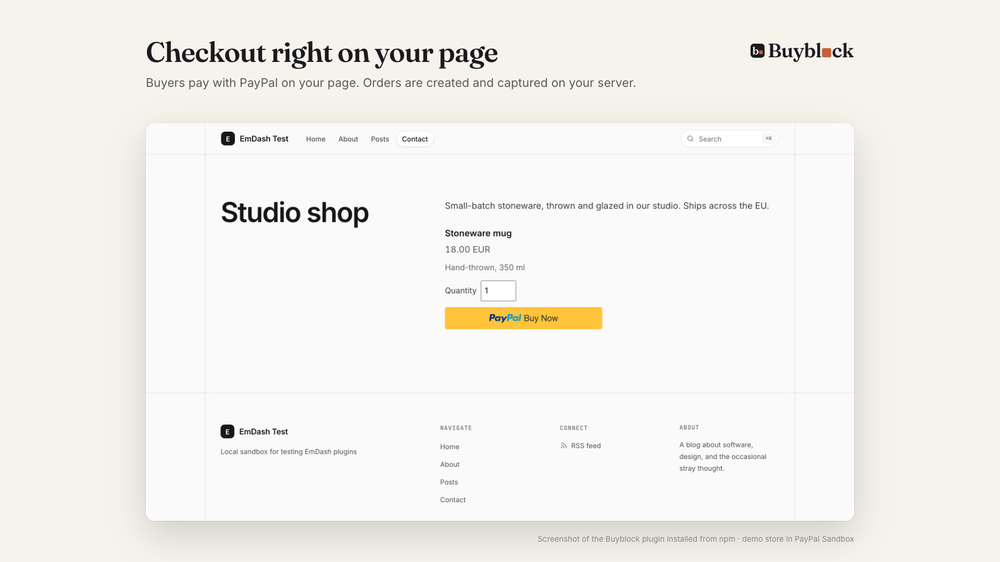
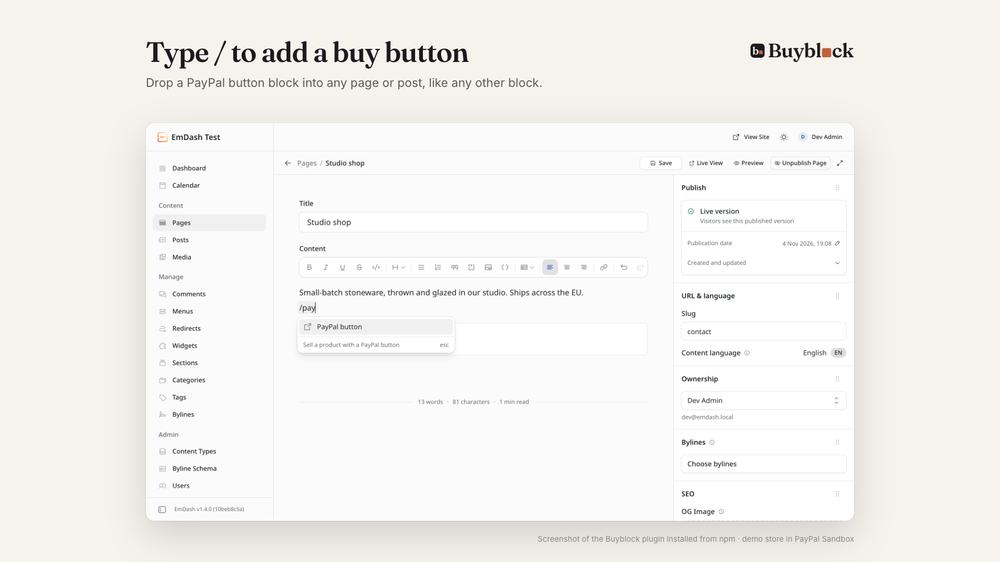
Buyblock lets you accept PayPal payments on any EmDash page or post. Create a product, type / in the editor, pick PayPal button, and buyers pay with a Buy Now button right on the page. No cart or full shop to set up: sell products, services, tickets or digital goods one button at a time.
This registry entry is a setup guide. Payment buttons on public pages need a trusted plugin, and EmDash installs trusted plugins from npm, not from the registry. Installing this entry adds a Buyblock setup page to your admin with the steps; see Installation below.
- Secure checkout: orders are created and captured on the server with your own PayPal REST app. The price always comes from your store, and captured payments are checked against it.
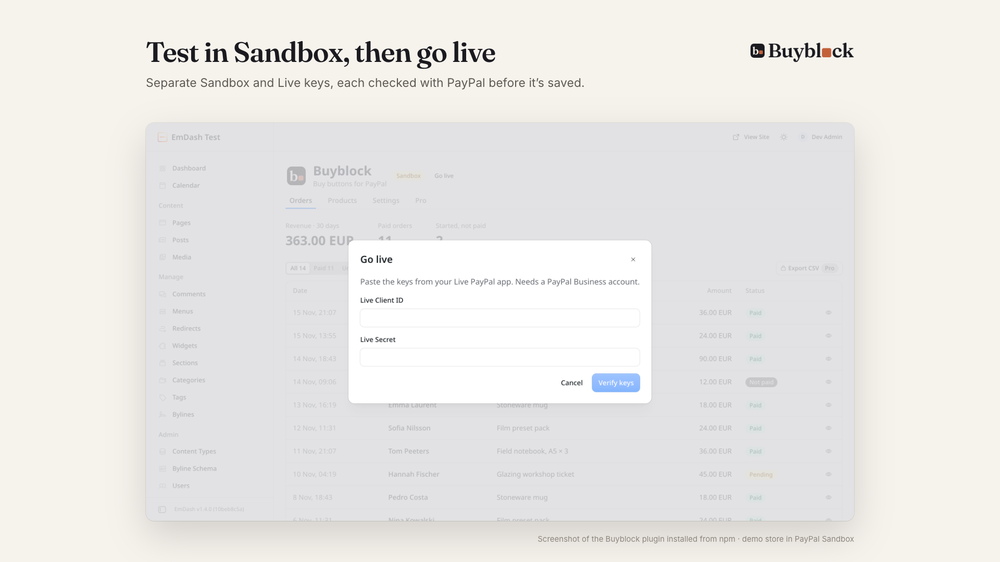
- Sandbox and Live keep separate keys, each verified with PayPal before it's saved. A Go live dialog makes the switch.
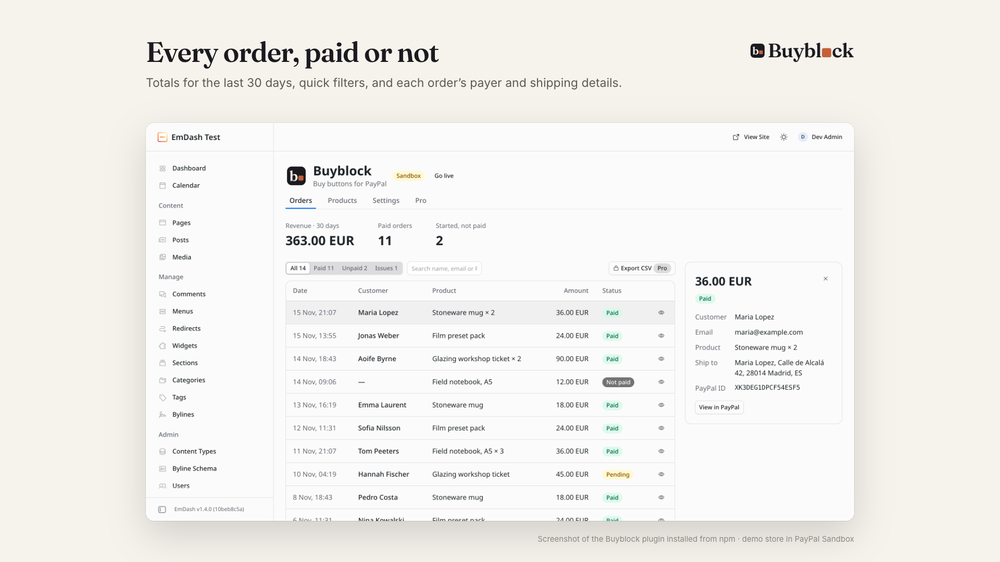
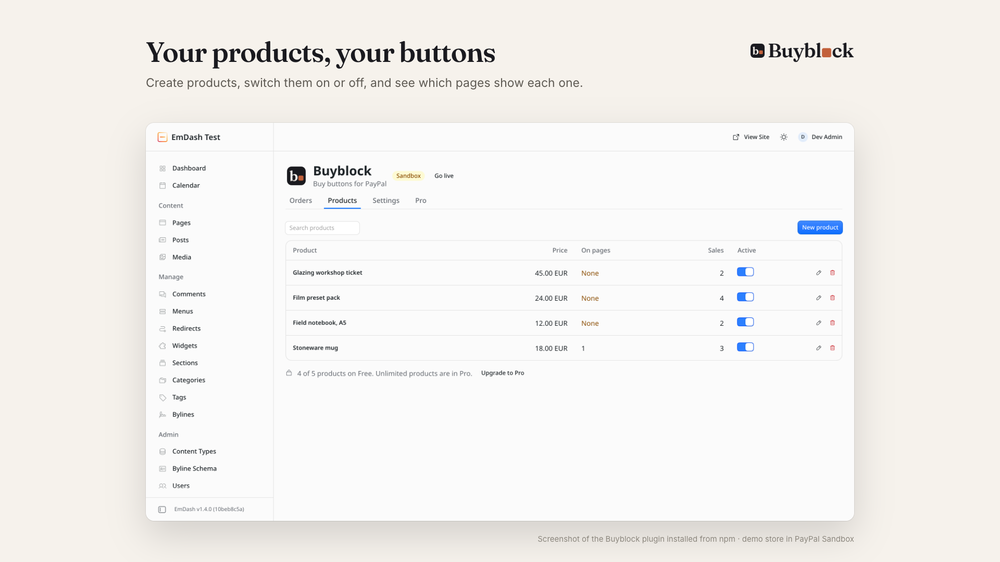
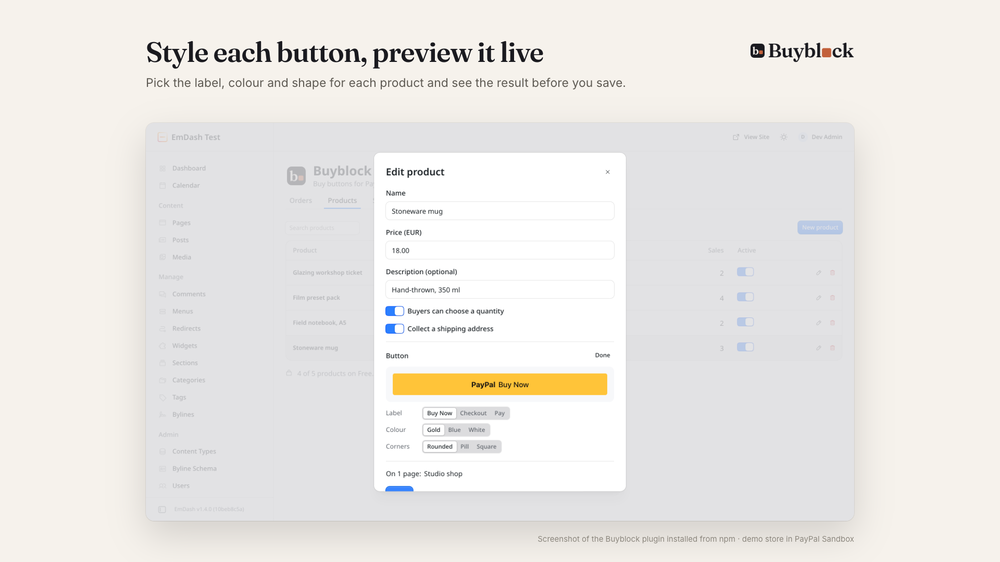
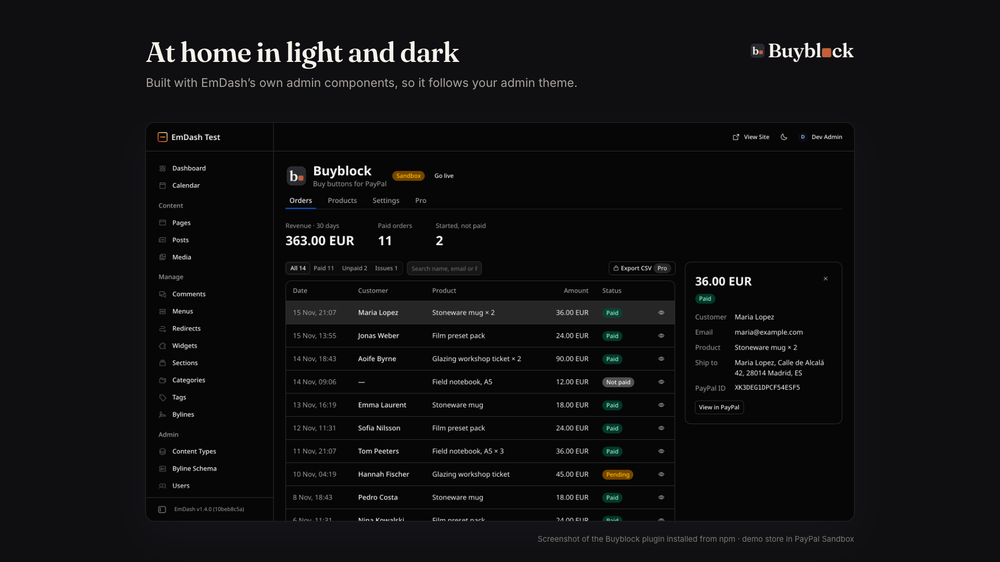
- Orders dashboard with totals and filters, per-product button styles with a live preview, and a dashboard widget with 30-day revenue.
- Built on EmDash's own admin components, so it follows your light or dark theme.
Free: up to 5 products, Sandbox and Live, and the last 30 days of orders. No account or key needed.
Pro (coming soon): payments that update themselves (pending to paid, refunds), order and receipt emails, digital downloads, donations and pay what you want, unlimited products, full order history and CSV export.
PayPal is a trademark of PayPal, Inc. Buyblock is made by Zachri Studio (zachristudio.com) and is not affiliated with or endorsed by PayPal.
Screenshots
Permissions
Plugins get only the capabilities they declare and you approve. Your EmDash admin lists these again before anything installs.
FAQ
Why isn't it a one-click registry install? Payment buttons on public pages need a trusted plugin, and EmDash only installs those from npm.
Is it a full ecommerce shop with a cart? No. Each product gets its own Buy Now button, which suits selling a few products, services or tickets without running an online store. Options, coupons, tax and shipping rules are on the Pro roadmap.
Can buyers pay by card without a PayPal account? Often, yes. PayPal's checkout window offers debit and credit card payment without an account in many countries; PayPal decides when it's shown.
Can I test before going live? Yes. Start with PayPal Sandbox keys and sandbox buyer accounts, then use Go live.
Where do I see orders? In the Orders tab of Buyblock in your EmDash admin, with totals and filters.
Can I collect a shipping address? Yes. Turn on "Collect a shipping address" for the product, and PayPal asks the buyer for it.
Can I take donations? Donations and pay what you want are planned for Pro. Today each button charges the product's fixed price.
Does it work alongside Stripe plugins? Yes. Buyblock only handles PayPal and doesn't touch other payment plugins.
Does it work with my theme? Yes. The block renders PayPal's button on any page, and you choose its label, colour and corners per product.
Does it work on Cloudflare and Node? Yes, anywhere EmDash runs.
Is my buyers' data sent to you? No. Orders stay in your EmDash database, and the plugin only talks to PayPal.
Is it free? Yes. The free plan has no account or key: up to 5 products and the last 30 days of orders. Pro is coming soon.
Security
Report vulnerabilities to security@zachristudio.com (see https://zachristudio.com/.well-known/security.txt). We reply within 2 business days.
This registry entry has no permissions: it reads nothing, stores nothing and contacts no hosts. The npm plugin only contacts PayPal's API, rate-limits its public checkout routes, and never stores raw visitor IP addresses.
Changelog
0.2.0: first public release on npm (@zachristudio/buyblock-paypal). Rate-limited checkout routes, capture that never charges twice, new Buyblock logo in light and dark.
Installation
Buyblock is installed from npm, because buttons on public pages need a trusted plugin.
- In your site's folder, run
npm i @zachristudio/buyblock-paypal. - In
astro.config.mjs, addimport { paypalPlugin } from "@zachristudio/buyblock-paypal";and putpaypalPlugin()inemdash({ plugins: [...] }). - Redeploy, open Buyblock in the admin sidebar and paste your PayPal Sandbox keys.
Full guide, including hosting notes for Cloudflare, Vercel, Netlify and Node: https://zachristudio.com/buyblock/docs/install/
Installing this registry entry is optional. It only adds a Buyblock setup page with the same steps.
Keep exploring
More plugins like Buyblock: Payments & Buy Buttons for PayPal
Browse by keyword, or see everything @zachristudio.com publishes.