
Soonpage: Coming Soon & Maintenance Mode
Coming soon page, maintenance mode (SEO-safe 503) and a launch waitlist for EmDash. Your team still sees the real site. Free core.
@zachristudio.com/soonpageOr open Registry in your EmDash admin and search for this name.
Overview
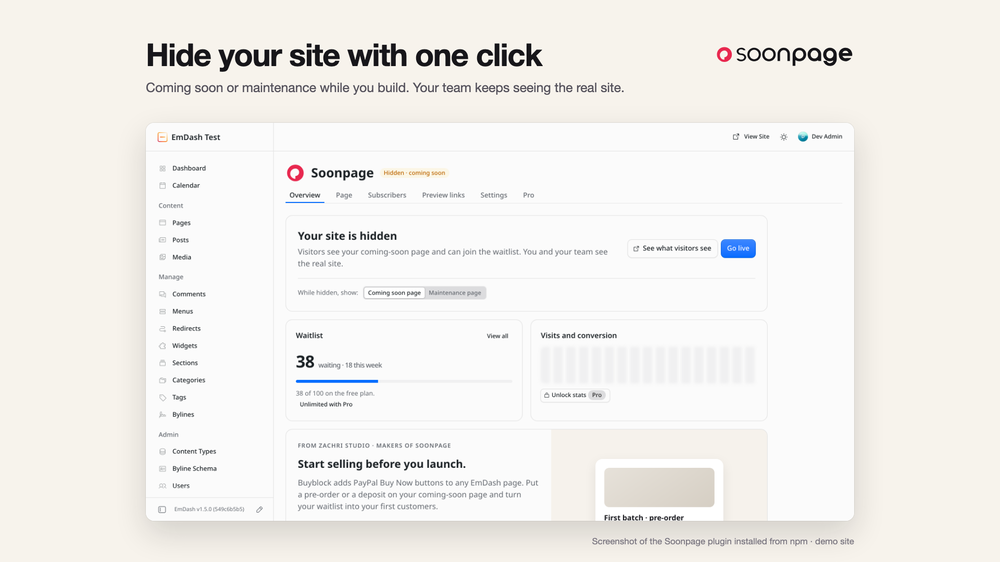
Soonpage hides your EmDash site behind a coming soon page or a maintenance page while you build, redesign or fix it, and collects a launch waitlist in your own database. Switch modes with one click; your team keeps seeing the real site.
This registry entry is a setup guide. Soonpage answers every public request while the site is hidden, which needs a trusted plugin, and EmDash installs trusted plugins from npm, not from the registry. Installing this entry adds a Soonpage setup page to your admin with the steps; see Installation below.
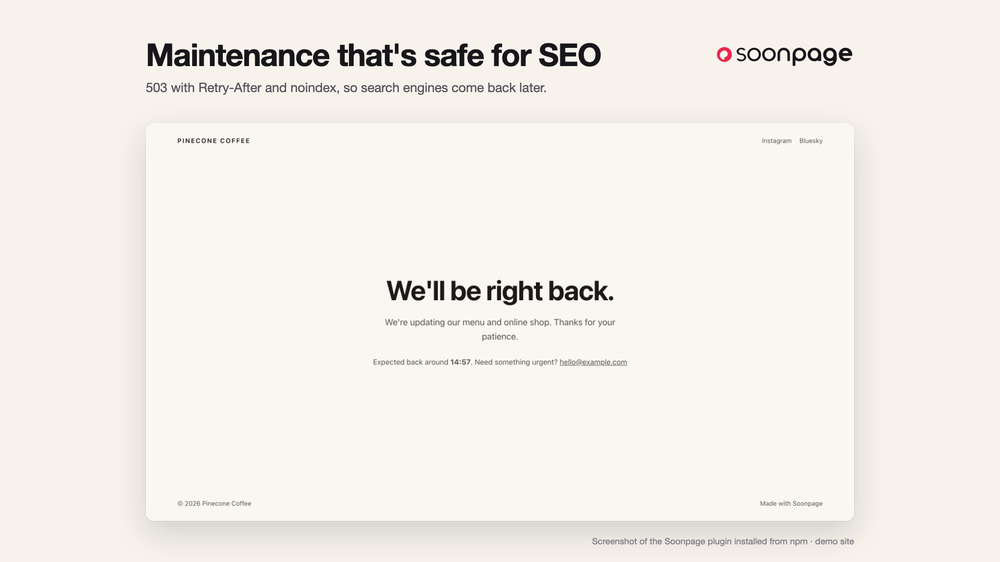
- Coming soon and maintenance modes. Maintenance answers
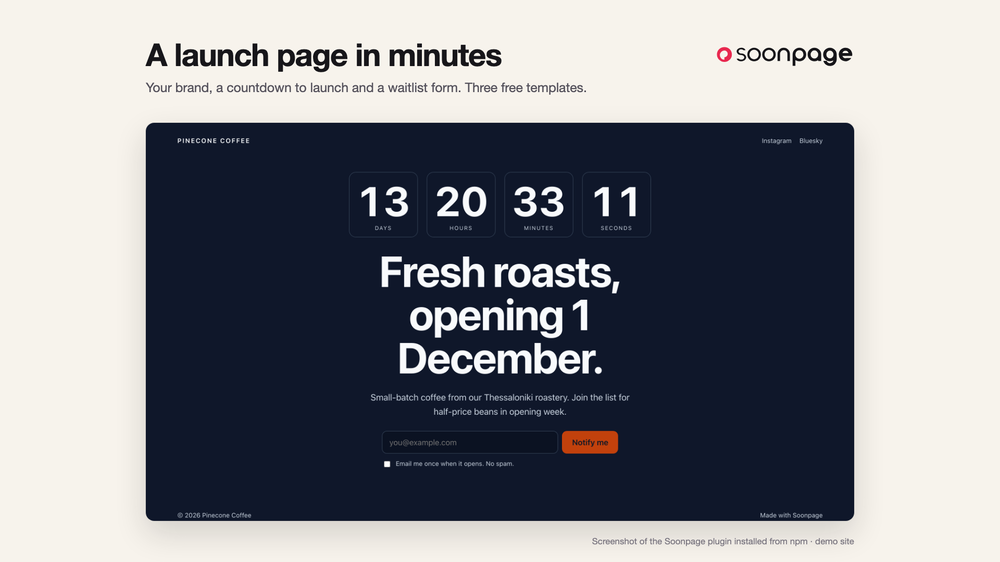
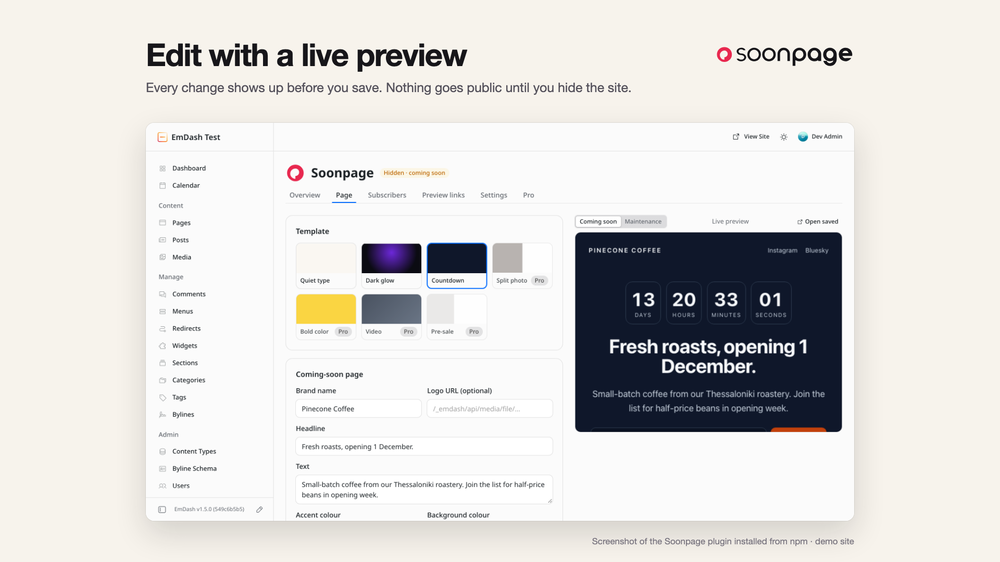
503withRetry-Afterandnoindex, so search engines come back later and rankings are safe. The coming soon page can answer200or503. - Three templates (Quiet type, Dark glow, Countdown) with your brand, logo, colours, headline, social links and a countdown to launch. The page editor has a live preview of your unsaved changes.
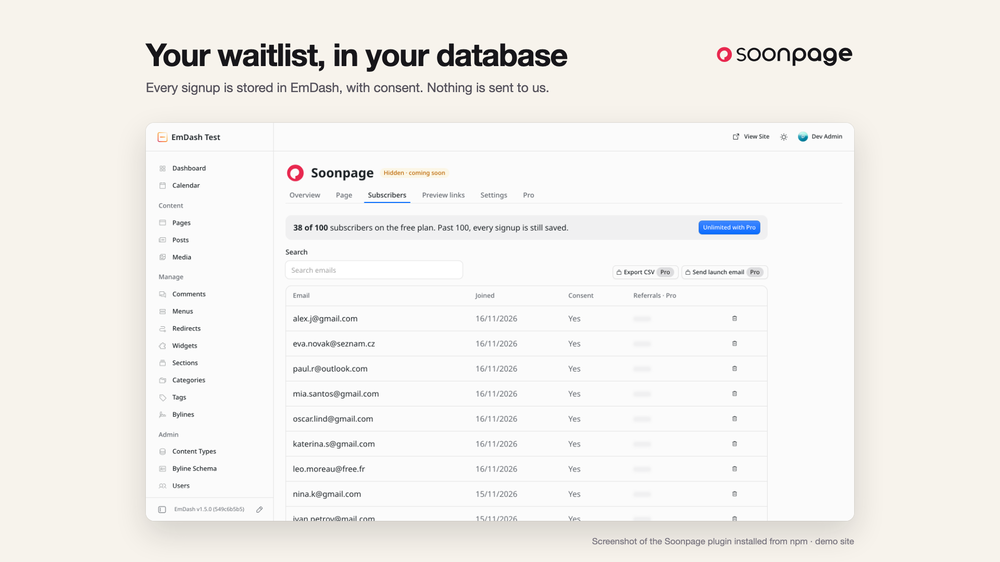
- Waitlist form with consent checkbox, honeypot, rate limits and optional Cloudflare Turnstile. Every signup is stored in your EmDash database.
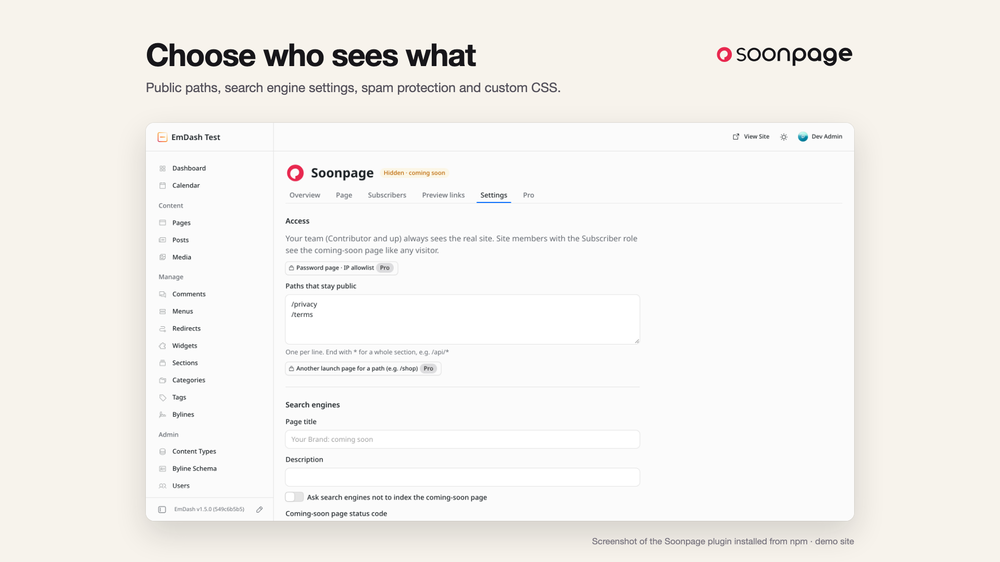
- Who sees what: your team (Contributor role and up) always sees the real site. Pages you list, such as
/privacy, stay public. Site search and comments stay closed to visitors while the site is hidden. - No external requests and no tracking unless you add an analytics ID or Turnstile. The "Made with Soonpage" link can be switched off.
Free: everything above. Every signup is saved; the admin list shows the first 100. No account or key.
Pro (coming soon): unlimited subscriber list and CSV export, launch-day email, referral queue, email integrations (Mailchimp, Brevo, Kit), client preview links, password and IP allowlist, more templates, pre-sales with Buyblock and stats.
Soonpage is made by Zachri Studio (zachristudio.com).
Screenshots
Permissions
Plugins get only the capabilities they declare and you approve. Your EmDash admin lists these again before anything installs.
FAQ
Why isn't it a one-click registry install? Soonpage answers public requests while your site is hidden, which needs a trusted plugin, and EmDash only installs those from npm.
Will hiding my site hurt SEO?
Maintenance mode answers 503 Service Unavailable with Retry-After and noindex, which tells search engines to come back later. For a brand-new site you can let the coming soon page answer 200 so it gets indexed.
Can I still see and edit my site while it's hidden? Yes. Everyone on your team (EmDash Contributor role and up) sees the real site. Site members with the Subscriber role see the coming soon page like any visitor.
Can some pages stay public?
Yes. List them in Settings, one per line, such as /privacy or /docs/*. Paths in any language work.
Where are the waitlist emails stored? In your own EmDash database. Nothing is sent to us. The free plan stores every signup; the admin list shows the first 100.
Can I export the list or email everyone at launch? CSV export and a launch-day email are planned for Pro. Pro is coming soon; the Pro tab in the admin asks for early access.
How do I stop spam signups? Signups have a hidden honeypot and rate limits. Add Cloudflare Turnstile keys in Settings for a visible check.
Does it work on Cloudflare and Node? It uses only standard web APIs, with no Node-only code, so it's built to run anywhere EmDash runs. Version 0.1.0 is tested on Node.
Are prerendered pages hidden?
No. Prerendered pages are served as static files and never reach Soonpage. Use output: "server", or keep the pages you want hidden on demand.
Is it free? Yes. The free edition has no account or key and works on any number of sites. Pro is coming soon.
Security
Report vulnerabilities to security@zachristudio.com (see https://zachristudio.com/.well-known/security.txt). We reply within 2 business days.
This registry entry has no permissions: it reads nothing, stores nothing and contacts no hosts. The npm plugin stores waitlist signups in your EmDash database, never stores raw visitor IP addresses (rate limits use keyed hashes), escapes everything it renders, and contacts no hosts unless you turn on Turnstile (challenges.cloudflare.com) or add an analytics ID.
Changelog
0.1.0: first public release on npm (@zachristudio/soonpage). Coming soon and maintenance modes, 3 templates with live preview, countdown, waitlist with rate limits and optional Turnstile.
Installation
Soonpage is installed from npm, because it answers public requests while your site is hidden and that needs a trusted plugin.
- In your site's folder, run
npm i @zachristudio/soonpage. - In
astro.config.mjs, addimport { soonpage, soonpagePlugin } from "@zachristudio/soonpage";, putsoonpagePlugin()inemdash({ plugins: [...] }), and addsoonpage()tointegrationsafteremdash(). Pages you want hidden must be rendered on demand (output: "server"). - Redeploy, open Soonpage in the admin sidebar, write your page and click Hide site.
Full guide: https://zachristudio.com/soonpage/docs/install/
Installing this registry entry is optional. It only adds a Soonpage setup page with the same steps.
Keep exploring
More plugins like Soonpage: Coming Soon & Maintenance Mode
Browse by keyword, or see everything @zachristudio.com publishes.