
Tipnote: Tip Jar & Support Block
A tip jar block for posts: readers tip you on PayPal.me, Ko-fi, Buy Me a Coffee and more. Six styles, click stats, no cookies. Free.
@zachristudio.com/tipnoteOr open Registry in your EmDash admin and search for this name.
Overview
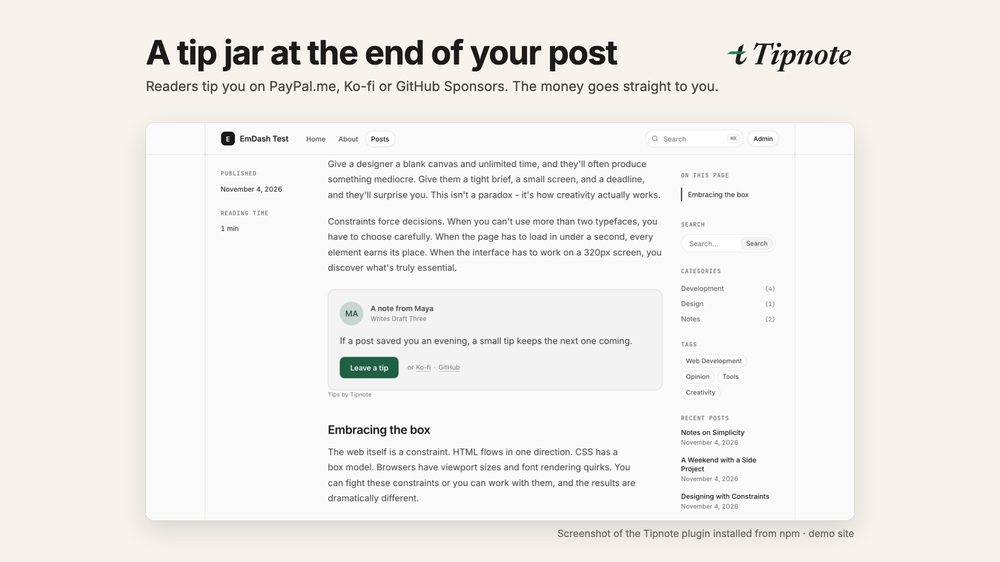
Tipnote adds a tip jar block to your EmDash posts. Type /tipnote where you want it, and readers can tip you on the services you already use: PayPal.me, Ko-fi, Buy Me a Coffee, GitHub Sponsors, Liberapay, Patreon or any https link. Readers pay on that service, so the money goes straight to you. Tipnote never touches it.
This registry entry is a setup guide. Tipnote draws the block on your public pages, which needs a trusted plugin, and EmDash installs trusted plugins from npm, not from the registry. Installing this entry adds a Tipnote setup page to your admin with the steps; see Installation below.
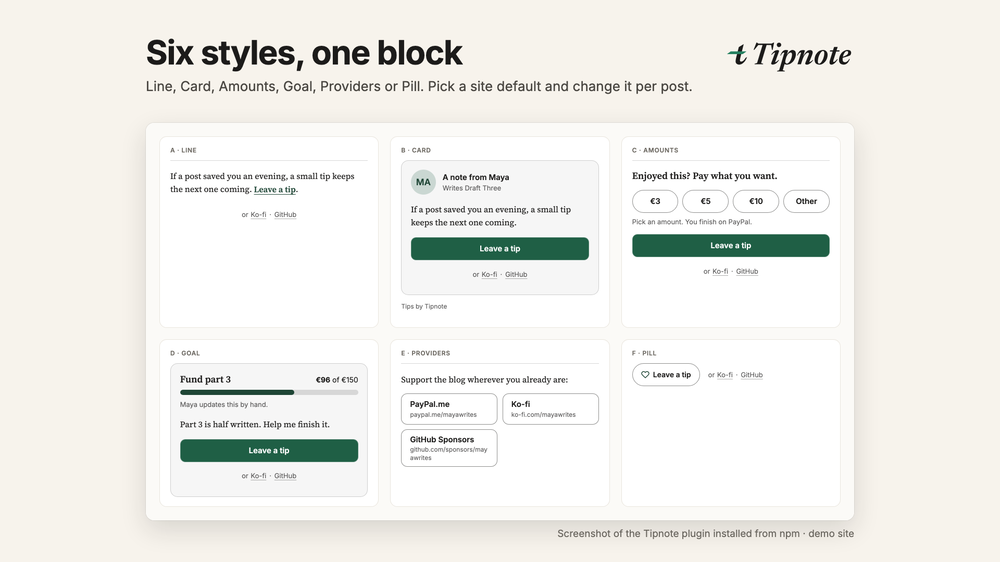
- Six styles: Line, Card, Amounts, Goal, Providers and Pill. Set a site default and change it per block.
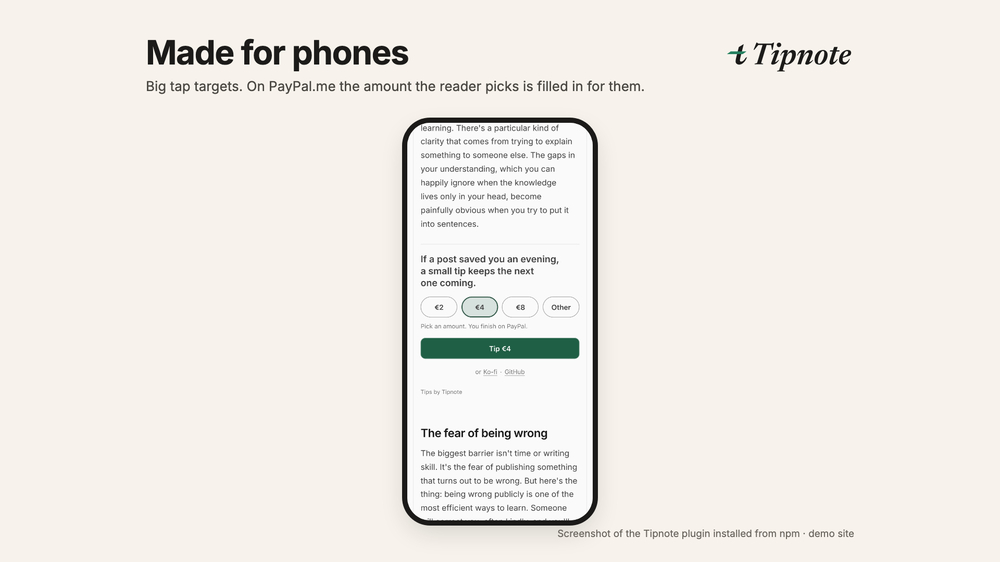
- Suggested amounts: readers pick €3, €5 or €10. On PayPal.me the amount is filled in for them.
- Goal bar you update by hand, for serials and projects.
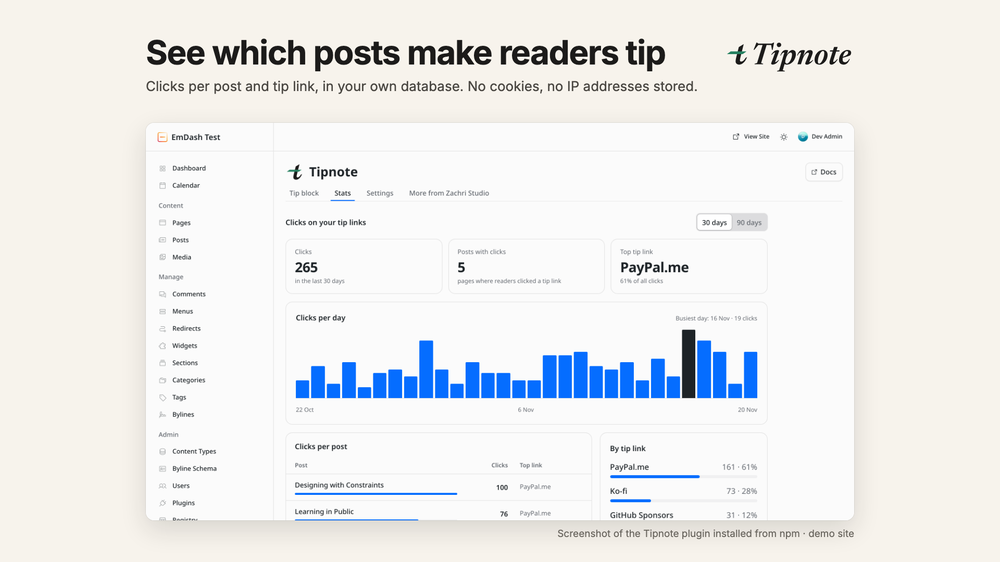
- Click stats per post and tip link, stored in your own database. No cookies, and no IP addresses stored.
- Fits your theme: the block uses your theme's font and text colour on light and dark sites, with one accent colour.
- A small "Tips by Tipnote" credit you can switch off.
Free on any number of sites. No account, no key, no paid version.
Tipnote is made by Zachri Studio (zachristudio.com). It is not affiliated with the services it links to.
Screenshots
Permissions
Plugins get only the capabilities they declare and you approve. Your EmDash admin lists these again before anything installs.
FAQ
Why isn't it a one-click registry install? Tipnote draws a block on your public pages. In EmDash only trusted plugins can do that, and they install from npm.
Does Tipnote take a cut or handle payments? No. Readers pay on PayPal, Ko-fi or whichever service you link to. Tipnote only links there and never sees the money.
Can it show how much I've received? No. The services don't report payments to Tipnote, so Stats shows clicks, not tips. The goal bar shows the numbers you type.
Which services work? PayPal.me, Ko-fi, Buy Me a Coffee, GitHub Sponsors, Liberapay, Patreon, and any https link, such as a Stripe payment link.
Does it set cookies or track readers? No. A click stores the page, the tip link and the day, nothing about the reader. You can switch counting off.
Will it match my theme? Yes. It uses your theme's font and text colour on light and dark sites. You choose one accent colour for buttons and links.
Is it free? Yes, on any number of sites, with no account or key. There's no paid version.
Security
Report vulnerabilities to security@zachristudio.com (see https://zachristudio.com/.well-known/security.txt). We reply within 2 business days.
This registry entry has no permissions: it reads nothing, stores nothing and contacts no hosts. The npm plugin declares no capabilities and contacts no hosts, escapes everything it renders, stores click counts and settings in your EmDash database, and never stores IP addresses (rate limits use keyed hashes).
Changelog
0.1.0: first public release on npm (@zachristudio/tipnote). Tip block with six styles, links to PayPal.me, Ko-fi, Buy Me a Coffee, GitHub Sponsors, Liberapay, Patreon or any link, amounts, goal bar and anonymous click stats.
Installation
Tipnote is installed from npm, because it draws a block on your public pages and that needs a trusted plugin.
- In your site's folder, run
npm i @zachristudio/tipnote. - In
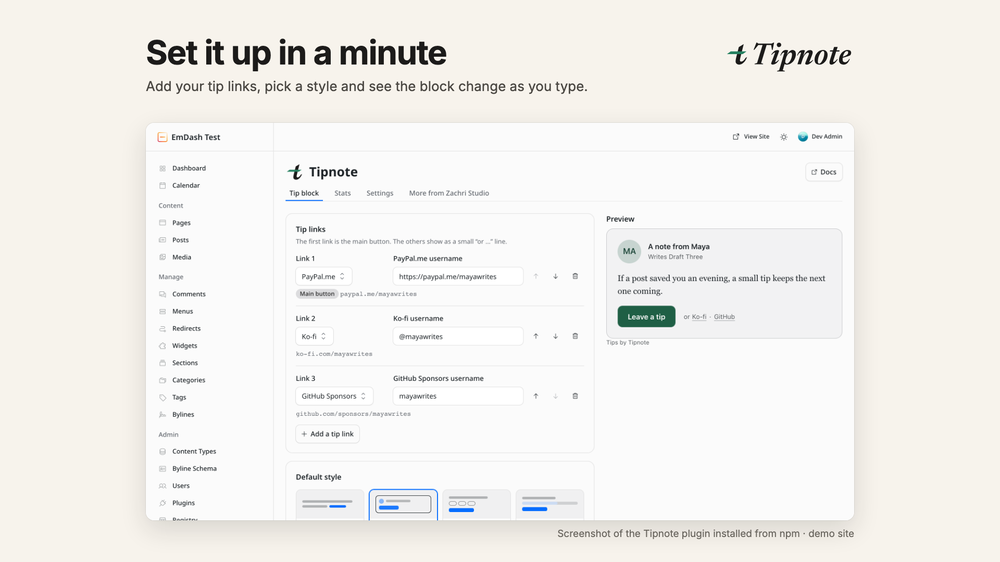
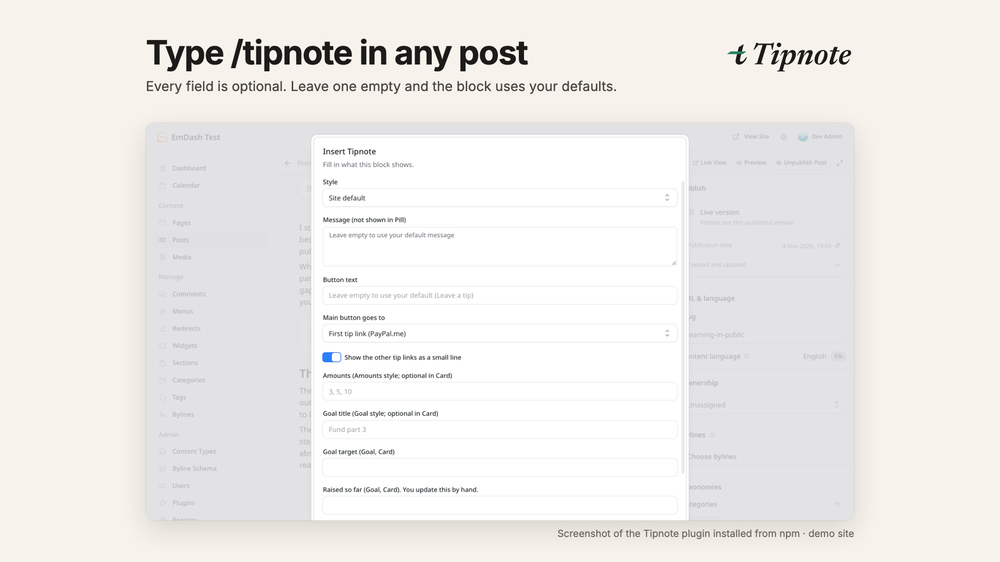
astro.config.mjs, addimport { tipnotePlugin } from "@zachristudio/tipnote";and puttipnotePlugin()inemdash({ plugins: [...] }). - Redeploy, open Tipnote in the admin sidebar, add your tip links, then type
/tipnotein a post.
Full guide: https://zachristudio.com/tipnote/docs/install/
Installing this registry entry is optional. It only adds a Tipnote setup page with the same steps.
Keep exploring
More plugins like Tipnote: Tip Jar & Support Block
Browse by keyword, or see everything @zachristudio.com publishes.